Which buying considerations matter?
Start by checking how participants will share their films, then check the connection, screen and installation location.
| Buying consideration |
What to check |
Who this matters to |
| Sharing films from phones |
Check the film app you’ll actually use and whether it supports Google Cast or AirPlay. Also check that the devices are connected to the same Wi-Fi network. |
If participants want to share short films directly from their phones, being able to share from the app they use is the deciding factor for me. Around 33% of consumers say sharing from multiple phones is their main buying concern. |
| Reliable playback |
Test the Wi-Fi at the viewing location or check whether Ethernet is available there. Match your preferred picture quality to the recommendation from your chosen streaming service. |
If an interruption would take the whole group out of the film, I prioritise a reliable network connection. Around 27% of consumers put uninterrupted playback first. |
| Picture on a big screen |
Check that the source, player, HDMI chain and TV or projector support your preferred resolution and HDR format. |
If I want to show short films on a big screen, I want to know whether the entire playback chain supports the picture quality I’m after. Around 20% of consumers say picture quality is their main buying concern. |
| Installation at different locations |
Check the HDMI connection, power supply, Wi-Fi and any cables you’ll need. Also check which accessories come with the device you choose. |
For a film night using a different TV or projector, the connections available and the accessories I can bring with me are key. Around 20% of consumers prioritise installation at different locations. |
Joybuy products for watching films on one screen
This selection includes TVs and a projector with Google TV. Some of the TVs also list built-in Chromecast or AirPlay in their product information.
 No image available
METZ 86MQE8000Z 86-inch QLED Google TV
For a viewing setup where films are launched through the TV interface; Google TV is listed in the product title.
86 inches; 4K; QLED; 144 Hz; HDR10+; Dolby Vision Atmos.
View on Joybuy
 No image available
XGIMI MoGo 4 portable projector, Full HD 1080p, EA SPORTS FC 26 Game Code, Match Night EU Edition
For a projection setup where films are launched through Google TV; the product title describes it as a portable projector.
Full HD 1080p; 450 ISO lumens; battery life listed as 2.5 hours.
View on Joybuy
 No image available
TCL 55T8C 55-inch 4K QLED TV
For a permanent TV setup: the product information lists Google TV and built-in Chromecast.
55 inches; 4K QLED; 144 Hz.
View on Joybuy
 No image available
TCL 75Q7C 75-inch 4K Mini-LED TV
For anyone who wants to start films on a large TV screen using the Google TV interface listed.
75 inches; 4K Mini-LED; 144 Hz; product title lists a 5-year warranty.
View on Joybuy
 No image available
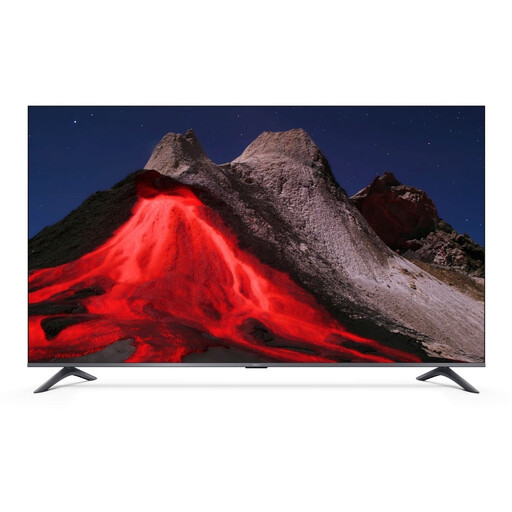
Xiaomi TV A Pro 55 55-inch 4K UHD QLED Google TV
For watching films through TV apps or sharing from phones: the product information lists Google TV, Chromecast and Apple AirPlay.
55 inches; 4K UHD QLED; HDR10+; product title lists 2 GB + 8 GB.
View on Joybuy
Frequently asked questions
Can different participants simply send any short film to the TV?
No, it depends on the film app and the sharing method. Google describes casting from a compatible app on the same Wi-Fi network; Apple describes AirPlay from an iPhone or iPad to a compatible device on the same Wi-Fi network. A YouTube playlist can help you set up the running order in advance.
What should you check before setting up at the viewing location?
Check the HDMI input, power supply, cables, network and the apps you want to use. Google says the Google TV Streamer requires a certified HDMI 2.1 cable, sold separately. For the TV Stick 4K (2nd Gen) we reviewed, Xiaomi lists a power adapter and HDMI extension cable.
Do I always need 4K internet for short films?
No, the connection you need depends on the service and the picture quality you choose. Netflix recommends at least 15 Mbps for its own 4K streams and at least 5 Mbps for Full HD. These recommendations aren’t universal minimum requirements for all short films or services.
Who can help if the player I bought develops a fault too soon during normal use?
According to ACM ConsuWijzer, the seller is responsible if a product doesn’t meet what you could reasonably expect from it. Depending on the situation, the seller must resolve the problem free of charge, for example by repairing or replacing the product, or refunding you. This is separate from any manufacturer’s or seller’s guarantee; the same fixed guarantee period doesn’t automatically apply to every product.
Can I screen short films for a large group without permission?
It depends on the films, the service and the nature of the screening. The Dutch government says that copyrighted work may not be made available to the public without permission. Videma describes licences for the business screening of certain TV programmes, but these don’t automatically cover individual short films or the terms of a streaming service. Netflix says that accounts are for personal, non-commercial use, with exceptions depending on the content.


