What to look for in a streaming device for nature documentaries
First, check that the apps you want are available on the shared TV and any new device you’re considering. Then compare profile management and connections. Only assess picture quality once your entire viewing set-up can handle the format you want.
| What to consider |
What to look for |
Who it matters to |
| App availability |
Check that the documentary apps you want are available on the exact TV or device model. |
If I use a particular nature documentary service, I want to be sure its app works on the device. Around 28% of consumers give access to the apps they want top priority. |
| Separate profiles |
Check device profiles, as well as the profile and household rules for every service you use. |
If housemates want their own viewing preferences and controls, it’s important that the device profile suits the way they use it. Around 22% of consumers put separate controls at the top of their list. |
| Picture quality |
Check that the TV, title, subscription, device and connection support 4K or HDR. |
If I want to watch nature documentaries in 4K or HDR, every part of my viewing set-up needs to support that format. Around 22% of consumers give suitable picture quality top priority. |
| Connection by the TV |
Assess Wi-Fi reception where the TV is, and check whether you can connect an Ethernet cable there. |
If streaming over Wi-Fi by the TV isn’t reliable, I want to know whether a wired connection is possible. Around 17% of consumers prioritise a reliable connection by the TV. |
| Device and accessories |
Check whether your existing TV already meets your needs, which cables are included and what subscription is required for the format you want. |
If I don’t need an extra device or cable, I’d like to know that in advance. Around 11% of consumers give avoiding unnecessary equipment and accessories top priority. |
Joybuy product selection: projector with streaming features
This Joybuy pick is a projector, not a comparable streaming stick or TV box. Check that it suits your viewing space and that the documentary apps you want are available.
 No image available
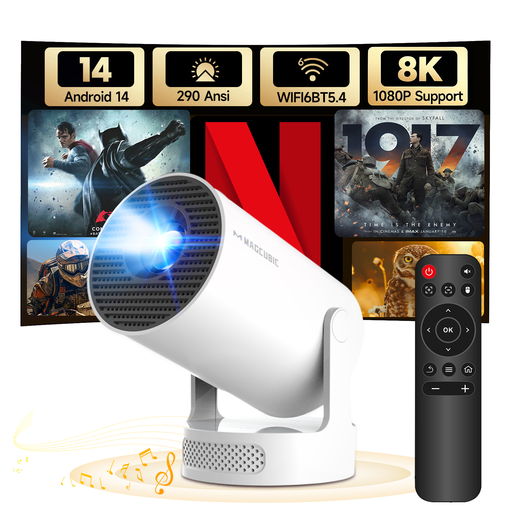
MAGCUBIC HY300Pro+ mini projector
This projector may suit a viewing set-up where you also want built-in streaming features; check in advance that the apps you use are available.
The stated native resolution is 720p. The product name mentions 1080P support, which is not the same as a native 1080p resolution.
The product information lists Android 14, Wi-Fi 6, Bluetooth 5.4, a rotating stand and a projection distance of 0,6–2,5 m.
Before buying, check that the exact version meets the applicable product requirements.
View at Joybuy
Frequently asked questions about streaming on a shared TV
Do I need to buy a device if our smart TV already has apps?
Not necessarily. First check that the documentary apps you use are available and work on the TV. A separate player is mainly useful if the app selection or controls don’t meet your needs. The Consumentenbond describes streaming to a TV as an alternative when the apps you want aren’t available.
Is a 4K stick enough to watch documentaries in 4K?
No, not on its own. The title, subscription, device, TV and connection must all support the format you want. Netflix recommends a connection of 15 Mbps or higher for 4K streaming; this recommendation applies to Netflix and isn’t a general guarantee for other services.
Does having your own device profile keep each housemate’s account separate too?
No. A device profile and an account on a streaming service are different things. Google TV and Apple TV 4K support multiple device profiles, but the rules for profiles and households vary by service. Netflix may ask you to link a device to your Netflix Household.
What should I check before connecting a device?
Check for a spare HDMI port, a power supply and a network connection where the TV is. Apple says the HDMI cable for Apple TV 4K is sold separately. Xiaomi lists a power adapter and HDMI extension cable as included with the second-generation stick.
Which product requirements matter for a streaming device with Wi-Fi or Bluetooth?
Applicable EU product requirements for radio equipment are relevant; the Netherlands Enterprise Agency explains the rules that apply to this type of equipment. Before buying, check that the exact version meets the requirements and carries the required CE marking. A product listing or similar model name isn’t enough to establish this.


