First, choose the opera recording and streaming service, then check whether you can watch it through a TV app or a supported casting method. OperaVision lists YouTube on TV as a way to watch; Met Opera on Demand lists, among other options, an Apple TV app and a Fire TV app. Then tailor the picture, sound and connection to your whole viewing set-up: 4K output does not guarantee that the recording itself is in 4K, and support for audio formats does not mean every recording offers them.
Who is this for?
Viewer with a preferred opera service
You mainly want to know whether you can watch your chosen recording on your TV through OperaVision or Met Opera on Demand. OperaVision lists YouTube on TV; Met Opera on Demand lists, among other options, an Apple TV app.
Organiser of a group screening
You want everyone to be able to follow the picture and any subtitles from different seats, without interruptions. So consider the recording, screen and connection as one complete set-up.
Listener with an audio system
You want to play voices and orchestra through your existing TV and audio equipment. Check that the connections are compatible and find out which audio track the recording actually offers.
What should you look for when buying?
First, choose the recording and how you’ll watch it. Then tailor your set-up to visibility, sound, connectivity and the cost of the device and streaming service.
| What to consider |
What should you look for? |
Who is this most relevant to? |
| Access to the recording |
Check whether the service and title are available through a TV app, YouTube or a supported casting method. |
If I want to watch a specific opera recording, I first check whether I can access it on my TV. Around 28% of consumers give access to their preferred service top priority. |
| Picture and subtitles |
Check the recording’s quality and subtitle languages, your TV’s resolution and visibility from the back row. |
For a large group, I want everyone to be able to follow the picture and subtitles from different seats. Around 22% of consumers prioritise picture and subtitle visibility. |
| Sound and connections |
Match your TV’s audio output to your audio system and check which audio track the recording offers. |
If I want to use my existing audio system, I check that the connections and audio track are compatible. Around 22% of consumers make clear sound through their own set-up their top priority. |
| Connection reliability |
Compare the Wi-Fi signal where you’ll be watching with any available Ethernet connection, and check the requirements of your chosen service. |
For a long screening with a group, I want to avoid the connection interrupting playback. Around 17% of consumers prioritise connection reliability. |
| Total cost |
Check what’s included with the exact model and whether the streaming service requires a subscription. |
If I want to keep track of what I’ll spend on the device, cable and streaming service, I check each separately. Around 11% of consumers give total cost top priority. |
Common pitfalls
-
Focusing only on ‘4K’ on the box
The TV and streamed recording together determine the actual resolution; the media player’s output alone does not.
First check the recording, screen and visibility from the seats. Only then consider the media player’s video output.
-
Assuming every opera service has an app on every platform
The documented ways to watch vary by service. An app on one platform doesn’t mean the same service is available on another.
Look up the title you want and check the supported way to watch before choosing a device.
-
Mistaking an old listing for current availability
OperaVision generally grants viewing rights for a limited period. A production page may therefore remain online after the full performance is no longer available to watch.
Before your screening, check that the specific production is still available.
-
Assuming there’s a set warranty period or a full set of cables
What’s in the box varies by model. The Dutch government states that there is no fixed statutory warranty period in the Netherlands; if a product is faulty, the retailer is your point of contact.
Check what’s included with the exact version you’re buying. Keep your proof of purchase and contact the retailer if the product is faulty.
Some models are sold without an HDMI cable. Check whether you’ll need one for your set-up.
Brands to consider
Apple
Worth considering if you want to use Met Opera on Demand through the Apple TV app listed by the service, or need an Ethernet connection.
- Apple lists 128 GB, Gigabit Ethernet and Dolby Atmos for Apple TV 4K (4th generation).
- An HDMI cable is sold separately. Having access to an app doesn’t guarantee that every recording or audio track is available.
Google
A way to use TV apps and casting, with a wired network connection available on the Google TV Streamer (4K).
- Google lists 32 GB of storage, 4K output and Gigabit Ethernet for the Google TV Streamer (4K).
- When casting, your source device and Google TV must be connected to the same Wi-Fi network. The HDMI cable is sold separately.
Xiaomi
The TV Box S (3rd Gen) offers a Google TV option for watching YouTube and other services on a TV with HDMI.
- Xiaomi lists 4K output, 32 GB, Wi-Fi and an HDMI cable in the box.
- Check in advance whether your preferred specialist opera service is available through the viewing method you want to use.
Strong
The LEAP-S3+V2 is a Google TV box option for opera recordings available through compatible TV apps.
- Strong lists 4K, 16 GB and Wi-Fi 5 for this version.
- Check whether your preferred opera service works through an app available on the box.
Joybuy products
These Joybuy picks are Google TV televisions, for a set-up where you choose the streaming features and screen together.
 No image available
METZ 43MQF7500Z 43-inch QLED 4K UHD Google TV
A Google TV with a built-in 43-inch screen; consider whether the screen size suits the group’s seating arrangement.
43 inches (109 cm), QLED, 4K UHD, Google TV, HDR10+, Dolby Vision and Dolby Atmos.
Visibility depends on your viewing set-up and the quality of the available recording.
View at Joybuy
 No image available
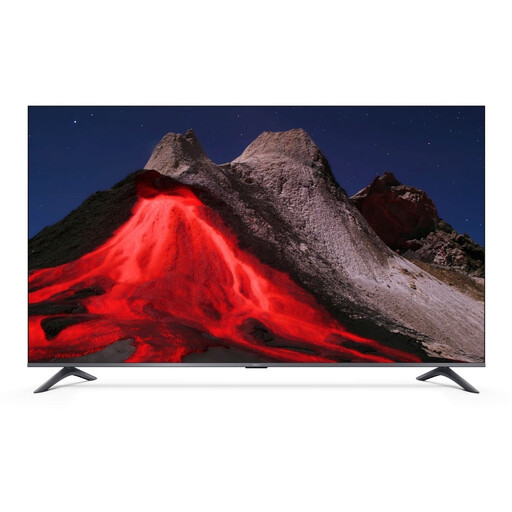
Xiaomi TV A Pro 55 55-inch 4K UHD QLED Smart TV
A Smart TV with Google TV and YouTube mentioned in the product description; check whether your chosen recording is available through your preferred viewing method.
55 inches (140 cm), 4K UHD, QLED, Google TV and built-in Chromecast.
Whether the screen is easy to see from every seat depends on the room and your set-up.
View at Joybuy
Frequently asked questions
Do you need a dedicated opera app for OperaVision?
According to OperaVision’s FAQ, you can watch the service on your TV through the YouTube app. Also check whether the production you want to see is still available.
How can you prepare the connection for a long recording?
Test your chosen service where you’ll be watching before your guests arrive. Met Opera on Demand recommends a download speed of at least 25 Mbps; this requirement applies to that service and is not a general threshold for all opera platforms. If you cast to Google TV, your source device and Google TV must be connected to the same Wi-Fi network.
Will you need a cable or subscription as well as the device?
That depends on the model and service. An HDMI cable is sold separately with the Google TV Streamer and Apple TV 4K models we looked at; Xiaomi lists one as included with the TV Box S (3rd Gen). OperaVision describes itself as a free platform, while Met Opera on Demand offers a subscription.
What warranty rights apply to a purchase in the Netherlands?
The Dutch government states that you are entitled to a product that works properly and that there is no fixed statutory warranty period in the Netherlands. If a product is faulty, you can contact the retailer; a manufacturer’s warranty is in addition to your statutory rights.
Can you show an opera recording to a large group?
Not automatically: the size of the group alone does not determine whether a screening is public or covered by the streaming service’s terms. The Dutch government states that permission is required to make copyright-protected work available to the public. For a public or business event, check the screening rights and the service’s terms in advance.


