Start with the opera recording and streaming service. OperaVision explains how to watch on a TV using the YouTube app, while medici.tv offers apps for devices including Apple TV and Android TV. Then choose a device that suits your TV, network and preferred controls. Features such as picture adjustment, Ethernet or a backlit remote are only relevant if the recording and your setup support them.
Who is this for?
Opera fan with a preferred streaming service
You want to know whether you can watch the performance you’re interested in on your TV using a service such as OperaVision or medici.tv. OperaVision describes watching via the YouTube app, while medici.tv lists apps for Apple TV and Android TV.
Picture-conscious evening viewer
You watch in a dark room and want to match your player and TV settings to the recording, without assuming that every opera is available in 4K or HDR. Apple describes settings for matching the dynamic range and frame rate to the content.
Viewer who wants simple controls
You’re looking for a remote you can use in the dark, or a network connection that suits where you watch. STRONG lists a backlit remote for the LEAP-S3PRO, while Google lists a built-in Ethernet port for the Google TV Streamer (4K).
What should you look for when choosing?
First, check how you can watch the recording you want on your TV. Then compare the picture settings, controls, network connection and any additional requirements with your own setup.
| Buying concern |
What should you check? |
Who is this important to? |
| Access to opera recordings |
Find the production you want and check how to watch it, whether subtitles are available and whether the app works on your chosen device. |
If I want to watch a specific opera, I first check whether it’s available on my TV through the service I want to use. Around 33% of consumers prioritise access to the recording they want. |
| Picture quality in a dark room |
Check which picture formats the recording and TV support, and whether the picture settings can adapt to the source. |
When watching in a dark room, I want the recording, player and TV to work well together. Around 27% of consumers prioritise suitable picture quality. |
| Controls during the performance |
Check the remote supplied with the exact model and consider whether you’d rather use it or cast from a compatible app. |
I want to be able to pause or rewind in the dark without having to search for the buttons. Around 20% of consumers prioritise easy controls. |
| Network connection |
Check whether the model has Ethernet and whether Wi-Fi is reliable enough where your TV is set up. |
If I’m watching a long performance, I want a network connection that works where I watch. Around 13% of consumers prioritise a reliable connection. |
| Everything you’ll need |
Check which cables are included and what’s required to use your chosen streaming service. |
I want to know in advance whether my setup needs an extra cable or access to a paid service. Around 7% of consumers prioritise the overall requirements and costs. |
Common pitfalls
-
Assuming a 4K or HDR logo guarantees that every recording will look that way
A device may support a picture format that isn’t used by the opera recording or TV you’ve chosen. OperaVision describes content in HD or 4K, but the format of the recording and your TV’s capabilities also affect what you see.
Check the specific production and the picture formats your TV supports. Only choose extra picture settings if you want to use them and your equipment supports them.
-
Waiting until after you buy to check the production or how to watch it
Access to a service and the availability of a production can vary. OperaVision notes that productions may only be available for a limited time, while medici.tv lists several ways to watch and offers a subscription.
First check the production and subtitles, then make sure the service works on the exact device model you’re considering.
-
Assuming every streaming box comes with the same cables
Apple and Google list an HDMI cable as sold separately for the devices mentioned here. Xiaomi lists an HDMI cable as included with the TV Box S (3rd Gen).
Compare what’s included with the exact model against the cables and connections you already have.
If you don’t have a suitable cable, you may need to buy one separately for the Apple and Google devices mentioned here.
Brands to consider
Apple
Worth considering if you want to use medici.tv through an Apple TV app or adjust picture settings at source.
- Apple documents settings for matching the dynamic range and frame rate to the content.
- According to the Dutch specifications, an HDMI cable is sold separately. The final picture also depends on the recording and your TV.
Google
The Google TV Streamer (4K) is worth considering if you want Google TV, casting or a wired network connection.
- Google lists gigabit Ethernet, 4K HDR output and a feature for finding the remote.
- Google states that a suitable HDMI cable isn’t included. The device’s picture formats don’t tell you which format a specific recording uses.
STRONG
The LEAP-S3PRO is worth considering if you’re looking for a Google TV box with a backlit remote.
- STRONG lists Google Cast, LAN and a backlit remote for the LEAP-S3PRO.
- These are manufacturer specifications for the model mentioned, not an independent comparison or features shared by every STRONG model.
Xiaomi
The TV Box S (3rd Gen) is worth considering if Wi-Fi is reliable enough where you watch and you want an HDMI cable included.
- Xiaomi lists 4K output, Dolby Vision support and an HDMI cable in the box.
- The Dutch specifications don’t list a built-in Ethernet port. This information applies to the TV Box S (3rd Gen).
Joybuy products
This Joybuy selection includes projectors for projection and a Xiaomi TV for a TV-based setup. Before you buy, check that you can use your preferred opera service on the model you choose. For a wireless device, also check that the specific model carries the required CE marking; a listing in an online shop alone doesn’t prove this.
 No image available
Blackview Smart Projector PV1000 Max Grey
A projection option for a setup where you want to display content wirelessly via AirPlay 2.
The title lists native 1080p; 4K is listed for decoding, which isn’t the same as native 4K.
The title also lists VIDAA OS, Wi-Fi 5, Bluetooth, Dolby Audio, 360° rotation and TOF autofocus.
View at Joybuy
 No image available
Video Projector with built-in apps and Play Store
A projection option for anyone who wants to use apps on the device itself; check whether your preferred opera service is available.
The title lists Wi-Fi 6, automatic screen correction, 180° rotation and 50%–100% digital zoom.
The product description warns against looking directly into the lens, as this could cause serious eye injury.
View at Joybuy
 No image available
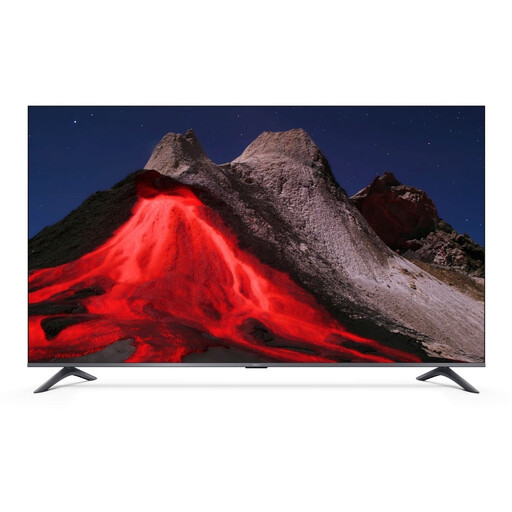
XIAOMI TV A Pro 55, 55-inch, 4K UHD QLED
A TV option for a setup where you want to access your chosen streaming service through the TV; check the production and how to watch it.
The title lists Google TV, 4K UHD QLED, HDR10+ and compatibility with Apple AirPlay and Google Cast.
The picture formats listed don’t guarantee that a specific opera recording is available in those formats.
View at Joybuy
Frequently asked questions
Do I need a separate opera app for OperaVision?
OperaVision says you can watch its content on a TV using the YouTube app. Do check that the production you want is still available, as productions may only be online for a limited time.
Can I watch medici.tv directly on a streaming device?
medici.tv lists apps for Apple TV and Android TV, and also mentions casting as a way to watch. Before buying, check that the app or casting method works with the exact model and that the production you want is available.
What can I do if the picture briefly goes black while watching a recording?
On Apple TV, settings that match the dynamic range and frame rate to the content can switch the output to a format your TV supports. Apple notes that the screen may briefly go blank or flicker during the switch. If this is disruptive, check the settings and your TV’s support for these formats.
What costs might I need to consider in addition to the streaming device?
OperaVision describes its content as free, while medici.tv offers a subscription. Check the latest subscription terms and whether your chosen device also needs a suitable HDMI cable.
Does a wireless streaming device need CE marking in the Netherlands?
Wireless equipment covered by the applicable European radio equipment requirements must carry the required CE marking. The Dutch Authority for Digital Infrastructure advises checking the marking on the specific model; a listing in an online shop doesn’t verify the device you receive.


