What should you look for when buying?
Start with the connection: check that you have a working Ethernet connection that you’re allowed to use. Then count your devices and decide whether you use regular streaming apps or provider TV via a TV receiver as well.
| What to consider |
What should you check? |
Who is this important for? |
| Enough Ethernet ports |
Count your streaming box and other devices, and set aside one port for the cable to the router. |
If I want to connect my laptop by cable as well as my streaming box, for example, I count the uplink too. Around 36% of consumers in this student-room scenario prioritise having extra ports. |
| Whether the room’s network socket will work |
Find out what type of connection is available and whether you’re allowed to connect multiple devices. |
I want to check first whether a switch will work with the existing room or building connection and whether it’s allowed. Around 29% of consumers put this suitability first. |
| Quiet, straightforward set-up |
Check whether the model is fanless and whether there’s room for the switch, power adapter and cables. |
In a small room, I want minimal set-up and no fan noise from the switch near where I sleep or study. Around 21% of consumers prioritise ease of use and quiet operation. |
| Support for provider TV |
Check your provider’s instructions and whether the exact model and, where relevant, hardware version support IGMP snooping. |
If I use a TV receiver that handles multicast through the switch, I check the required features for each model. Around 14% of consumers prioritise compatibility with provider TV. |
Joybuy products for a wired streaming set-up
These products are designed to expand a wired network and include models with IGMP snooping for anyone who has checked their provider TV requirements.
 No image available
TP-Link TL-SG105 5-Port Metal Gigabit Switch
For a streaming box and other wired devices when you need a switch with IGMP snooping for your provider TV set-up.
Five RJ45 Gigabit ports; plug-and-play; IGMP snooping is listed for this model.
View at Joybuy
 No image available
TP-Link 5-Port Gigabit Desktop PoE Switch with 4-Port
For anyone who wants to connect several wired devices and power compatible devices over Ethernet too.
Five Gigabit ports; four ports support PoE; IGMP snooping is listed for this model.
View at Joybuy
 No image available
NETGEAR GS108E-400EUS
For a wired set-up with multiple devices where you also want management features and IGMP snooping.
Eight 10/100/1000Mbps ports; web management and IGMP snooping are listed for this model.
View at Joybuy
 No image available
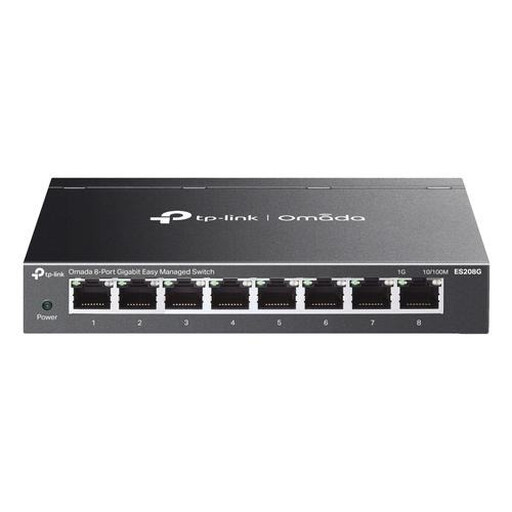
TP-Link Omada ES208G
For a wired network with multiple devices when you need VLAN settings, web management or IGMP snooping.
Eight Gigabit ports; VLAN, web management and IGMP snooping are listed for this model.
View at Joybuy
 No image available
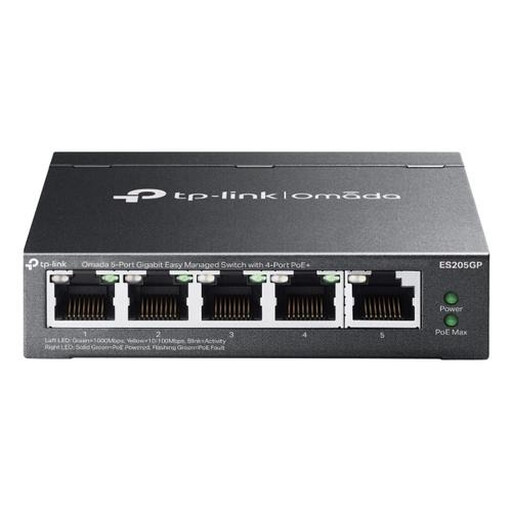
TP-Link Omada ES205G
For a compact wired set-up with multiple connected devices that need PoE+ power, if compatible.
Five Gigabit ports; four PoE+ ports; IGMP snooping and management features are listed for this model.
View at Joybuy
Frequently asked questions
Will a Gigabit switch automatically give me a sharper picture?
No. Gigabit refers to the switch’s port speed, not your internet speed or picture quality. Netflix Help Centre recommends a connection of 15 Mbps or higher for UHD 4K. Also check the connection to your streaming box, and make sure your service, subscription and equipment support the quality you want.
How do I connect a switch if I use a router?
Connect one of the switch’s ports to a suitable LAN port on the router, plug your streaming box into another port, then connect the switch to the mains. If you run into problems, first check the cables and whether the existing connection works directly. If you’re on a managed student network, ask about the connection terms.
Do I need to maintain it or buy any extra parts?
A basic unmanaged switch usually needs no configuration, but it does need a mains socket. Before buying, check what’s included in the box and whether you’ll need Ethernet cables. The connections and features you need vary by model.
Can I connect a switch to the network socket in my student accommodation?
That depends on the connection and the terms for your accommodation. Stichting DUWO explains that providers and subscription types can vary between buildings, so ask your landlord or network administrator whether you can connect multiple devices to the socket.
What are my rights when buying a switch online in the Netherlands?
If a product isn’t as it should be, you can hold the seller responsible under the statutory guarantee, which is different from a manufacturer’s warranty. Online purchases generally come with a 14-day cooling-off period after delivery, subject to applicable exceptions. ACM ConsuWijzer explains these consumer rights.


