
Looking for a specific ballet recording
Wants to check first whether that particular performance is available, along with a suitable way to watch it. Marquee TV describes various ways to watch, including apps for different devices.


You don’t need an extra streaming device if your smart TV can play the ballet recording you want through the right app, or your existing equipment can cast it to the TV. If you do need a device, a stick takes up very little space; a separate media player could be a good fit if, for example, you want built-in Ethernet. Check the app, HDMI connection, power supply and capabilities of both your TV and the recording.
Wants to check first whether that particular performance is available, along with a suitable way to watch it. Marquee TV describes various ways to watch, including apps for different devices.
Wants to use their existing TV or add a compact device without filling a cabinet with equipment. Xiaomi describes the TV Stick 4K (2nd Gen) as a stick with Wi-Fi and an HDMI connection.
Has room for a separate device and wants to look for built-in Ethernet. Google lists Ethernet for the Google TV Streamer (4K); Apple lists Gigabit Ethernet for the Apple TV 4K (4th generation).
A good fit if: the service you want has an app for your TV, or your existing equipment can cast the recording to it.
Consider: you won’t need an extra device, but the title, app and casting option must all be available.
A good fit if: your TV doesn’t offer the service you want and you have little room for extra equipment.
Consider: check that you have a spare HDMI port, a suitable power supply and a reliable Wi-Fi connection. According to Xiaomi, the TV Stick 4K (2nd Gen) doesn’t have built-in Ethernet in the listed specifications.
A good fit if: you have room for a separate box and, for example, built-in Ethernet is important to you.
Consider: check the exact player’s generation and connections. Google says an HDMI cable for the Google TV Streamer (4K) is sold separately.
| What to consider | Check before you buy | Who might find this more important? |
|---|---|---|
| Access to the recording | First, look for the performance on the provider’s service, then check whether the app you need is available on your TV or device. Also check whether you can cast using your equipment. | I want to know first whether the specific ballet performance I’m looking for is available on the service I’ve chosen; around 33% of consumers put access to that particular recording first. |
| Compact set-up | Check whether your TV on its own will do the job. If not, check for a spare HDMI port, a power supply and enough room around the connection. | If my TV can already access the service, I don’t want another box and cables on show; around 27% of consumers put a compact set-up first. |
| Network connection | Check whether you can use a network cable by the TV and whether the exact model you’re choosing has Ethernet. Google lists Ethernet for the Google TV Streamer (4K); Xiaomi lists Wi-Fi for the TV Stick 4K (2nd Gen). | I want the option of a wired connection if there’s a network socket by the TV; around 20% of consumers put Ethernet first. |
| Picture and sound formats | Check what the recording and your TV support before choosing a player based on 4K, HDR or other formats. Google notes that resolution also depends on the content being streamed. | I want to know whether both the recording and my TV support the picture and sound formats I want before choosing a player; around 20% of consumers put those formats first. |
According to Google, the final resolution also depends on your TV and the content you’re streaming. A player’s specification alone doesn’t tell you what picture quality you’ll get from the recording.
Check the recording and your TV first, then compare the formats supported by different players.
The Apple specifications discussed here are for the Apple TV 4K (4th generation). Apple TV 4K (2022) is not the same generation designation.
Compare the full model and generation name, and check the connections on the version you’re considering.
Google says an HDMI cable for the Google TV Streamer (4K) is sold separately. Your streaming service may also have its own subscription terms.
Before deciding, check what’s included with the version you’ve chosen and the service’s access requirements.
The Google TV Streamer (4K) is a separate player for a TV with HDMI; Google’s specifications also list Ethernet.
The TV Stick 4K (2nd Gen) is a compact stick for a TV with HDMI and a wireless connection.
The Apple TV 4K is a separate player for a TV with HDMI; the Apple specifications discussed here are for the 4th generation.
This selection from Joybuy consists mainly of Google TV televisions, along with a portable Android TV device. Check that the screen size, connections and intended way of watching suit your living room and equipment. For wireless radio equipment sold in the Netherlands, the Dutch Authority for Digital Infrastructure explains the applicable CE marking requirement; check the marking on the exact version.
 No image available
An option if you’re considering a Google TV rather than a separate streaming stick; check that the TV has the service you want.
The product name lists 55 inches, 144 Hz, 4K HDR10+, Dolby Vision and Dolby Atmos.
 No image available
This Google TV may suit you if you’d rather choose a television with streaming features; check in advance that the app you need is available on this version.
The product name lists 43 inches, 4K UHD, HDR10+, Dolby Vision and Dolby Atmos. HDMI 2.1, VRR, MEMC and Chromecast Built-in are also listed.
 No image available
A TV-based streaming option if you’re looking for a Google TV; check that the screen size suits the space you have and your viewing distance.
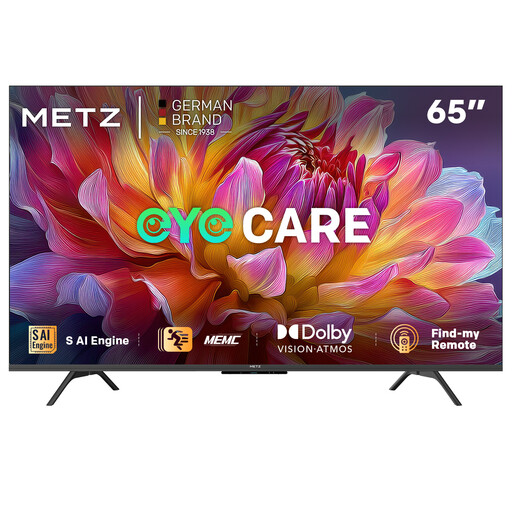
The product name lists 65 inches, 4K UHD, Dolby Vision, Dolby Atmos and HDR10.
 No image available
The product description refers to a portable Android TV device designed specifically for Rokid Max and Air series AR glasses; check that it’s compatible with the equipment you plan to use.
The description lists a built-in 5000 mAh battery and an included remote control. According to the description, Netflix is not currently supported.
No, not if your TV already has the app you need or your existing compatible equipment can cast the recording to it. First, check whether the specific performance is available from your chosen provider and what viewing options are available.
Check the HDMI connection, power supply and network connection you’re using. Google says an HDMI cable for the Google TV Streamer (4K) is sold separately; Xiaomi lists a power adapter and HDMI extension cable with the TV Stick 4K (2nd Gen). These connection details don’t guarantee smooth playback on every home network.
Check whether you need a separate HDMI cable for the player you’ve chosen and what access terms the streaming service applies. According to the Dutch Government, you have a 14-day cooling-off period in many cases when buying at a distance. There’s no fixed statutory warranty period in the Netherlands; if a product is faulty, contact the seller.
Wireless radio equipment sold in the Netherlands must meet the applicable European requirements and carry the mandatory CE marking. The Dutch Authority for Digital Infrastructure explains this requirement; check the marking on the exact version, as a similar product name isn’t proof that the version complies.
According to the Dutch Government, a private copy for personal use must not be distributed or made public. Buying a streaming device doesn’t in itself give you permission to record or share a stream.