What should you look for when choosing?
First check the app, title and language you want. Then choose a device that suits your TV connection and network, and only then consider whether 4K or HDR support matches your source material and screen.
| What to consider |
What to look for |
Who is it important to? |
| Content and language |
Check the app, availability, audio language and subtitles for each title. |
If I want to watch a specific documentary, I first check whether it’s available in my preferred language. Around 42% of consumers prioritise access to content and language. |
| Picture quality |
Check the source quality, your TV’s HDR formats and the output settings. |
When I watch in a dark room, I want the output to suit the documentary and my TV. Around 33% of consumers give the highest priority to picture quality that stays true to the source. |
| Connections and operation |
Check HDMI, Wi-Fi where you watch, any ethernet connection and what’s included in the box. |
When I want to connect my TV easily, I look at the available ports and whether I can use a network cable. Around 25% of consumers start with ease of connection and everyday use. |
Projectors with streaming apps
These product picks are projectors whose product information mentions built-in streaming apps or a TV platform. Check whether the documentary app you want is available on each model and whether the projection suits your viewing space; the stated resolution and features vary by version.
 Image unavailable
CC360 FHD Smart Projector with Wi-Fi
The product information mentions streaming apps and Wi-Fi; check that the documentary app you want is available before you buy.
FHD appears in the product name. The title also mentions 4K support; check the exact output resolution before treating it as native 4K.
The product description warns against looking directly into the lens.
Joybuy
 Image unavailable
XGIMI MoGo 4 portable projector, Full HD 1080p, Google TV, Match Night EU Edition
Google TV and Full HD 1080p are mentioned in the product title; check whether the streaming app you want is available on this version.
The title lists 450 ISO lumens and a battery life of 2.5 hours. The bundle name mentions an EA SPORTS FC 26 game code.
Joybuy
 Image unavailable
2026 projector with built-in apps and Play Store
The product title mentions built-in apps and access to the Play Store; check that the documentary app you want works on this model.
The title lists Wi-Fi 6, automatic screen correction, digital zoom and 180° rotation.
The product description warns against looking directly into the lens.
Joybuy
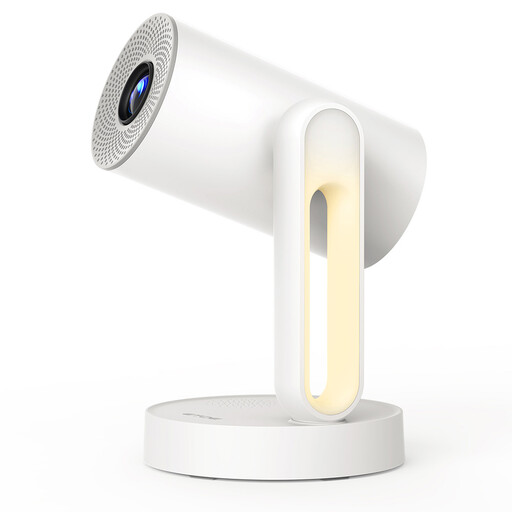 Image unavailable
ETOE Starfish projector with Android TV 11.0
The product description mentions built-in streaming apps; check whether the documentary app you want is available on this version.
The stated native resolution is 1280 × 720; 4K is listed for video decoding. The description also mentions 140° rotation and a voice-guided set-up feature.
Joybuy
Frequently asked questions
Will a 4K HDR player automatically give you a better picture with every art documentary?
No, not with every documentary. Check whether the title is available in 4K or HDR and whether your TV supports the relevant format. Google says that much content is available in HD, with only some in 4K.
How do I match Apple TV 4K to a documentary’s dynamic range?
According to Apple, you can do this by going to Settings, Video and Audio, then Match Content; switch on Match Dynamic Range there. The output will then match the content’s original dynamic range.
What can you do if your player breaks too soon during normal use?
According to ACM ConsuWijzer, the seller must put right, free of charge, a product that doesn’t meet what you could reasonably expect. Depending on the situation, this could mean a repair, replacement or refund.
What product safety requirement applies to a wireless streaming box or stick?
The Dutch Radiocommunications Agency says that wireless equipment must meet the applicable European requirements and carry a CE marking to be sold in Europe. A listing in an online shop doesn’t, by itself, prove that the specific item meets those requirements.


