Choose based on the actions you want to perform instantly during a run: a compact keypad is suited to a few fixed timer and OBS actions, while a pedal keeps your hands free, and a phone lets you make use of hardware you already own. A larger panel puts more actions within easy reach, but takes up more desk space. Also check the timer, operating system, software versions, connection and available space.
Who needs a stream controller for speedruns?
Runner with limited desk space
You want to control your timer and stream without giving up too much space next to your gaming controls. A compact keypad, pedal or phone can each offer a different way to position your controls. Elgato outlines the dimensions and controls of its devices and Stream Deck Mobile.
Runner who splits manually
You need to be able to split, reset and make any necessary corrections while playing. That makes timer compatibility and easy-to-reach controls more important than extra streaming features. Elgato Marketplace describes a LiveSplit plug-in, and LiveSplit also documents its hotkeys.
Runner with a more elaborate stream
You switch OBS scenes or audio sources during a run and want to control them instantly. OBS Project documents OBS hotkeys, while Razer and Loupedeck describe devices with more buttons or dials.
What should you look for?
First, work out how much space you have. Then choose the timer and streaming actions you need to reach while playing, and finally check the software requirements.
| What to consider |
What should you check? |
Who is this most relevant to? |
| Controls for a small desk |
Measure the space available, allowing for the cable and stand, as well as room for your gaming controls. Elgato lists the Stream Deck Mini at 84 × 60 × 58 mm and the Neo at 107 × 26 × 78 mm; the Stream Deck Pedal has three pedals. |
If I don’t want my keyboard and gaming controls to feel cramped, placement matters more than extra features. Around 31% of consumers say desk space is their top priority. |
| Splits and resets |
Check which LiveSplit controls are compatible with your operating system. The Elgato Marketplace plug-in requires Windows, Stream Deck 6.5 or later, and LiveSplit.Server; LiveSplit hotkeys can vary by platform. |
If I need to split or reset during a run, I want those actions to be within reach and to practise them first. Around 31% of consumers prioritise timer controls. |
| OBS actions |
Count how many scenes, recording and streaming actions you want to control instantly. Elgato lists Stream Deck 5.3 or later and OBS Studio 27.0 or later for its OBS integration. |
If I switch scenes or control recording during a stream, I want those actions to be easy to find. Around 25% of consumers say OBS presentation is their top priority. |
| Adjusting audio sources |
Decide whether you only want to mute audio or adjust individual levels too. Then check that your chosen controls work with your software. |
If I control commentary or multiple audio sources, direct volume control may matter more than extra timer buttons. Around 13% of consumers put audio controls first. |
Common pitfalls when choosing
-
Assuming OBS support also means LiveSplit support
The OBS integration and LiveSplit plug-in are separate connections, with different software requirements. A controller that works with OBS won’t necessarily suit your timer setup.
Check the requirements for your timer and OBS separately, and practise splitting, resetting and changing scenes before you go live.
-
Comparing only the number of buttons
A larger panel can make more actions immediately visible, but its position may get in the way of your keyboard and gaming controls. A pedal, on the other hand, takes up space under your desk.
Before you buy, work out where your keyboard, controller, cables and any foot controls will go.
-
Treating old reports about Razer support as current
On 19 August 2026, Loupedeck announced that support for the Razer device would continue and that its previous decision had been reversed.
If you have trouble detecting the device, check that you’re using the software version Loupedeck specifies: 6.4.1 or later.
-
Assuming the Loupedeck Live S is still widely available or supported by older software
Loupedeck stopped selling its own product range on 28 March 2025. The company said that support would continue, but support for legacy software version 5.8 and its associated marketplace ended on 30 March 2026.
If you find a specific listing, check the seller, the product’s condition, the supported software version and the warranty terms. Loupedeck said that remaining units could be sold through authorised retailers.
Brands to consider
Elgato
Offers compact keypads, a foot pedal and Stream Deck Mobile as different ways to control actions.
- Elgato lists six keys for the Mini, eight for the Neo and three pedals for the Stream Deck Pedal.
- The LiveSplit plug-in is made by a third-party developer and requires, among other things, a compatible Windows setup, Stream Deck 6.5 or later, and LiveSplit.Server. This doesn’t mean that every timer is compatible.
Razer
The Stream Controller X is designed for controlling more actions with dedicated buttons and using Loupedeck software.
- Razer lists 15 buttons and OBS profiles or plug-ins.
- On 19 August 2026, Loupedeck announced that support for this Razer device would continue. If you have trouble detecting it, Loupedeck recommends version 6.4.1 or later.
Loupedeck
According to the manufacturer, the Live S combines touch buttons and dials for controlling scenes and audio.
- Loupedeck lists 15 touch buttons and two dials for the Live S.
- Loupedeck stopped selling its own product range in 2025. Support for legacy software version 5.8 and its associated marketplace ended on 30 March 2026.
TourBox
The TourBox Lite uses physical controls and customisable hotkeys, making it an option if you prefer tactile buttons to labelled LCD keys.
- TourBox lists eight buttons and customisable presets; its manual explains how to assign hotkeys.
- This information alone doesn’t confirm a specific LiveSplit plug-in or direct OBS integration for the Lite. Test the hotkeys you need with your own setup.
AJAZZ
The AKP153 is a 15-key stream controller mentioned in the Dutch product description for use with software such as OBS.
- AJAZZ provides manuals and drivers for the AKP153 series on its website.
- The Dutch product description is seller information, not an independent compatibility test. Check the exact model and software before buying.
Joybuy products for stream control
These products are designed for assignable streaming actions. Check which controls and software your setup requires before you buy.
 No image available
AJAZZ AKP153 Studio Deck Stream Controller, 15 Macro Keys, White
Could suit you if you want to assign streaming actions to individual keys; check that the required software works with your setup.
The product name lists 15 macro keys and a side screen.
View at Joybuy
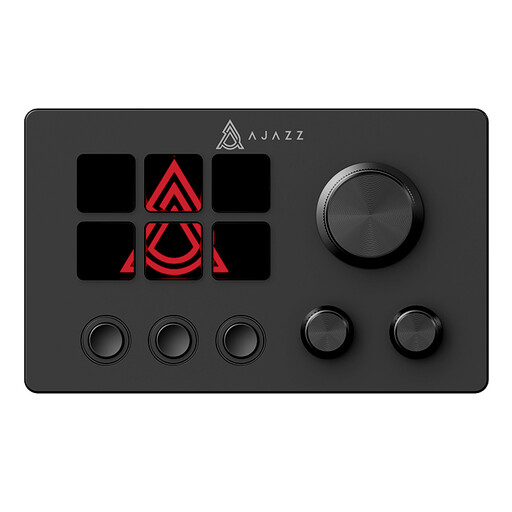 No image available
AJAZZ AKP03E Desktop Assistant LCD Display Multimedia Controller
Could suit you if you want customisable buttons for stream control; check that the features work with your timer and OBS setup.
The product name lists an LCD screen and customisable buttons.
View at Joybuy
Frequently asked questions about stream controllers for speedruns
Do I always need a separate controller for LiveSplit?
No, LiveSplit also supports hotkeys. Support varies by platform, so test your timer alongside your game. A separate controller is mainly an alternative way to position or operate your controls.
Can a Stream Deck control both OBS and LiveSplit?
Yes, but each integration has its own requirements. For OBS, Elgato lists Stream Deck 5.3 or later and OBS Studio 27.0 or later. The LiveSplit plug-in in Elgato Marketplace is for Windows, requires Stream Deck 6.5 or later, and uses LiveSplit.Server. Check those requirements and test both action profiles before a run.
How can I avoid accidentally stopping a recording or stream?
Set up critical OBS actions carefully and test them before you go live. For the relevant actions, Elgato describes an optional five-second long press to start or stop.
Can I try a control panel before buying one?
Yes. You can try the existing LiveSplit hotkeys. Elgato also lists six free keys in Stream Deck Mobile for iOS and Android. According to Elgato, more keys in the app are available with the Pro option.
What can I do if my controller develops a fault after buying it online in the Netherlands?
For a consumer purchase, you’re entitled to a product that works properly and should generally contact the seller if there’s a problem, according to the Dutch government. The Netherlands has no fixed statutory warranty period that applies to all products. Online distance purchases also usually come with a 14-day cooling-off period; check the relevant terms and exceptions.


