
Solo creator recording with OBS
You want to control recording actions, scenes and your microphone while explaining a strategy, without having to keep switching back to OBS. Elgato describes using the OBS plug-in to trigger these actions.


A compact keypad is a good fit if you mainly want to set up fixed OBS actions such as recording, switching scenes and controlling your microphone. More keys are useful if you want to keep more actions visible at once. Dials are particularly worthwhile if you regularly adjust audio levels while speaking. A controller doesn’t record gameplay itself, so check beforehand that the model, software and plug-in are compatible with your computer and OBS version.
You want to control recording actions, scenes and your microphone while explaining a strategy, without having to keep switching back to OBS. Elgato describes using the OBS plug-in to trigger these actions.
You talk over gameplay and want to be able to mute or adjust your voice or game audio during recording. Keys and dials offer different ways to control it.
You want to find parts of a recording more easily later or use keyboard shortcuts while editing. Chapter markers depend on the recording format; OBS describes chapter support for certain formats.
Start with the actions you actually need while recording. Then decide how many actions you want to keep visible at once, and whether you want to adjust audio levels while speaking.
| What to consider | What should you check? | Who is this important for? |
|---|---|---|
| Controlling recording and scenes | Make a note of the recording actions you use regularly and check that your OBS version and chosen plug-in support them. Chapter markers also require a suitable recording format. | If you want to record, pause or switch scenes while explaining something, without going back to OBS, this is likely to be your main priority. Around 36% of consumers prioritise recording controls. |
| Adjusting audio while recording | Decide which audio sources you want to adjust and check whether the software action you’ve set up can control them. Consider whether you’d prefer to use a key or a dial. | If you want to adjust or mute your voice or game audio while speaking, look at the available control types. Around 29% of consumers say live audio control is their main priority. |
| Software and OBS compatibility | Check the exact model against your operating system, OBS version and plug-in. For the OBS setup described, Loupedeck specifies OBS 28.0 or later with Loupedeck software 5.3. For older software, check the latest support information. | If you want to use the controller with your existing computer and OBS setup, first check that the software combination is compatible. Around 21% of consumers put compatibility first. |
| Size and number of keys | Count the actions you want to keep visible at once. The Elgato Stream Deck Mini has six keys, while the Stream Deck MK.2 has fifteen. Check the connection type for the specific version listed, too. | If you have a small desk and only need a limited number of direct controls, a more compact panel may be enough. Around 14% of consumers prioritise limited space and a smaller range of controls. |
A panel with more keys gives you more space for actions you can see and trigger directly. But it won’t replace a dial if you want to adjust audio levels while recording.
Choose based on what you need to do while recording: do you mainly want to trigger more actions directly, or adjust the audio regularly?
Loupedeck ended support for software 5.8 and its associated legacy marketplace on 30 March 2026. On 19 August 2026, the company reversed a previously announced end of support for Razer devices; this doesn’t guarantee support for every future setup.
Check the latest software information for the exact device and test the OBS connection before relying on it during a recording.
Allow time to update software, plug-ins and profiles.
OBS describes chapter markers for supported recording formats. The markers are written when the file is finalised and may not be recoverable after a crash.
Make a short test recording in your chosen format and check the markers in your editing software.
Stream Deck models are designed around programmable keys, while the Stream Deck + adds dials.
Live S combines touch controls with two analogue dials for actions and audio control.
The Stream Controller X is a 15-key panel that can be configured using the Loupedeck software described.
TourBox describes customisable shortcuts and dial controls for creative software, which may be useful if editing is a significant part of your work.
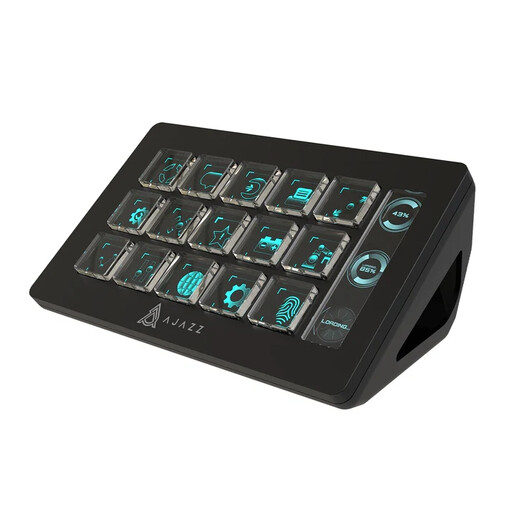
This selection focuses on programmable keys for OBS actions while recording a strategy guide.
 No image available
With 15 macro keys and stated OBS control for PC/Mac, this model could suit you if you want several actions readily available. You’ll need to assign your chosen actions to the keys using AJAZZ software.
No. OBS is the recording software; a controller triggers configured actions, such as starting or stopping a recording. First set your recording path and sources in OBS, then test the keys you’ve assigned.
Use an OBS format that supports chapters and add markers during recording using a configured action. According to OBS Project, markers are written when the file is finalised; they may not be recoverable after a crash.
Check that OBS and the configuration software are running, and that the plug-in and software versions are compatible. For an unrecognised Razer controller, Loupedeck recommends version 6.4.1 or later. The Loupedeck OBS setup described specifies OBS 28.0 or later with Loupedeck software 5.3.
Contact the seller. According to ACM ConsuWijzer, a product used normally must do what you could reasonably expect of it. A solution could be a repair, replacement or refund. A manufacturer’s warranty doesn’t replace your statutory rights.
A stream controller doesn’t give you the right to use content. The Dutch government states that you may only use copyright-protected music with the creator’s permission, and that a private copy must not be made available to the public. Check the relevant terms and permissions separately for game footage and any music.