
Solo gaming streamer
You want to control scenes, your broadcast and your microphone while playing, without having to open OBS every time. OBS Project describes remote control via WebSocket, while Elgato documents OBS actions for Stream Deck.


Start by deciding which actions you need while gaming. If you only need a few, OBS hotkeys may be enough, provided they don’t conflict with your game controls. A compact panel suits a handful of quick actions, while more buttons can be useful if you want quick access to different scenes and sources. Dials are most relevant if you adjust individual audio levels. A controller can display fundraising information, but it won’t process donations: set up the donation route separately.
You want to control scenes, your broadcast and your microphone while playing, without having to open OBS every time. OBS Project describes remote control via WebSocket, while Elgato documents OBS actions for Stream Deck.
You want to be able to display fundraising information you’ve prepared in advance. The controller operates the stream, but you’ll need to arrange the receipt and accounting of donations separately.
You don’t just switch scenes: you also want to adjust individual audio sources regularly while gaming. Elgato and Loupedeck describe controllers with dials for additional control.
Choose this if: after a trial stream, you only need a few actions and can control them from your existing keyboard.
Trade-off: you don’t need to add a panel, but you’ll have to set up the keys and check that they don’t conflict with your game controls.
Choose this if: you want direct access to a small number of scenes and microphone actions on a compact desk.
Trade-off: the Elgato Stream Deck Mini has six LCD buttons and the Neo has eight; according to Elgato, accessing additional actions may require switching pages.
Choose this if: you often switch between several prepared scenes and sources during your stream and want quick access to those actions.
Trade-off: Elgato lists 15 LCD buttons for the Stream Deck MK.2, while Razer lists 15 buttons for the Stream Controller X. Check which software you’ll need, too.
Choose this if: you regularly adjust individual audio levels during your broadcast, as well as switching scenes.
Trade-off: Elgato lists four dials on the Stream Deck +, while Loupedeck lists two on the Live S. Check that you can assign the audio actions you want to the dials.
| What to consider | What to look for | Who is it more important for? |
|---|---|---|
| Direct live control | Decide which scenes and microphone actions you want to control directly; test hotkeys for conflicts with game controls. | I want to control scenes and key actions directly while gaming, without having to search through OBS screens. Around 33% of consumers rank direct live control as their top priority. |
| Fundraising information | Prepare the information in OBS in advance and set up the receiving donation route separately. | I want to direct viewers to clear fundraising information, while arranging the receipt of donations separately. Around 27% of consumers prioritise displaying fundraising information. |
| Audio control | Decide which audio sources you want to adjust individually; distinguish between muting and changing levels. | If I regularly adjust individual audio sources during a broadcast, I want to be able to access those controls directly. Around 20% of consumers rank live audio as their top priority. |
| Space and software | Check the connection, operating system and required software version; decide how many actions need to be visible at once. | I want a panel that fits in my home office and works with my computer and existing software. Around 20% of consumers prioritise ease of use, space and software maintenance. |
A controller can display an OBS scene with fundraising information that you’ve prepared in advance, but it isn’t a system for receiving or accounting for donations.
Set up the donation route first and check who will receive the donations. Then assign a button to the relevant OBS scene.
A mute button may suit a different need from regularly adjusting individual audio sources. Dials mainly offer another way to make adjustments.
Make a note of which audio sources you want to control separately during a trial stream, and check that your software setup supports those controls.
Loupedeck ended support for software version 5.8 and its associated marketplace on 30 March 2026. However, on 19 August 2026, the company reversed an earlier decision about support for Razer devices.
Before choosing a Loupedeck or Razer controller, check which software and plug-ins you’ll need and what support information is current. Don’t confuse the end of Loupedeck’s own sales with the end of all product support.
The Stream Deck Mini, Neo and MK.2 have six, eight and 15 LCD buttons respectively. According to Elgato, the Stream Deck + combines eight buttons with four dials.
According to Razer, the Razer Stream Controller X has 15 customisable buttons and uses Loupedeck software.
According to Loupedeck, the Live S combines 15 touch buttons with two analogue dials. Loupedeck publishes setup instructions for OBS.
The MX Creative Console has customisable display buttons and a separate dialpad. Logitech presents it as an option for creators who also want to use the device with other creative software.
This product selection suits anyone who wants to control several streaming actions from a separate panel while gaming.
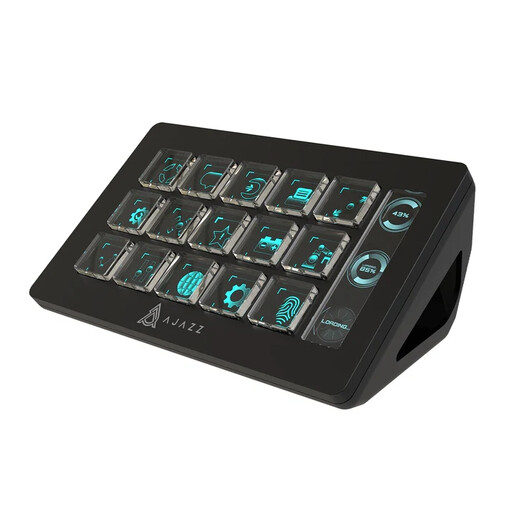 Image unavailable
With 15 macro buttons, this model may suit you if you want to trigger several actions from a separate panel during your stream. Check that the actions you need work with your software and settings.
No. The controller features described here operate the broadcast, scenes and sources; they don’t determine the tax status of a donation. According to the Dutch Tax and Customs Administration, whether a donation may be tax-deductible depends, among other things, on the receiving organisation and the conditions attached to the donation. So check separately who will receive the money, and don’t make general promises to viewers about tax deductibility.
It depends on the controller. For its documented OBS integration, Elgato specifies Stream Deck software 5.3 or later and OBS Studio 27.0 or later. In its guide, Loupedeck specifies OBS Studio 28.0 or later with Loupedeck software 5.3. OBS Project says WebSocket control is built in by default from OBS Studio 28 onwards; protect the connection with a password if you use it.
For the OBS stream action, Elgato documents an option that requires you to hold the button down for five seconds. Set this option if it suits the way you use your controller, and test all assigned actions, scenes and microphone controls in advance.
First, consider which privacy rules apply. The Dutch Data Protection Authority treats identifiable people in footage as personal data and says the exception for purely personal or household use doesn’t apply when you share footage more widely. Check which GDPR legal basis applies to your stream.
According to Loupedeck, its older software version 5.8 and the associated marketplace have not been supported since 30 March 2026. Before buying, check which software version and plug-ins your controller and OBS setup need.