
Strategy gamer with favourite titles
Wants to know whether specific games, controls and saved progress work on Android or iPadOS. The Dutch Consumers’ Association advises checking that the apps you want are available before buying.


Start by choosing based on the games you actually want to play. Check that they’re available for the operating system, comfortable to control and playable offline during your journey. A compact tablet is easier to hold and put away, while a screen around 11 inches gives you more physical space for maps and menus. NS offers Wi-Fi on almost all Intercity trains, but not on every train journey.
Wants to know whether specific games, controls and saved progress work on Android or iPadOS. The Dutch Consumers’ Association advises checking that the apps you want are available before buying.
Wants a tablet that’s comfortable to hold and easy to put away during the journey, and is happy to accept smaller maps and text. The Dutch Consumers’ Association notes that small tablets are handy for travelling.
Prioritises clear maps, text and menus, while weighing this against carrying a larger device and playing without reliable train Wi-Fi.
Choose this if: you often hold the tablet during your journey and your game is easy to read on a smaller screen, such as an 8.8-inch display.
Bear in mind: there’s less physical space for maps and text. A high refresh rate doesn’t prove that a game takes advantage of it.
Choose this if: you want more room for the interface and don’t need to hold the tablet in one hand all the time. The models mentioned have 10.9-inch and 11.2-inch screens.
Bear in mind: it takes up more space than a compact tablet. Maximum screen refresh rates aren’t comparative gaming test results.
Choose this if: the game you want is available for iPadOS, or you want to keep using your paid iPad apps.
Bear in mind: switching operating systems may mean buying your paid apps again, according to the Dutch Consumers’ Association.
| What to consider | What should you check? | Who is this important for? |
|---|---|---|
| Game availability and controls | For each title, check the app store, system requirements, controls, storage requirements and how save data is stored. | If I want to keep playing my usual strategy games, I’ll first check that they work on the platform I choose. Around 25% of consumers prioritise the availability and usability of the games they want. |
| Holding and carrying | Compare the dimensions and weight of the exact model, including its case, and think about how you’ll use the tablet in your usual seat. | If I play handheld during the journey, I want the tablet to be easy to hold and put away, even if that means a smaller screen. Around 25% of consumers give portability top priority. |
| Map and menu readability | Look at the interface on the screen size you’re considering and check whether the game lets you adjust the text or controls. | If I want to see lots of information on the map at once, a clear overview matters more to me than the smallest possible size. Around 20% of consumers prioritise the readability of maps, text and menus. |
| Playing without train Wi-Fi | Check whether your game works offline. If you need to play online, see which mobile connection works with the tablet and your data plan. | If I want to play on the move when there’s no Wi-Fi, I’ll find out whether the game works offline or needs a mobile connection. Around 15% of consumers don’t want to rely on train Wi-Fi. |
| Power and accessories | Compare battery information only when it’s based on the same test conditions, and check which charging accessories come with the exact model. | On a longer journey, I want to know how to charge the tablet and which accessories I’ll need. Around 15% of consumers prioritise power and essential accessories. |
A screen’s maximum refresh rate doesn’t tell you how many frames a particular game actually displays. The Dutch Consumers’ Association warns that specifications don’t always indicate real-world speed or suitability for gaming.
Check the requirements and controls for the games you play. Don’t treat a screen specification as a substitute for gaming-specific test results.
A game may not be available on every operating system. According to the Dutch Consumers’ Association, switching platforms may also mean buying your paid apps again.
Before buying, check whether your titles are available, which accounts they’re linked to and whether you can transfer your saved progress.
NS offers Wi-Fi on almost all Intercity trains, but that doesn’t guarantee a connection on every train journey. Xiaomi says the 45 W adapter for the Pad 8 is sold separately.
Check whether your game works offline and see which charging accessories are included with the exact model.
The Legion Tab Gen 5 is a compact Android tablet designed for gaming, with an 8.8-inch screen.
The Galaxy Tab S10 FE is a mid-sized Android option. Samsung distinguishes this 10.9-inch model from the larger FE+.
The 11-inch iPad Air with M4 is an iPadOS option if you want to play compatible iPad games or keep using your existing apps.
The Pad 8 is an Android option with an 11.2-inch screen for anyone looking for more physical space for maps.
These Joybuy picks are mid-sized Android tablets for playing strategy games on the move. Check that each game and its controls are compatible with the model you choose.
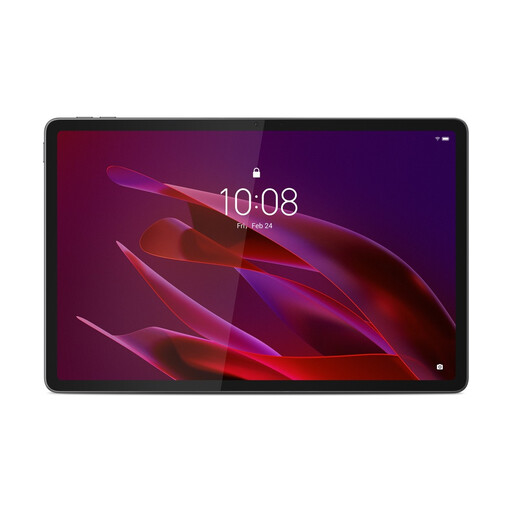 No image available
An Android tablet option if you’re looking for a mid-sized screen for maps and menus. Check that your game is available for Android.
The product name lists an 11.1-inch 3.2K screen, 144 Hz, Snapdragon 8 Gen 3, 12 GB LPDDR5X memory, 256 GB UFS 4.0 storage, Wi-Fi 7, Android 15 and Tab Pen Pro.
 No image available
This Android option has an 11-inch screen for anyone looking for more room for maps. Check the requirements of your strategy games.
The product name lists an FHD+ screen, 90 Hz, Android 15, Helio G100, dual SIM slots and 5G.
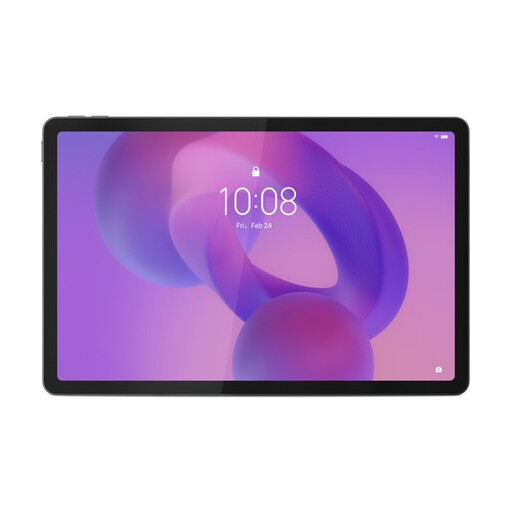 No image available
Suited to anyone who wants more physical space for maps and menus. Its larger size may make it less convenient to carry than a compact tablet.
The product name lists a 12.7-inch 3K screen, 144 Hz, MDT 8300, 8 GB RAM, 256 GB storage and Wi-Fi 6E.
 No image available
A larger Android screen can give you room for a more detailed game interface. Check in advance whether the game works offline and with the controls you want.
The product name lists a Helio G99, 20 GB RAM (8 GB + 12 GB virtual), 256 GB storage, 4G LTE, 5G Wi-Fi, a 10000 mAh battery and Android 15.
At 12.7 inches, it may be less convenient to carry than a compact tablet.
 No image available
This Android option is for anyone who prefers viewing maps and menus on a larger screen. Bear in mind that you’ll need to carry a 12-inch tablet.
The product name lists a 12-inch FHD+ screen, SIM card slot, Helio G100, 90 Hz, an 8800 mAh battery and Android 15.
It depends on the game’s text, buttons and scaling settings. A smaller size is more convenient when travelling, but check the interface for your game before choosing a compact model.
No, not on every train journey. NS offers free Wi-Fi on almost all Intercity trains, so check whether your game works offline or arrange a mobile connection if needed.
Install your games and updates in advance, and check whether they need an internet connection while you’re travelling. Don’t use battery-life tests for other types of use to predict how long you’ll be able to play: Xiaomi describes the Pad 8 battery-life figures as its own laboratory results under different usage conditions.
Don’t assume they will. Check whether the version you want is available for each game and whether you can transfer your accounts and saved progress. According to the Dutch Consumers’ Association, switching operating systems may mean buying your paid apps again.
According to NS’s house rules, the Quiet Zone must be completely quiet. Elsewhere, you mustn’t disturb fellow passengers with loud sounds either, so play without audible game sound.