What should you look for when choosing?
Quiet productivity mouse
A good fit if: other people can hear the clicks and your game is playable with the buttons available.
Check: whether the button layout, software and connection suit your game and computer.
Basic wired gaming mouse
A good fit if: you play in one place and don't want to manage a battery; according to Logitech, the G203 has six buttons and the Razer DeathAdder Essential has five.
Check: you have enough room for the cable; quiet clicks have not been confirmed for these models.
Wireless gaming mouse
A good fit if: you want an uncluttered mouse area or move between your study and gaming setup.
Check: the connection you need, and whether you're happy to replace or recharge the battery.
Gaming mouse with extra customisable buttons
A good fit if: you want to assign in-game commands to mouse buttons and will actually use them.
Check: setup may require software; extra buttons won't help if your game or play style doesn't make use of them.
First, decide which trade-off matters most to you: keeping the peace with housemates, a comfortable fit, features you'll actually use or more room to move your mouse around your desk.
| What to consider |
What should you check? |
Who is this most relevant to? |
| Click noise in a shared room |
Check whether the exact model is advertised as having silent switches and, if possible, try the clicks for yourself. |
If your housemates are studying or sleeping while you play, keeping things quiet may matter more than having extra buttons. Around 25% of consumers put keeping the noise down for others first. |
| Comfort during long sessions |
Check the shape, hand preference, grip and how easy the buttons are to reach; also vary your posture and activities. |
If you study and play at the same desk, you'll want a shape that suits your hand. Around 19% of consumers put comfort during longer sessions first. |
| Price versus features you'll use |
Compare the buttons and connection you need; also consider whether you want to factor in replacing or recharging a battery. |
If you want to avoid paying for features you won't use, start with the controls you need. Around 25% of consumers put affordability and useful features first. |
| Extra buttons for commands |
Make a note of the commands you want to assign, then check the button positions, software and support in your game. |
If you want to control recurring tactical commands directly from your mouse, buttons that work in your game will be most useful. Around 19% of consumers put extra controls first. |
| Cable space and connection |
Check the connection on the exact model, the ports on your laptop and how the mouse is powered. |
With a small desk or changing setup, a cable-free space may matter more than battery management. Around 12% of consumers choose freedom of movement as their main priority. |
Joybuy product picks
This selection includes wired gaming mice with customisable buttons, wireless gaming mice and a wireless productivity mouse for anyone who is considering click noise.
 No image available
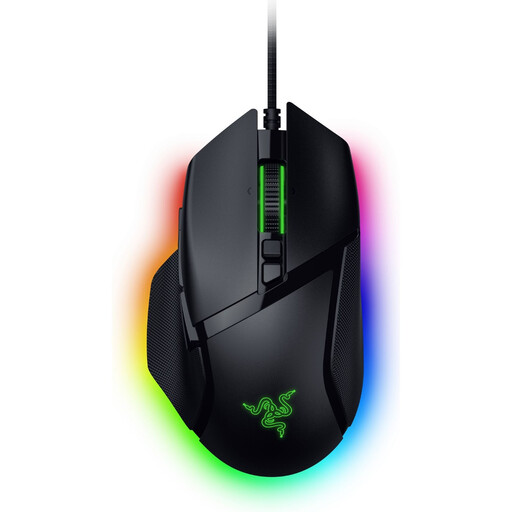
Razer Basilisk V3 35K, wired
A good fit for a fixed gaming setup if you want to control commands using customisable buttons.
Wired; 11 buttons; 35,000 DPI.
The cable takes up desk space.
View at Joybuy
 No image available
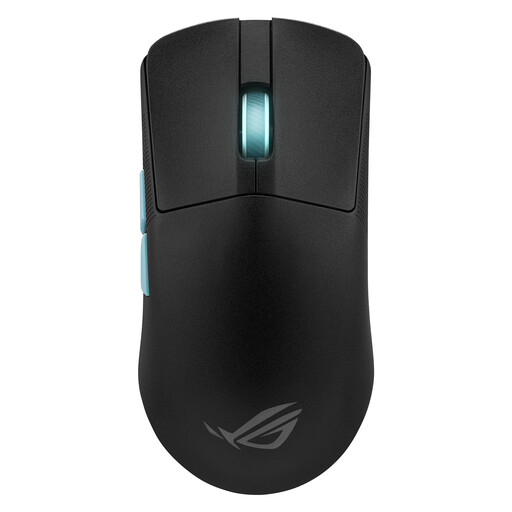
ASUS ROG Harpe Ace Aim Lab Edition
An option if you're looking for an ambidextrous gaming mouse with extra customisable buttons.
Ambidextrous; five programmable buttons; RF, Bluetooth and USB Type-A; 36,000 DPI.
View at Joybuy
 No image available
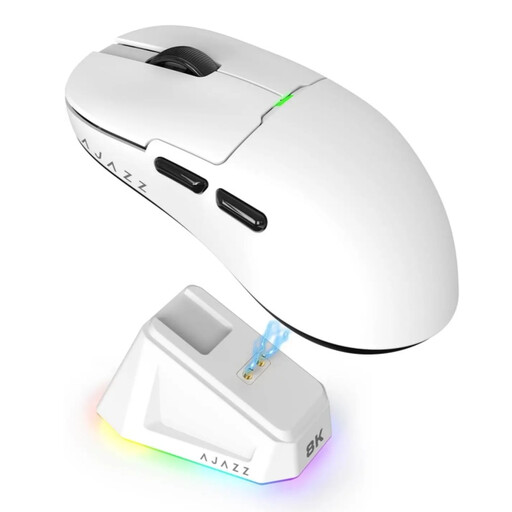
AJAZZ AJ159 PRO
A good fit for a wireless setup if you want a choice of connections and extra commands at your fingertips.
Seven programmable buttons; 2.4 GHz, USB-C and Bluetooth; 400 mAh rechargeable battery; 56 g.
The rechargeable battery needs to be charged.
View at Joybuy
 No image available
Logitech G G502 X, right-handed
An option for a fixed gaming setup if you're looking for programmable controls.
Right-handed; USB Type-A; optical; 25,600 DPI; programmable buttons.
The cable takes up desk space.
View at Joybuy
 No image available
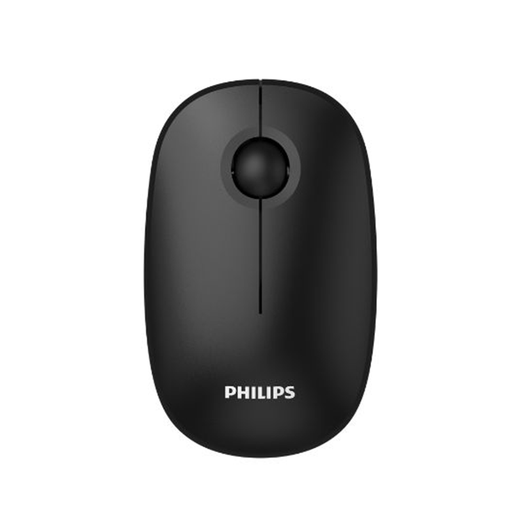
Philips 3000 Series SPK7378B/00
A productivity mouse to consider if clicks might disturb others; check that its controls suit your game.
Wireless via 2.4 GHz; USB receiver; 1,600 DPI; EU version.
The product name mentions silent clicks; if keeping things quiet matters, check the click noise of the exact model.
View at Joybuy
Frequently asked questions
Do you need a high maximum DPI for turn-based strategy games?
Not on its own. Focus on whether you can set a sensitivity that works for you, and whether the shape and controls feel right; a high maximum sensor specification doesn't prove you'll play better.
How do you set up extra mouse buttons?
First, check whether your game lets you assign the command you want to a mouse button. For the G502 HERO, Logitech recommends G HUB to assign commands and macros to the eleven buttons; then check that the settings work in your game.
What can help during long sessions, apart from changing your mouse?
Vary your posture and activities, and take short breaks. Arboportaal recommends this for screen use and notes that the risks of sitting and screen use also apply in your free time; employers' duties for workplaces are not a general legal requirement when buying equipment for private gaming.
Can I try out a mouse bought online and return it?
For online consumer purchases in the Netherlands, you generally have a statutory cooling-off period of up to 14 days after delivery. Exceptions and rules on trying out a product may apply; ACM ConsuWijzer explains the cooling-off period. Check the terms before you buy, and treat any longer voluntary returns period separately from this statutory right.
What if the mouse breaks too soon under normal use?
In the Netherlands, you have a statutory guarantee if the product doesn't meet what you could reasonably expect. According to ACM ConsuWijzer, the seller must put things right if a product is faulty under normal use; a manufacturer's warranty period does not replace this statutory right.


