
Map and text reader
You play games with detailed maps, menus and plenty of text, and mainly want a large, sharp picture that is easy to read from your viewing distance.


For turn-based strategy games, a 32-inch 4K monitor is a sensible choice if you value map detail, menus and screen height. A 34-inch ultrawide is a better fit if you want extra width and your games support 21:9 well. As well as screen size, check that your PC can handle the resolution, that the connections are compatible and that the monitor fits your desk. A higher refresh rate alone is not a decisive reason to choose one for these games.
You play games with detailed maps, menus and plenty of text, and mainly want a large, sharp picture that is easy to read from your viewing distance.
You want extra horizontal space for the game or additional windows, and check whether your favourite games support 21:9.
For longer sessions, you consider how a large monitor will sit on your desk and how adjustable it is, as well as its display specifications.
When choosing a large monitor for turn-based strategy games, readability, usable screen width, desk space and your preferred panel type all matter in different ways.
| Consideration | What to look for | Who should pay particular attention? |
|---|---|---|
| Readability | Compare the native resolution, text or interface scaling in your games, and your viewing distance. | If I want to read small map details and text clearly, I look at resolution and viewing distance; around 42% of consumers put readability first. |
| Screen width | Check 21:9 support for each game and consider whether you’ll use the extra width for the game or other windows. | If I want space alongside the map, I first check whether my games make use of the wider aspect ratio; around 25% of consumers make width their top priority. |
| Positioning | Check the dimensions with the stand, the depth of your desk and the adjustment options. | If I use the monitor for long periods, I want to be able to position it comfortably in my workspace; around 17% of consumers focus mainly on their setup. |
| Panel and care | Consider your panel preference, and check the care instructions and warranty terms for the exact model if you’re looking at OLED. | If contrast matters to me, I also factor panel care into my choice; around 16% of consumers put contrast first. |
Not every strategy game makes use of an extra-wide aspect ratio. A typical 34-inch monitor with a resolution of 3440 × 1440 also has fewer vertical pixels than a 4K screen.
Check the aspect ratio supported by each game, and weigh the extra width against the screen height you want for maps and menus.
A higher Hz rating alone doesn’t tell you whether map text will be easy to read or whether your PC can run the resolution you want.
Start with screen size, resolution and the games you play; then compare refresh rates and connections.
OLED features can help reduce the risk of burn-in, but they don’t prove that the risk has been eliminated.
Before buying, read the care instructions and warranty terms for the exact model. MSI and ASUS describe features designed to reduce the risk; check their terms separately.
The Odyssey G7 G70D LS32DG702EUXEN is an example of a 32-inch 4K Fast IPS monitor with a 16:9 aspect ratio.
The Evnia 34M1C5500VA/00 is an example of a 34-inch ultrawide for anyone looking for extra width.
The G3223Q is a 32-inch 4K Fast IPS example with HDMI 2.1 and DisplayPort.
The MPG 321URX QD-OLED is a 32-inch 4K panel option for anyone considering QD-OLED.
The ROG Swift OLED PG32UCDM is a 32-inch 4K QD-OLED option.
This Joybuy selection features large 4K monitors for anyone who wants to view map details and text on a spacious screen. The product names list different panel types and shapes; check whether each model’s features suit your PC, games and desk.
 No image available
An option if you’re looking for a 4K QD-OLED screen at around 31.5 inches.
The product name lists 165 Hz and USB-C.
If game interfaces remain visible for long periods, check the OLED care instructions and warranty terms.
 No image available
A good fit if you’re considering a curved 32-inch 4K monitor and want to weigh the curvature against your viewing setup.
The product name lists a 3000R curvature, a VA panel, HDR10 and Adaptive Sync.
Check that the curved screen and required resolution suit your desk and PC.
 No image available
An option if you’re looking for 4K resolution and an OLED panel at around 31.5 inches.
The product name lists 3840 × 2160 pixels.
For OLED, read the care instructions and warranty terms, especially if game menus stay on screen for long periods.
 No image available
A good fit if you’re looking for a large 4K screen with an OLED panel for maps and in-game text.
The product name lists 31.5 inches and 3840 × 2160 pixels.
For OLED, check the care instructions and applicable warranty terms.
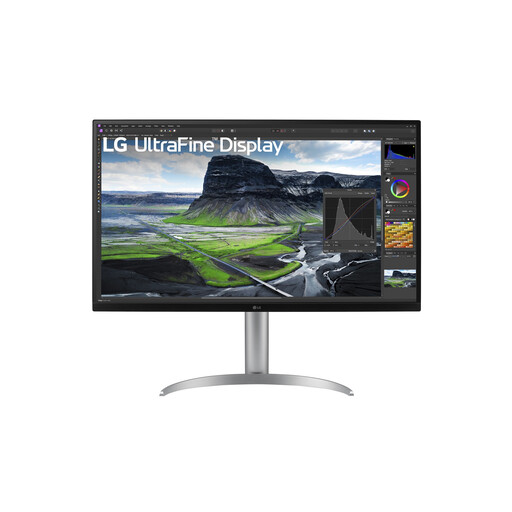 No image available
An option if you’re looking for a large 4K screen for detailed maps and text.
The product name lists 31.5 inches and 3840 × 2160 pixels.
Check that your PC can run the resolution you want in your games.
No. Extra width is only useful if your game supports that aspect ratio in a practical way. Tweakers notes that some strategy games don’t benefit from an extra-wide screen, so check support for the titles you play.
Check which resolution and refresh rate the monitor supports over each connection, and whether your PC can handle that combination. For example, Dell specifies 3840 × 2160 at 144 Hz via HDMI 2.1 and DisplayPort 1.4 for the G3223Q. This applies to that model and is no guarantee for other monitors or PCs.
Check that the monitor fits on your desk and that you can adjust it to a suitable position. Arboportaal outlines points to consider when working with screens; its employer regulations do not automatically apply as legal requirements for private use.
Online purchases generally come with a statutory cooling-off period of up to 14 days after delivery, subject to legal exceptions. ACM ConsuWijzer explains how this cooling-off period works. In addition, the Authority for Consumers & Markets says that the seller is responsible for the statutory guarantee if a product does not meet what you may reasonably expect; a commercial manufacturer’s warranty does not replace these rights.