
Speaker with remote colleagues
You’ll discuss the project using your own microphone and want to be clearly heard online. Pay attention to the microphone controls, connection and background speech.


If you’re the only person speaking through the headset and you’ll be staying close to your computer, a suitable wired headset could be a sensible choice. If you’ll be moving around during the meeting, a wireless option may be more suitable. If colleagues sitting beside you also need to be heard by remote participants, consider a shared audio set-up rather than assuming your headset will pick up everyone. Manufacturers’ specifications describe features, but they can’t tell you exactly how your voice will sound in your room.
You’ll discuss the project using your own microphone and want to be clearly heard online. Pay attention to the microphone controls, connection and background speech.
You move between a screen and your colleagues while discussing the project standing up. Compare the connection options and remember that a wireless headset needs charging.
You want to keep up with the people in the room, or share their voices with online participants. First decide whether a personal headset will be enough for this.
Best if: you’re the only person speaking through the headset and you’ll be staying close to your computer.
Trade-off: you won’t need to manage a battery or Bluetooth pairing, but the cable will limit how far you can move.
Best if: you’ll be moving away from your desk during the meeting or switching between your computer and phone.
Trade-off: you’ll have more freedom to move, but you’ll need to manage charging and the connection.
Best if: several people at the desk need to be heard by online participants.
Trade-off: the set-up needs to suit the room and where people are sitting; a personal headset is designed for the person wearing it.
First decide who needs to speak remotely and who needs to listen in. Then check the connection, controls and fit.
| What to consider | What to look for | Who it matters to |
|---|---|---|
| How clearly your voice comes through | Check the microphone and mute controls on the exact version, and make a test recording in the room. | If I’m speaking online, I want participants to follow what I’m saying. Around 29% of consumers put clear speech first. |
| Freedom to move | Compare wired and wireless options, and test the connection where you’ll be standing during the meeting. | If I’m moving between my laptop, screen and colleagues, I don’t want a cable to get in the way. Around 23% of consumers give freedom of movement top priority. |
| Hearing colleagues in the room | Decide whether only your voice needs to be heard online or whether several people need to be heard. Assess ANC separately from microphone noise reduction. | If I want to keep up with my colleagues as well as the online participants, I’ll consider the listening experience and audio set-up. Around 18% of consumers put this first. |
| Comfort | Try the pressure on your head and ears, including when wearing glasses, and check that the headset stays in place when you move. | If I’m working on a project for a while, I want my headset to stay comfortable. Around 18% of consumers make fit their top priority. |
| Connection and controls | Check your computer’s port, any adapter you may need, and the features of the exact Teams or UC version. | If I want to get started straight away on my work computer, I need to know that the connection and call controls are suitable. Around 12% of consumers put these checks first. |
ANC affects the background noise you hear; the microphone feature concerns the sound sent to other participants. They’re two separate things to consider.
Check both features for the exact model and test the microphone in the room where you work.
A personal headset’s microphone is designed for the person wearing it and won’t necessarily pick up everyone at the desk.
Decide in advance who needs to be heard online. If several people will be speaking, compare audio set-ups designed for shared use.
If several people need to take part, you may need a shared audio set-up as well as a personal headset.
A model range may include different connections, adapters or bundles. For example, Trust distinguishes between the Ayda USB 25088 and the USB-ENC 25089. Jabra Evolve2 versions can also differ in their adapter and platform compatibility.
Compare the full model number and the contents of the version you’ve chosen with the manufacturer’s product information.
According to the Dutch government, there is no fixed statutory warranty period in the Netherlands; a product must meet the expectations you’re entitled to have of it.
Check what any additional warranty covers, and contact the retailer if a product is faulty.
Trust offers wired Ayda USB and USB-ENC versions for personal calls on a computer.
The Pro WH3024 is a wired option for personal USB calls where connection and controls matter.
The Voyager 4300 UC series is designed for wireless use; according to HP, the Voyager Focus 2 has adjustable ANC for listening.
The Evolve2 65 Flex is a wireless office headset with a foldable design for changing workspaces.
The Zone Vibe 100 is a Bluetooth headset for anyone who wants to stay wireless during a personal call.
These product picks focus on personal headsets for wireless or wired meetings at a sit-stand desk.
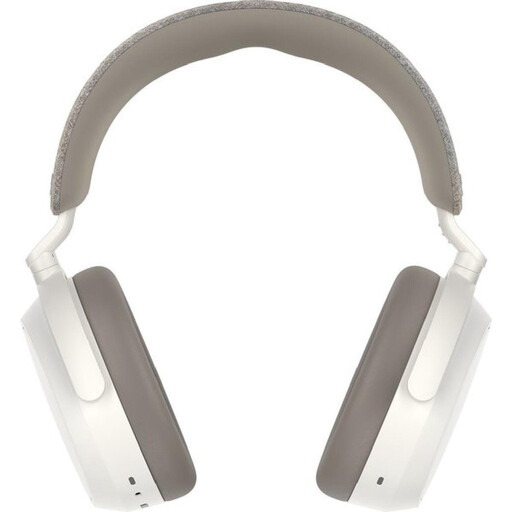 No image available
A wireless over-ear option for anyone who wants to move around during a meeting; check that the listening experience suits your room.
The product name lists noise cancelling, a 60-hour battery life and 4 microphones.
 No image available
A wireless option for Teams meetings; check that the USB-A version connects to your computer and that the controls suit the way you work.
The product name lists USB-A and MS Teams.
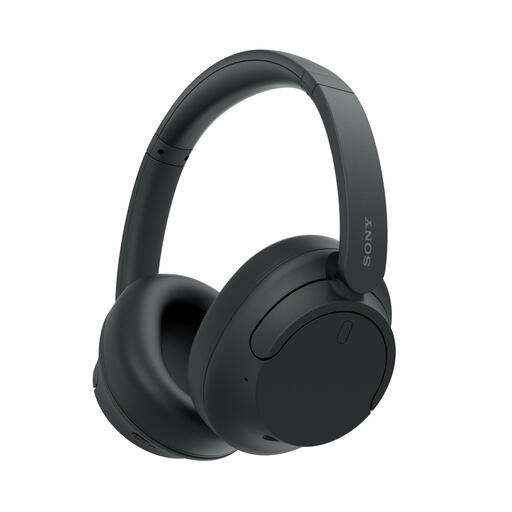 No image available
A wireless option for meetings; check that the microphone and listening features suit the way you speak and listen in your room.
The product name lists Bluetooth, noise cancelling, up to 35 hours of battery life and Quick Charge.
 No image available
The mono version may suit you if you want to stay in touch with colleagues in the room during Teams meetings; check that the USB-A connection is right for your computer.
The product name lists USB-A, MS Teams and Mono.
 No image available
A wired option for meetings from a fixed computer position; consider where the cable will run at a sit-stand desk.
The product name lists USB Type-A.
Don’t assume so: a personal headset is designed for the person wearing it. Decide who needs to speak online and, if several people are taking part, compare audio set-ups designed for shared use.
Check that your computer is using the intended microphone and speaker, test the mute controls, and make a short test recording in your workspace. If you use Teams, also check that the features of the exact version are available with your connection.
No. According to the Dutch government, there is no fixed statutory warranty period in the Netherlands; you’re entitled to a product that does what you can reasonably expect of it. A manufacturer’s warranty or additional warranty is on top of this. If a product is faulty, contact the retailer.
In many cases, you have 14 days to change your mind when buying from a business at a distance. The Dutch government also outlines exceptions, so check the applicable terms before you buy. This consumer rule doesn’t necessarily apply to a business purchase or a purchase from a private seller.
Check the fit regularly and take breaks from loud sounds. The World Health Organization advises keeping the volume low; this is health advice, not a product-specific guarantee or a statutory volume limit in the Netherlands.