Choose a standing fan that suits the airflow you want: a direct breeze at your desk, or air circulated along a wall or ceiling to avoid a constant draught. Then consider how easily you can direct it, how noisy it is on the setting you plan to use, and how stable the base is. A fan won’t keep out heat from the sun; Milieu Centraal lists shading and ventilating sensibly as separate measures.
Who is this relevant for?
Home worker in a sunny conservatory
Wants to keep air moving around their workspace, but shouldn’t expect a fan to keep out heat from the sun. Think about where you place it and how you provide shade, too. Milieu Centraal recommends blocking out the sun and ventilating sensibly to help prevent overheating.
Noise-sensitive desk worker
Needs a quiet, practical setting for calls or focused work. Consider noise alongside airflow on that setting; the Dutch Consumers’ Association assesses fans at different speeds and distances.
Anyone who wants to avoid a direct draught
Would rather circulate air along a wall or ceiling than have it constantly blowing directly at them. Check that the fan head can be directed towards your preferred spot from where you can place it; BONECO says the F220 has a manually adjustable head.
What should you look for when choosing?
| What to consider |
What to look for |
Which consumers? |
| Airflow where you need it |
Check the height, tilt, oscillation range and whether the base will fit in the available floor space. Oscillation distributes air across a wider area. |
If I want airflow at my desk without putting the fan in the middle of a walkway, I’ll focus on where it can go and how easily it can be directed. Around 33% of consumers say airflow distribution is their main priority when buying. |
| Comfortable noise levels |
Compare noise and airflow on the same setting you’d actually use. The minimum noise rating alone doesn’t tell you how the fan will sound next to your desk. |
When I’m concentrating or on a call, I want to feel enough airflow without being distracted by the noise. Around 27% of consumers prioritise comfortable noise levels alongside sufficient airflow. |
| Indirect airflow |
Check whether you can direct the head towards a wall or ceiling from a suitable spot. Manually directing the fan isn’t the same as automatic oscillation. |
If I don’t want a constant breeze blowing at my face or papers, I’ll look for a way to circulate the air indirectly. Around 20% of consumers prioritise avoiding a direct draught. |
| Stable positioning and controls |
Check the floor space and the route of the cable. A timer can switch the fan off at a time you choose, but it doesn’t replace safe positioning. |
During a long working day, I want to position the fan securely and switch it off easily at the right time. For around 20% of consumers, stable positioning and practical everyday use are the main things to consider. |
Common buying mistakes
-
Thinking a fan can replace shading
Moving air around your workspace and keeping out heat from the sun are two different things. Milieu Centraal lists shading and ventilating sensibly as separate ways to help prevent overheating.
First decide whether you want to feel a breeze or mainly reduce the sun’s heat. If needed, combine a fan with shading and suitable ventilation.
-
Comparing only the lowest quoted noise level
The quietest setting might not move enough air at the distance between the fan and your desk. The Dutch Consumers’ Association assesses airflow and noise at different settings and distances.
Compare fans at the setting and from the position you plan to use while working.
-
Confusing an adjustable head with automatic oscillation
The BONECO F220 is adjusted by hand, while Tristar lists automatic oscillation for the VE-5755. These are different ways of distributing air around your desk.
Choose manual adjustment if you want a fixed, indirect airflow direction. If you want air to reach several spots in turn, check specifically whether the model oscillates automatically.
Brands to consider
Duux
The Whisper³ DXCF222 is worth considering if you want fine control over airflow and value remote operation.
- Duux lists 26 speed settings, a remote control and a timer for this model.
- The stated 13 dB noise level and range are claims made by Duux; they don’t tell you how noisy the fan will be on every practical setting at your desk.
BONECO
The F220 is an option if you want to circulate air via a wall or ceiling rather than having the fan constantly aimed at your desk.
- BONECO lists a manually adjustable head that turns through 270° and several height options.
- Manually adjusting the head doesn’t mean the fan automatically oscillates from side to side. The noise levels are the manufacturer’s specifications.
Tristar
The VE-5755 is worth considering if you want adjustable height and automatic oscillation, with a limited number of settings.
- Tristar lists three settings, adjustable height from 85–115 cm and 85° oscillation.
- Without knowing the setting and how the measurement was taken, the stated 56,82 dB doesn’t tell you how disruptive the fan will sound at your desk.
Fans at Joybuy
This selection features standing fans for circulating air around a desk, with features such as adjustable height, oscillation or variable speed settings. Check which settings suit your seating position and preferred airflow on each model.
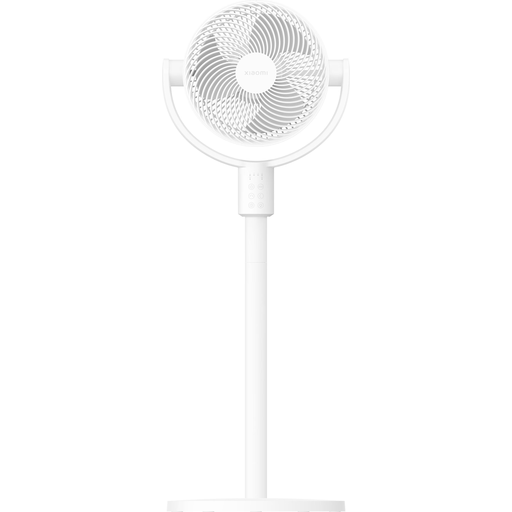 Image unavailable
Xiaomi Smart Standing Air Circulation Fan
Could suit you if you want to adjust airflow around your desk using multiple speed settings and automatic oscillation.
100 speed settings; 3D automatic oscillation; adjustable height; app control; stated airflow of 1440 m³/h.
View at Joybuy
 Image unavailable
Xiaomi Smart Standing Fan 2
Could suit you if you’re looking for a standing fan you can control via an app and use at either table or floor height.
7+5 dual blades; 100 adjustable speed settings; app control; suitable for table and floor use; automatic oscillation.
The description recommends placing it on a flat, stable surface and making sure the base is securely attached.
View at Joybuy
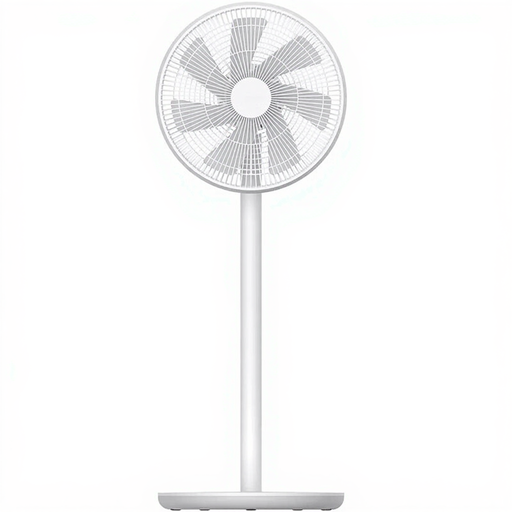 Image unavailable
Xiaomi Smart Standing Fan 2 Lite
Could suit you if you want to circulate air around your desk with automatic oscillation and control the fan via an app.
7 blades; 90° oscillation; adjustable height; app control; stated airflow distance of 12 m.
View at Joybuy
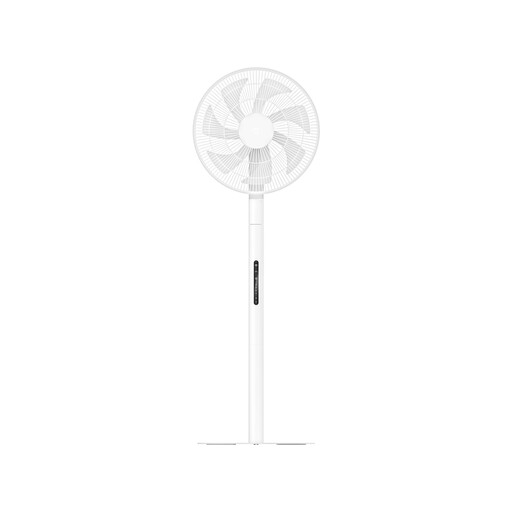 Image unavailable
Xiaomi Mijia Smart Standing Fan Pro Slim
Could suit you if you want a choice of controls and adjustable speed settings while working at your desk.
100 speed levels; app, remote and touch controls; DC inverter motor; supports Type-C charging; stated airflow distance of 14 m.
View at Joybuy
Frequently asked questions
Will a standing fan actually cool down my sunny conservatory?
Don’t rely on a fan to keep out heat from the sun. Milieu Centraal lists shading and ventilating sensibly as separate measures; choose a fan to create the airflow you want around your workspace.
Where should I put the fan near my desk?
Place it on a stable spot on the floor where nobody is likely to trip over the base or cable. The Dutch Consumers’ Association warns that standing fans can be top-heavy because of their height. Then direct the airflow towards your seat.
How can I keep usage and electricity costs under control?
Use a setting that provides enough airflow and switch the fan off when you don’t need it. A timer can set a switch-off time of your choice. To calculate electricity consumption, you’ll need the actual power usage on the setting you use, the number of hours it runs and your own electricity tariff.
What should I do if the fan breaks too soon during normal use?
Contact the seller. According to ACM ConsuWijzer, you have a legal guarantee in addition to any manufacturer’s guarantee if the product doesn’t meet what you could reasonably expect. In the Netherlands, this doesn’t automatically mean every fan is covered for exactly two years.
Which product safety rules apply to a fan in the Netherlands?
Check the safety information and product details for the specific model. EUR-Lex describes the EU Low Voltage Directive, which applies to electrical equipment within its scope, including equipment designed for 50–1.000 V AC or 75–1.500 V DC. A CE mark alone isn’t an independent test of the product in use.


