
Presenters in a noisy workspace
You’re presenting online while conversations or other background noise may cause disruption. In this case, a suitable microphone and easy-to-reach mute controls are important considerations.


If you’ll be staying by your laptop and speaking on your own, a wired headset with the right connection and easy-to-reach mute controls is a simple choice. If you want to move around while speaking, compare wireless headsets and check the connection, charging requirements and compatibility with your meeting app. A personal headset microphone isn’t automatically suitable for picking up colleagues in the same room.
You’re presenting online while conversations or other background noise may cause disruption. In this case, a suitable microphone and easy-to-reach mute controls are important considerations.
You want to be able to move around while talking through results. So weigh up the reach of a cable against the freedom of a wireless connection and its charging requirements.
You stay at your standing desk and want your headset, computer port and meeting app to work well together.
First decide whether you’ll be the only one speaking or whether colleagues in the same room also need to be heard. Then compare cable length with how much room you need to move around, and check the connection and fit. The Dutch Authority for Digital Infrastructure (RDI) states that electrical and electronic equipment must have the correct CE marking. Wireless radio equipment must also meet the applicable requirements of the Radio Equipment Directive.
| What to consider | What to check before buying | Who should pay particular attention? |
|---|---|---|
| Clear speech in noisy surroundings | Check the microphone features of the exact version and make a test recording in the room where you’ll be presenting. Microphone noise cancellation and ANC serve different purposes. | If I’m presenting in a noisy room, I want participants to hear my voice clearly; around 36% of consumers put clear speech first. |
| Freedom to move around | Measure how far you want to move. Logitech lists a 1,9 m cable for the wired H390 USB-A; for a wireless version, check the connection and charging requirements. | If I want to move away from my desk while speaking, freedom to move around matters a lot; around 29% of consumers make this their top priority. |
| Connection and meeting app | Check whether your computer uses USB-A, USB-C or 3,5 mm. In Microsoft Teams, you can select the connected microphone in the audio settings. | I want my headset and laptop to work together straight away, and the app to use the right microphone; around 21% of consumers put connection compatibility first. |
| Comfort | Compare the fit of the exact version and decide whether you want mono or stereo. Poly lists the 3,5mm option only for the Blackwire 3315 and 3325. | For a longer presentation, I want a comfortable headset that suits how much awareness I want of my surroundings; around 14% of consumers put fit first. |
ANC affects what you hear; microphone noise cancellation affects the speech signal sent to other participants. So one feature doesn’t automatically tell you anything about the other.
Check both features on the exact version and make a test recording in the room where you’ll be presenting.
The connection, mono or stereo design, Teams or UC support, and included dongle can vary between versions.
Before buying, check the full model name and the connections and accessories included with that version.
A microphone near your mouth doesn’t mean participants joining remotely will be able to hear colleagues elsewhere in the room clearly.
Test how all the intended speakers sound, or consider whether a shared audio setup would work better for the presentation.
Logitech offers wired USB headsets, among other options, for presentations where you stay by your computer.
The Evolve2 55 is a wireless option, while the Evolve 20 offers a separate wired USB option.
The Blackwire 3300 series is a range of wired business headsets with mono and stereo versions.
The Primo Chat headset is a simple wired option for a laptop or computer with a compatible connection.
The BH70 is a wireless business headset worth considering if you want to move around while speaking.
These Joybuy products are personal headsets and earbuds with microphones for speaking online. For each model, check that the style, connection and microphone suit your presentation setup.
 No image available
This wired headset could suit you if you want to be able to mute the microphone quickly and your computer has a compatible connection.
The product information lists a 3,5mm connection and a USB adapter cable. Flip the microphone up to mute it.
 No image available
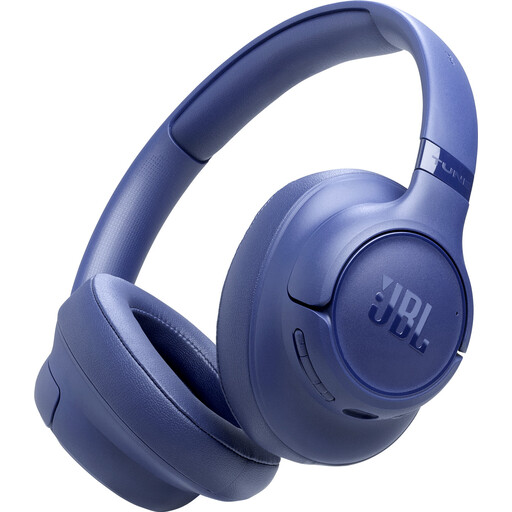
These wireless headphones could suit you if you want to switch between two Bluetooth devices during calls; also check that they work with your meeting app.
The product information lists Bluetooth 6.0, multipoint connectivity for two devices and voice microphones that reduce background noise.
 No image available
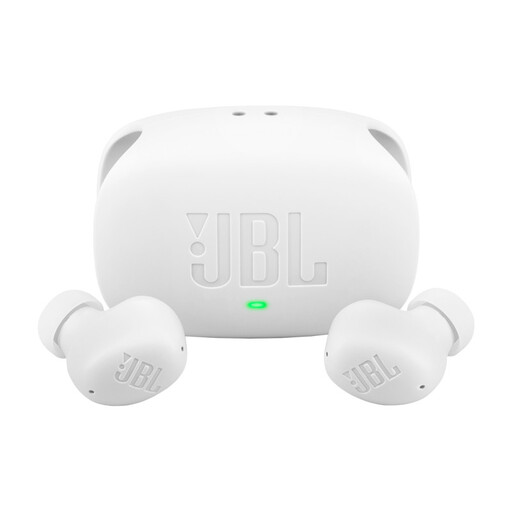
These in-ear earbuds could suit you if you prefer personal wireless earbuds; check that they feel comfortable while you’re presenting.
The product information lists a microphone for calls and multipoint connectivity for two Bluetooth devices.
 No image available
These wireless over-ear headphones could suit you if you’re looking for a personal microphone setup and also want to use the headset for listening.
The product information lists four beamforming microphones and wind noise reduction for calls. The stated playback time is up to 60 hours; this isn’t the same as talk time.
 No image available
These personal in-ear earbuds could suit you if you want to speak wirelessly and prefer earbuds; check the microphone and controls with your meeting setup.
The product information lists six microphones, Bluetooth 6.1 and control via the Galaxy Wearable app.
In Microsoft Teams, select the connected headset as your microphone and speaker. Then test it with someone joining remotely, from the spot where you’ll actually be standing. Checking the settings alone won’t tell you how you sound in that room.
No. On models that list both features, ANC affects what you hear, while microphone noise cancellation affects the speech signal that’s sent. Check which features the exact version has.
The RDI states that electrical and electronic equipment must have the correct CE marking. Radio equipment must also meet the applicable requirements of the Radio Equipment Directive. A general reference to a model doesn’t confirm that the individual item being sold meets these requirements.
According to ACM ConsuWijzer, the seller is responsible under the legal guarantee if the product doesn’t do what you could reasonably expect when used normally. Online purchases generally come with a cooling-off period that ends 14 days after delivery; check the relevant terms and exceptions.