What should you look for when choosing?
Start with a test recording at the location and working distance you plan to use. If the details aren’t sharp or large enough in the frame, compare the lens and camera body as a combination before deciding based on video resolution.
Minimum focusing distance partly determines how close you can get to a subject and still focus with a lens. Canon Netherlands lists up to 1:2 magnification for the RF 35mm F1.8 MACRO IS STM; Nikon lists 1:1 for the NIKKOR Z MC 50mm f/2.8. These figures apply to the lenses mentioned, not to every camera or kit from those brands.
| Key consideration |
What to look for |
Who should pay particular attention? |
| Capturing fine details in focus |
Compare the maximum magnification, minimum focusing distance and lens mount of the exact lens. If possible, make a test recording at your working distance. |
If I want to show perforations or printing clearly, I need to know whether the lens will focus at my working distance. Around 36% of consumers prioritise legible fine details. |
| Colour and lighting in window light |
Check whether you can adjust the white balance and exposure, and review a test clip where you plan to film. Canon Netherlands recommends paying attention to white balance in challenging lighting conditions. |
If the light by my window changes while I’m filming, I want to be able to assess colour reproduction and brightness. Around 28% of consumers prioritise colour and lighting. |
| Focus while explaining |
Test focus changes with the same body and lens combination you plan to use, for example when moving from an album page to a loose stamp. |
If I hold a stamp up to the camera while speaking, I want to be able to switch smoothly between myself and the object. Around 22% of consumers prioritise this focus change. |
| Complete set-up and cost |
Check whether the version includes a lens and whether its mount is compatible with the body. If you’re buying a body only, factor in the lens you’ll need for your recording. |
If I want to keep the cost of the whole set-up down, I need to know in advance what’s included and which other parts I’ll need. Around 14% of consumers prioritise completeness and cost. |
Cameras on Joybuy
These Joybuy picks are cameras for video recording. For stamp close-ups, check whether the lens can focus at your intended distance; the Sony ZV-E10 below is offered as a body only.
 Image unavailable
Osmo Pocket 4P Standard Combo, black
The product information mentions video recording; check the close-up capabilities at the working distance you’ll use to film stamps.
The description lists a 1-inch CMOS sensor and a 20mm f/2.0 wide-angle lens. The recording information mentions 4K video.
View at Joybuy
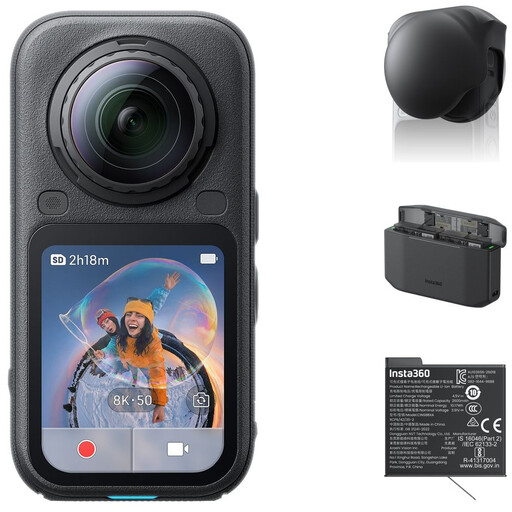 Image unavailable
Insta360 X6 All-in-One Bundle
360° video may suit you if you want to reframe your footage later. Check separately whether the camera can focus on stamp details at your intended distance.
The product information lists 8K 50fps 360° video, InstaFrame video and 10-bit colour. The bundle name mentions a lens cap, Xtreme Battery and Fast Charge Case.
View at Joybuy
 Image unavailable
DJI Osmo Pocket 4 Standard Combo
The product name describes it as a pocket vlogging camera. Before filming small stamps, check that the focusing distance and framing work for your table set-up.
The title lists a 1-inch CMOS sensor, 3-axis stabilisation, 2× lossless zoom, 107GB of built-in storage and a rotatable 2-inch screen. The listing specifies 4K/240fps in slow-motion mode only.
View at Joybuy
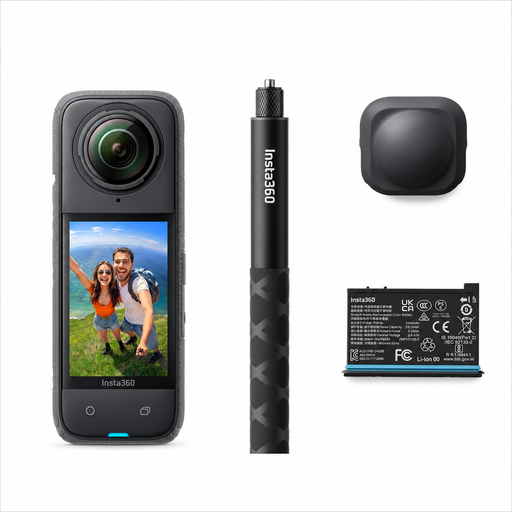 Image unavailable
Insta360 X4 Air Starter Bundle
The product information mentions 360° video and reframing after recording. Check separately whether its close-up focus is suitable for the stamp details you want to show.
The description lists 8K 30fps video, FlowState stabilisation, 360° Horizon Lock, control via the Insta360 app and a weight of 165g. The bundle name mentions an invisible selfie stick and interchangeable lenses.
View at Joybuy
 Image unavailable
Sony ZV-E10, body only
This version may suit you if you already have a compatible E-mount lens. A lens isn’t included, so check which one you’ll need for your table set-up.
The product information lists 4K video, a tilting screen and compatibility with Sony E-mount lenses. Check the minimum focusing distance of the lens you use.
View at Joybuy
Frequently asked questions
For small stamp details, should I focus mainly on 4K or on the lens?
First check whether the lens can focus at your intended distance and how much magnification it offers. A higher video resolution won’t make a recording sharp if it’s out of focus because the lens is too close to the subject.
How can I avoid changing colours when filming next to a window?
Make a test clip in the spot where you plan to film, and check the white balance when the light changes or when you combine window light with a lamp. White balance is the camera setting that controls colour reproduction under the light you’re using.
What do the manufacturer’s warranty and cooling-off period mean when buying online?
In the Netherlands, the manufacturer’s warranty is in addition to your statutory warranty. If there’s a problem, the seller is your point of contact for a solution. According to the Dutch Government, online purchases often come with a 14-day cooling-off period, although there are exceptions. Check the terms and conditions for your specific purchase.
Can I publish my stamp guide with images or recognisable people in it?
Consider the rights for each image and situation. The Dutch Government says that you generally need permission to use or make other people’s copyright-protected work available to the public. If someone creates or publishes images of recognisable people on behalf of a company or organisation for professional or commercial purposes, the Dutch Data Protection Authority notes that the GDPR applies. This doesn’t automatically determine the rights status of every stamp.


