
RAW editor at a workstation
You often work with large photo files on external storage and want to assess the connection and real-world working speed.


An external SSD is a good fit if you regularly work with RAW files directly from the drive. An HDD may be a better choice if having space for a large archive matters more than working speed. Check the capacity of the exact model, the computers’ ports and operating systems, and make sure you have a separate back-up and appropriate access controls.
You often work with large photo files on external storage and want to assess the connection and real-world working speed.
You’re storing more and more original images and weighing up space for existing files and new shoots against portability.
You want to check who can access the files, which computers use the drive and where separate copies are stored. If people can be recognised in the images, they may contain personal data; the Dutch Data Protection Authority explains the related considerations around security and access.
A good fit if: you regularly import, transfer or edit RAW files directly from the drive.
Keep in mind: check the port and cable. Stated speeds aren’t a measurement of performance on your workstation.
A good fit if: you mainly want to store and carry lots of RAW files, and don’t need to work directly from the drive as often.
Keep in mind: check the capacity and connection of the exact model. The product information reviewed doesn’t support a speed claim for intensive editing.
A good fit if: your archive stays with one workstation and a desktop model suits your workspace.
Keep in mind: the stated power adapter makes it less convenient to move around.
| What to consider | What should you check? | Who is this important for? |
|---|---|---|
| Archive space | Measure the size of your existing files and allow for new shoots; compare the capacity of the exact model. | If I want my archive to grow, I need enough space without having to swap drives unnecessarily often. Around 31% of consumers prioritise archive space. |
| Working speed | Compare the drive, cable and computer port; check which host connection is needed for the stated speed. | If I often work from the drive, I want its connection to suit my workstation. Around 25% of consumers prioritise working speed. |
| Using the drive with multiple computers | Check the ports and operating systems; confirm the file system before transferring files between computers. | If the drive needs to be used with different computers, I want it to work with the systems in use. Around 19% of consumers prioritise compatibility. |
| Back-up and access | Decide where the working files and a separate copy will be stored, and who will have access. | At a shared workstation, I want to be able to recover files and manage access appropriately, especially if people can be recognised in the photos. Around 25% of consumers prioritise file protection. |
If your RAW files are stored only on the working drive, you won’t have a separate copy to fall back on if the drive fails or gets lost.
Keep a separate copy and check that you can restore your files from it.
Kingston quotes speeds of up to 2.000 MB/s with USB 3.2 Gen 2x2. This product specification doesn’t confirm which connection the shared workstation has.
Check the drive, cable and host port before factoring in a speed claim.
Apple says that formatting erases the files on the selected drive.
Check which file system you need and copy existing files to other storage before formatting.
The T7 Shield range is worth considering as a portable SSD for active photo work. Samsung Netherlands lists model code MU-PE2T0S/EU for the black 2 TB model reviewed.
The XS2000 range is worth a look if you’re after an SSD with a high stated transfer speed.
Expansion Portable and Expansion Desktop offer different HDD options: portable storage or storage for a permanent workstation.
The Rugged Mini HDD is a portable HDD option for anyone who regularly carries their drive around.
This selection includes portable HDDs for carrying and storing a photo archive, and SSDs for regularly working with large files. Check that each model’s capacity, connection and computer compatibility suit your workspace.
 No image available
A portable 4 TB HDD for anyone who wants to use files across different workspaces.
The product description lists USB-C, exFAT, hardware encryption and password protection, as well as use with Windows and Mac.
 No image available
A portable 2TB SSD for anyone who regularly transfers large files.
The product description lists USB 3.2 Gen 2 and sequential read and write speeds of up to 1.050 and 1.000 MB/s. USB-C to C and USB-C to A cables are included; the stated compatibility includes Windows and macOS.
 No image available
A portable SSD for anyone who regularly transfers large files and can check their computer’s connection in advance.
The product description lists 2 TB, USB 3.2 Gen 2x2 and read and write speeds of up to 2.000 MB/s. USB-C to C and USB-C to A cables are included; check that your computer supports the required interface.
 No image available
A portable 2 TB SSD for anyone who regularly transfers large files.
The product description lists USB 3.2 Gen 2, sequential read and write speeds of up to 1.050 and 1.000 MB/s, IP65 and drop resistance from up to 3 metres. These are stated specifications; check your computer’s connection.
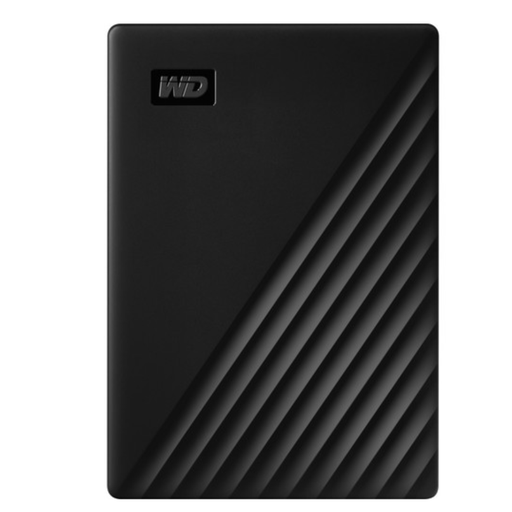 No image available
A portable 5 TB HDD for anyone who wants to carry and store lots of files.
The product description lists USB 3.2 Gen 1, bus power and AES 256-bit hardware encryption.
Yes, provided the connection and file system work with both computers. Apple lists exFAT as an option for an external drive larger than 32 GB that will also be used with Windows. First, copy existing files to other storage: formatting erases the files on the selected drive.
No. A sturdy casing isn’t a separate copy of your RAW files. Keep a back-up on another storage device as well as your working drive, and check that you can restore your files from it.
Allow space for both working files and a separate back-up. A desktop model may also need a power adapter; check the product information for the exact model.
That depends on the images and how they’re used. The Dutch Data Protection Authority says that people who can be recognised in photos are considered personal data. Organisations that process personal data must determine appropriate security measures based on the risks and context.