
Vandaag of morgen in huis

Kwaliteit gegarandeerd

Welkomstaanbiedingen ontgrendelen: GRATIS bezorging | Tot 80% korting | Gratis 30 dagen JoyPlus-proefperiode
Download de app
Buying an SSD may seem straightforward, until you have to choose between an internal SSD, external SSD, NVMe SSD or traditional hard drive. Manufacturers quote high speeds and large capacities, but those figures do not always tell the whole story. The right choice depends on your device, how you use it and how you want to store your files.
According to the product specifications, an NVMe SSD with PCIe 4.0 can achieve read and write speeds of thousands of MB/s. You will only see that benefit if your computer also has a suitable M.2 slot and supports PCIe 4.0. In an older PCIe 3.0 system, the SSD may still work, but at a lower performance level.
Also pay attention to the difference between an M.2 SATA slot and an M.2 NVMe slot. They may look similar, but the technologies are not interchangeable. Always check the manual for your motherboard, laptop or handheld console.
An SSD 1TB or SSD 2TB does not provide exactly 1,000 or 2,000 GB of free space after installation. The operating system and formatting take up part of the capacity. Games, 4K videos and photo libraries can also fill a drive faster than expected.
For everyday use, 1TB may be sufficient. Gamers and content creators often benefit more from 2TB or 4TB. For archives and backups, an external hard drive with 5TB, 10TB or 16TB is worth considering.
An external HDD contains moving parts. This generally makes this type of storage less suitable for frequent movement during data transfers. A portable SSD is more compact and has no spinning platters, while an external hard drive often offers more storage per pound.
Neither replaces a backup strategy. It is best to keep important photos, documents and projects in at least two different storage locations.
Choose an internal SSD if you want your operating system, programmes or games to load more quickly. An M.2 SSD is installed directly onto the motherboard. An NVMe model uses the PCIe protocol and is designed for devices with a compatible M.2 NVMe slot.
You connect an external SSD or portable SSD via USB. This is practical for backups, large media files and use with multiple devices. Check whether your computer uses USB-A or USB-C. A USB-C SSD is not automatically faster: the USB version supported by the port and the cable also help determine transfer speeds.
Look out for these terms:
The quoted sequential speed is particularly relevant for large files. Random read and write performance also plays a role when opening small files, programmes and games.
When choosing an SSD for gaming, check the available space, form factor and heat dissipation. A PS5 SSD must meet the console’s requirements. Some M.2 models are described as PS5-compatible, but require a suitable heatsink.
Upgrading an internal SSD requires the device to be completely powered off, correct installation and often initialisation or formatting in the operating system. Back up important data beforehand. If you are unsure about installing an SSD in a laptop or console, follow the manufacturer’s instructions.
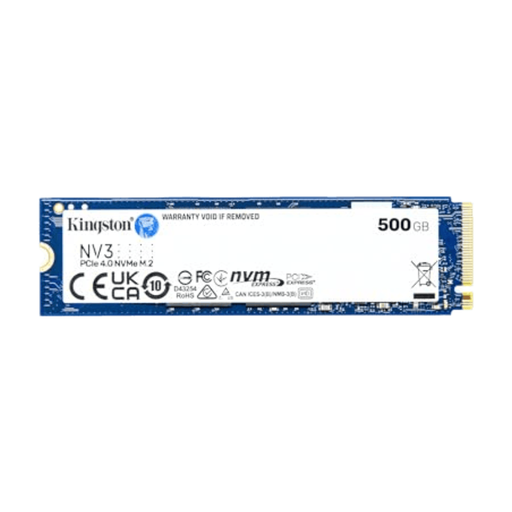
Why it suits this profile: The 500GB capacity is suitable as an addition to an existing drive or for a compact PC with limited storage needs. According to the product information, this model supports PCIe 4.0x4 and read speeds of up to 5,000 MB/s.
The interface and M.2 2280 form factor are clearly stated. However, check beforehand that your device has an NVMe slot.
Compact M.2 form factor, PCIe 4.0x4 and quoted read/write speeds of up to 5,000/3,000 MB/s.
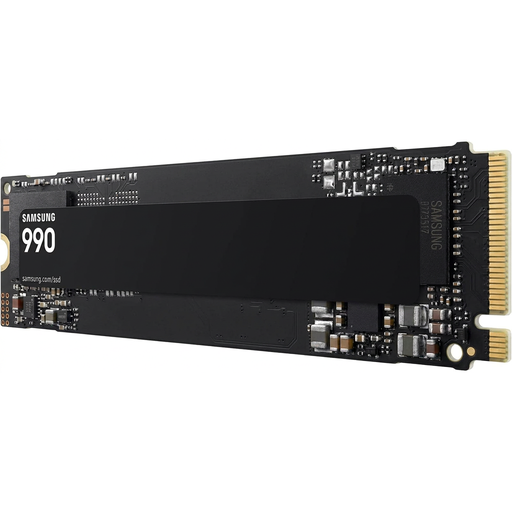
Why it suits this profile: This internal SSD combines 2TB of storage with PCIe 4.0 x4 and NVMe 2.0. According to the product information, the model is designed for desktops, laptops and handheld consoles.
Compatibility with PCIe 3.0 systems is stated, although performance may be lower on those systems. Check the available space and mounting options in your device.
2TB capacity, quoted read speeds of up to 7,250 MB/s and support for firmware management via Samsung Magician.
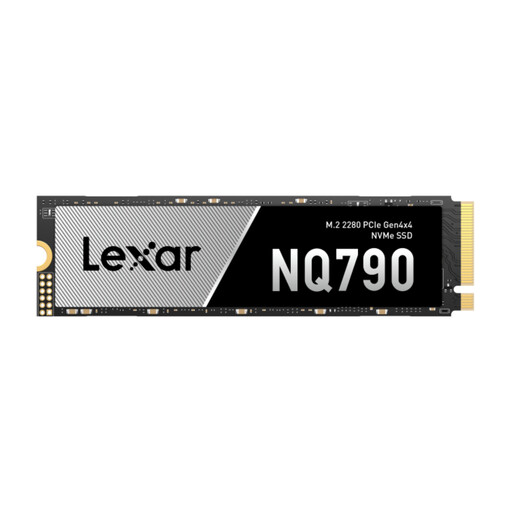
Why it suits this profile: This M.2 NVMe model is aimed at users who work with large games, projects or media files. According to the product specifications, quoted read and write speeds are up to 7,000 and 6,000 MB/s.
The product information states PS5 compatibility with a heatsink. This makes it clear that additional heat dissipation may be required when installing it in a console.
2TB storage, PCIe 4.0 x4, NVMe and a quoted TBW of 1.2PB according to the product specifications.
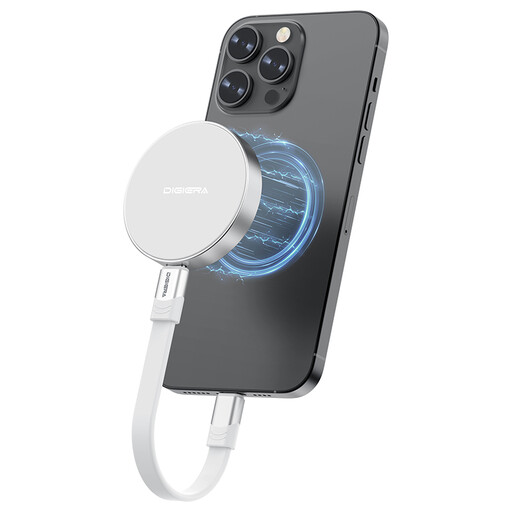
Why it suits this profile: This USB-C SSD is designed for mobile users with compatible laptops, tablets, cameras and iPhone 15 or 16 models. The product information quotes read speeds of up to 2,000 MB/s.
The compatibility limitation for iPhone models is stated. Also check whether your USB-C port supports USB 3.2 Gen 2x2 to make use of the quoted speed.
1TB storage, USB 3.2 Gen 2x2 Type-C, magnetic attachment and a weight of approximately 46 grams.
We have put together a complete, up-to-date list of products that fully meet these strict selection criteria and the applicable European safety regulations.
Use an internal SSD for faster PC start-up, quicker game loading and smoother file editing. Choose an external SSD when portability, shock resistance and short transfer times are important. An external hard drive is a good choice for large archives, media files and backups where capacity matters more than maximum speed.
A 10TB or 16TB desktop HDD usually requires its own mains adapter. A 1TB, 2TB, 4TB or 5TB portable HDD often runs from USB power. For USB-C models, check that the cable actually supports data transfer and is not suitable only for charging.
Its lifespan depends on the number of write cycles, temperature, usage and the quality of the controller and memory chips. Manufacturers sometimes state a TBW value, meaning the total number of terabytes that can be written to the drive according to their specifications. This does not guarantee a fixed service life. Always back up important data.
According to the product specifications, an internal NVMe SSD can offer higher transfer speeds than a mechanical hard drive. This can reduce loading and installation times. The eventual effect also depends on the game, processor, graphics card, motherboard and software settings.
The price is determined by capacity, interface, speed, brand, warranty terms and any security features. An SSD 2TB generally costs more than an HDD with the same capacity, while an HDD of 10TB or more may be an attractive option for large archives. So do not compare only the price: also consider the price per GB, compatibility and how you expect to use it.
