
Vandaag of morgen in huis

Kwaliteit gegarandeerd

Welkomstaanbiedingen ontgrendelen: GRATIS bezorging | Tot 80% korting | Gratis 30 dagen JoyPlus-proefperiode
Download de app
Buying an SSD seems straightforward, until you have to choose between an internal SSD, external SSD, NVMe, M.2, PCIe 4.0 or PCIe 5.0. Manufacturers quote high read speeds, but those figures don’t always tell you how well a drive will suit your device. For example, a laptop with a PCIe 3.0 slot can’t reach PCIe 4.0 speeds.
The main pitfalls to avoid:
A PCIe 3.0 SSD is suitable for many older and more affordable systems. A PCIe 4.0 SSD offers higher transfer speeds, but only if your motherboard, laptop or console supports it. A PCIe 5.0 SSD is designed for systems with a PCIe 5.0 slot. Also check that the drive fits physically and that the power supply and cooling are suitable.
For example, the product descriptions for the Samsung 990 PRO and Lexar NQ790 list a PCIe 4.0 x4 interface and the NVMe protocol. According to the product specifications, the quoted sequential speeds for these models reach up to 7.450 MB/s and 7.000 MB/s respectively. Actual speeds depend on your system and workload.
The most common internal form factor is M.2 2280: around 22 millimetres wide and 80 millimetres long. Check that your laptop or motherboard supports this length. With a laptop, the drive’s thickness may also matter.
A PS5 SSD has additional requirements. The console uses an M.2 NVMe drive and requires adequate cooling. The Lexar NQ790 is listed as requiring a heatsink. The Samsung 990 PRO models in this selection come with a heatsink and are listed as PS5-compatible. Always check Sony’s current installation requirements and the drive’s dimensions.
Don’t just look at the price per gigabyte. Check the NAND type, the quoted TBW rating and the warranty terms too. TBW stands for Total Bytes Written: the amount of data the manufacturer says can be written to the drive over its stated lifespan. It doesn’t mean an SSD will fail as soon as it reaches that figure.
A 1TB SSD is suitable as a system drive or for a small game library. A 2TB SSD gives you more space for games, photos and video files, so you won’t have to clear things out as often. A 4TB SSD is a better fit for video editors, content creators and professionals who store large projects locally.
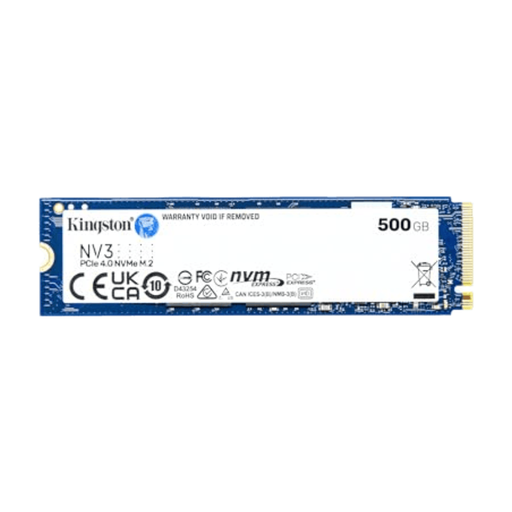
Why it suits this profile: A compact internal NVMe SSD for a desktop, laptop or small system with an M.2 connection and modest storage needs.
The specifications list the M.2 2280 form factor and NVMe PCIe performance. First, check that your system supports this connection; the stated capacity is 500GB.
M.2 2280 form factor, NVMe interface and, according to the product description, support for speeds of up to 5.000 MB/s read and 3.000 MB/s write.
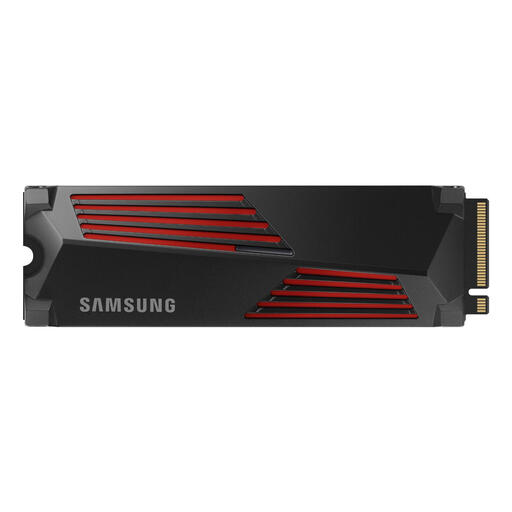
Why it suits this profile: Designed for gamers and users who edit large media files and want a built-in heatsink.
The heatsink helps dissipate heat, so you won’t need to find a separate cooler for PS5 use. Check that there’s enough space in your device.
2TB storage, PCIe 4.0 x4, TLC NAND and, according to the product description, speeds of up to 7.450 MB/s read and 6.900 MB/s write.
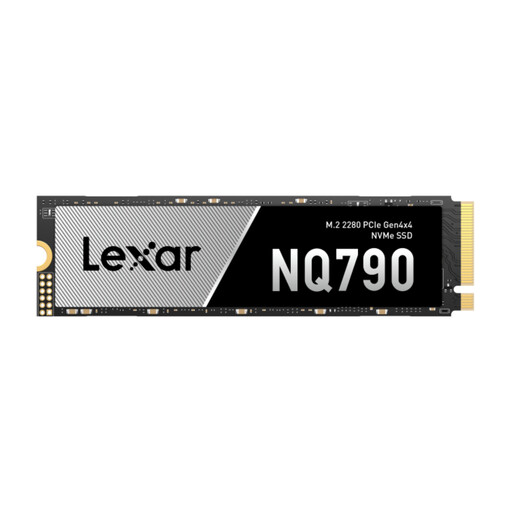
Why it suits this profile: An internal SSD for gaming, large files and devices that support PCIe 4.0, including a PS5 with suitable cooling.
The 2TB capacity makes it less likely that a game library or project folder will fill up quickly. According to the specifications, a heatsink is required for PS5 use.
PCIe 4.0 x4, NVMe, 2TB storage and quoted sequential speeds of up to 7.000 MB/s read and 6.000 MB/s write.

Why it suits this profile: A portable SSD with USB-C for laptops, tablets and consoles, and, according to the product description, iPhone 15 models and later.
The USB-C connection means there’s no installation needed. Check that your device supports USB 3.2 Gen 2x2; otherwise, transfer speeds may be lower.
1TB capacity, USB 3.2 Gen 2x2, quoted speeds of up to 2.000 MB/s read and 1.800 MB/s write, plus a compact design.
We’ve put together a complete, up-to-date list of products that meet these strict selection criteria and the applicable European safety regulations.
According to the quoted product specifications, a PCIe 5.0 SSD can achieve higher sequential speeds. You’ll notice the difference mainly when transferring large files, editing video and doing other demanding tasks. For gaming and everyday use, a PCIe 4.0 SSD is often a good choice. Your motherboard must support the right PCIe generation.
Lifespan depends on the NAND type, write workload, temperature and how you use the drive. Check the TBW rating and warranty terms, but treat TBW as a stated guideline rather than an exact end date. Always back up important files; an SSD is no substitute for a backup system.
An internal SSD typically uses your computer’s connection and power supply. An external SSD is more flexible and easy to move between devices, but its actual speed depends on the USB port and cable. So don’t compare price alone: consider capacity, interface, compatibility and what you need the drive for.
