What should you consider when choosing?
For consumers in the Netherlands looking for a monitor for sprite animation when sockets are limited, the choice mainly comes down to laptop charging, colour reproduction, workspace and cost.
QHD design monitor with USB-C charging
A good fit if: you colour sprites on a compatible laptop and want room for your canvas, timeline and tools. ASUS and BenQ list 27 inches, 2560 × 1440, 100% sRGB and USB-C power delivery of up to 65 W for the PA278CV and PD2705Q.
Keep in mind: colour coverage and calibration are manufacturer specifications, not independent measurements of your individual unit. You may still need a separate laptop charger if the power output is not enough.
QHD USB-C hub monitor with higher charging output
A good fit if: your laptop needs more than 65 W, or you want a hub and QHD workspace. Dell lists 90 W USB-C power delivery, 27 inches and 2560 × 1440 for the P2725DE.
Keep in mind: 90 W is only useful if your laptop can charge through the relevant USB-C connection. The Dell specifications listed do not confirm the same sRGB coverage or factory calibration as the design monitors.
Full HD monitor with built-in power supply
A good fit if: you mainly want to avoid a separate monitor power adapter on your desk and Full HD gives you enough workspace. LG lists a built-in power supply and USB-C Power Delivery of up to 65 W for the 27BA650-B.
Keep in mind: the monitor will still need a socket. Its stated 1920 × 1080 resolution offers fewer pixels than QHD models with 2560 × 1440.
Monitor without USB-C laptop charging
A good fit if: you use a desktop computer, charge your laptop separately anyway, or prefer another connection over a single-cable setup.
Keep in mind: if your laptop still needs a separate charger, this option will not save a socket. Check the video input and power features of the exact model; a USB-C port alone does not mean it supports both video and charging.
| What to consider |
What should you look for? |
Who is this important for? |
| Laptop charging and sockets |
Check USB-C video, charging, the power required, and the correct port and cable. |
If you want to display your canvas on a monitor while you work without plugging in a separate laptop charger, a single cable is a priority. Around 36% of consumers prioritise laptop charging above all else. |
| Colour reproduction |
Compare the stated sRGB coverage, colour mode and calibration information for the exact model. |
If you want to match sprite colours, colour mode and coverage are useful things to check; claims are still model-specific manufacturer information. Around 29% of consumers prioritise colour matching above all else. |
| Workspace for your canvas and timeline |
Compare 1920 × 1080 with 2560 × 1440, and see which scaling is comfortable to read. |
If you want to see your canvas, frames and tools at the same time, focus on the layout and readability of your work windows. Around 21% of consumers choose workspace as their top priority. |
| Total cost and accessories |
Check which cables and connections your setup needs, and look at the energy label for the exact model. |
If you want to avoid unused features and extra connection equipment, weigh the features against what your setup needs. Around 14% of consumers prioritise cost above all else. |
Monitors at Joybuy
This selection of Joybuy products includes screens in different sizes and resolutions for your canvas and timeline. Check whether each model’s connections and any laptop charging features suit your setup.
 No image available
Dell Pro P3426WEV 34.1-inch curved WQHD IPS USB-C hub monitor with webcam
The wide screen could be useful if you want to place your canvas and timeline side by side; check that it will fit your desk.
34.1 inches; 3440 × 1440 WQHD; IPS; 100 Hz; USB-C with DisplayPort Alt Mode and Power Delivery of up to 90 W, according to the product information. Laptop charging requires a compatible laptop.
View at Joybuy
 No image available
TECLAST V16Q portable monitor, 16:10, IPS
This portable model could suit you if you want to use an extra screen with a laptop; check which connections your laptop supports first.
2560 × 1600; 16:10; IPS; 144 Hz; 100% sRGB according to the product information; two USB-C ports and a built-in stand. The USB-C ports listed do not, on their own, confirm video or charging compatibility with your laptop.
View at Joybuy
 No image available
CRUA CR320QB 32-inch curved 4K monitor
This model may be worth considering if you want a large screen and high resolution; check that its size and connections suit your workspace.
32 inches; 3840 × 2160; VA; 100% sRGB according to the product title; HDR10 and Adaptive Sync are also listed.
View at Joybuy
 No image available
UPERFECT 16-inch portable 2K monitor, 16:10, QLED
A portable screen could suit a compact workspace or laptop setup; check which connections your device needs.
2560 × 1600; 16:10; QLED; 144 Hz; 450 nits according to the product title; Mini HDMI and USB-C. The product information does not list USB-C charging output, so check separately how the screen and your laptop will be powered.
View at Joybuy
 No image available
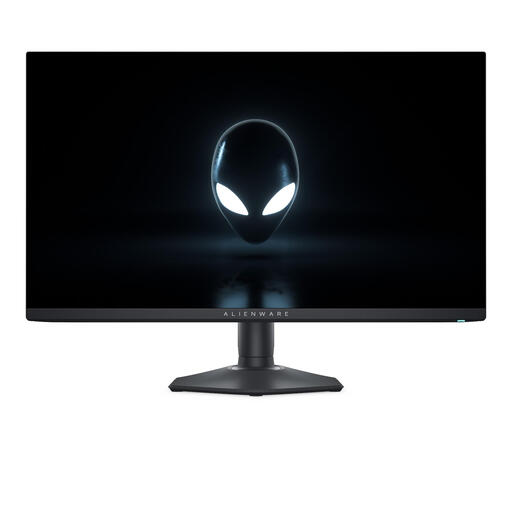
Alienware AW2725DF 27-inch QHD QD-OLED monitor
Its QHD resolution gives you the option of viewing your canvas and timeline on a 27-inch screen; check which connections your computer needs.
2560 × 1440; QD-OLED; 27 inches. The product information lists a height-adjustable and tiltable stand.
View at Joybuy
Frequently asked questions
Can one USB-C cable charge my laptop and send video to the monitor?
Yes, if both your laptop and the monitor port you use support USB-C video, and the Power Delivery output is sufficient for your laptop. BenQ lists DisplayPort Alt Mode and 65 W Power Delivery for the PD2705Q; this model specification does not confirm that your laptop is compatible.
Does the monitor’s power cable disappear if its power supply is built in?
No. LG says the 27BA650-B has a built-in power supply, so you do not need a separate monitor adapter on your desk; the monitor itself will still need mains power.
How can I check individual pixels while animating?
Aseprite offers zoom levels such as 100%, 200% and 400%. Choose a zoom level that lets you check the details, and also make sure your canvas and timeline remain easy to read at your usual screen scaling.
How can I compare monitors’ energy use?
Compare the energy labels for the exact models. The European Commission provides information on energy labels for electronic displays; an energy class alone does not calculate how much a monitor will cost to run in your situation.
What are my rights when buying online in the Netherlands?
When you buy from a business at a distance as a consumer, you generally have a 14-day cooling-off period; the Dutch government provides details of the exceptions. You are also entitled to a product that works as it should under the legal guarantee, separately from any manufacturer’s or extended warranty.


