
Active players
If you’re playing a sports game with housemates that involves moving the controller, first check which Joy-Con the game and console require. Nintendo recommends attaching and wearing the wrist straps when using Joy-Con wirelessly.


Start with your console and the specific game: Nintendo Switch Sports requires Joy-Con, while a DualSense or Xbox controller works with compatible button-controlled sports games on PS5, Xbox or Windows respectively. Then count your players and available controllers. In a small shared living room, playing while seated may be more practical than moving around, but a standard gamepad won’t replace Joy-Con in a game that requires them.
If you’re playing a sports game with housemates that involves moving the controller, first check which Joy-Con the game and console require. Nintendo recommends attaching and wearing the wrist straps when using Joy-Con wirelessly.
If you’d rather play while seated using buttons, look for a sports game that works with the PS5, Xbox or PC you already have at home. A DualSense or Xbox controller is suitable only if the game supports it.
If you share a console and want another player to join in, first count the controllers you already have. Then check how many players can play at once in each game and which controller layout the sport requires.
Choose this option: if you want to play this motion-controlled game on a Nintendo Switch or Switch 2, you’ll need Joy-Con.
Bear in mind: Pro Controllers don’t work with Nintendo Switch Sports. Original Joy-Con can’t be attached to or charged on a Switch 2.
Choose this option: if you want to play the motion-controlled sports in this Switch 2 game, for which Nintendo specifies Joy-Con 2.
Bear in mind: the game is for Switch 2. Check the player limit and controller layout for the sport you want to play.
Choose this option: if you want to play a compatible local sports game on PS5, Xbox or a Windows PC using a DualSense or Xbox controller.
Bear in mind: game support, local multiplayer and player numbers vary by title. These controllers won’t replace Joy-Con for Nintendo Switch Sports.
Choose this option: for Switch games that support a standard button-based gamepad, such as a compatible 8BitDo controller.
Bear in mind: general Switch compatibility doesn’t mean a controller will work with a game that requires Joy-Con. A wired PowerA controller doesn’t support motion controls.
| What to consider | What should you check? | Who is this important for? |
|---|---|---|
| Compatibility | Check the console, game title, any specific game version and the controller required. | If I want to make sure my controller works with the sports game I’ve chosen, I’ll first check the requirements for that exact title. Around 36% of consumers put compatibility first. |
| Number of players | Count your existing controllers and housemates, then check the player numbers and controller layout for each sport. | If several housemates want to play at the same time, I want to know how many controllers the chosen game mode needs. Around 29% of consumers prioritise having enough controls for everyone playing. |
| Playing space | Make sure players can move safely without bumping into each other or anything around them. | In a small shared living room, I’d rather avoid a motion-controlled game if there isn’t enough room to swing the controllers. Around 21% of consumers focus mainly on space and movement. |
| Additional costs | Check what’s included in the box, which controllers you already have and whether you need charging equipment or a power supply. | If I want more players to join in, I don’t want to pay for a controller or accessory I don’t need. Around 14% of consumers prioritise extra costs. |
Nintendo Switch Sports doesn’t support Pro Controllers. So a controller that works with other Switch games won’t necessarily be suitable for this sports game.
Before buying an extra controller, check the official game page to see which controller the sport you’ve chosen requires.
A controller that isn’t suitable for the game could be an unnecessary extra purchase.
A Nintendo Switch 2 comes with one left and one right Joy-Con 2, as well as two wrist straps. First check what you already have and how many controllers the sport you’ve chosen needs.
Count the available controllers, then check the player limit and layout for each sport.
An extra set may be unnecessary if the controllers included already meet your needs.
Nintendo says original Joy-Con can be used wirelessly with a Switch 2, but they can’t be attached to or charged on the console.
Check in advance which charging option you already have. Nintendo lists an original Switch or a compatible licensed charging accessory.
You may need a suitable charging option in addition to your Switch 2.
The Dutch Government states that the Netherlands has no fixed statutory warranty period, and that a manufacturer’s warranty is in addition to your statutory rights.
Before paying for an extended warranty, check what extra cover it provides and compare it with your statutory rights.
Joy-Con and Joy-Con 2 are relevant for Nintendo sports games that require motion controls.
A DualSense can be used as an extra controller for a compatible local sports game on PS5.
The Xbox Wireless Controller is an option for gamepad-controlled sports games on supported Xbox systems and Windows.
The Ultimate 2C Bluetooth is a possible gamepad for Switch and Switch 2 games that support it.
A wired Switch gamepad may suit a compatible game if you’re happy to play near the dock.
These products include Joy-Con for motion-controlled games on Nintendo Switch and Switch 2, plus controllers for compatible button-controlled sports games on PS5, Xbox or a Windows PC.
 No image available
For a compatible local sports game on PS5. Check that the game supports local multiplayer and the number of players you want. The product name also lists PC, Mac and Mobile; support for controller features depends on the game and platform.
 No image available
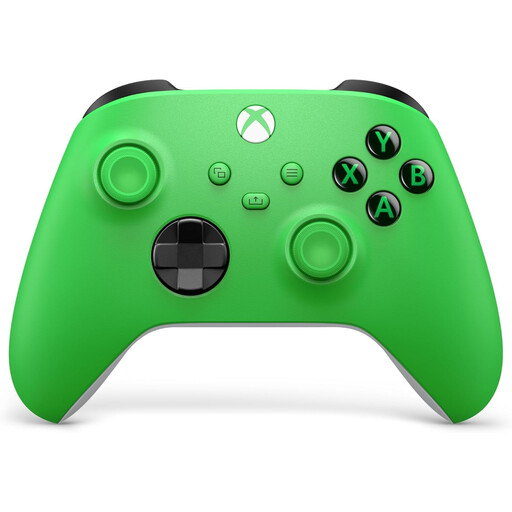
For a sports game on Xbox or Windows PC that supports this Xbox controller. Xbox warns that performance on a device may be reduced when several controllers are connected via Bluetooth.
 No image available
For Nintendo Switch Sports on Nintendo Switch, which requires Joy-Con. Original Joy-Con can be used wirelessly with Switch 2, but can’t be attached to or charged on the console.
 No image available
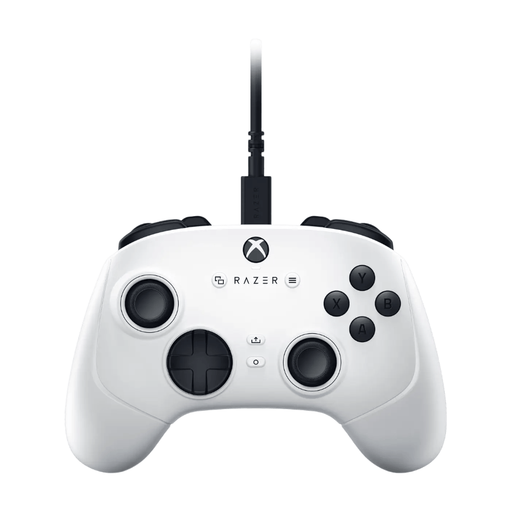
For button-controlled sports games on Xbox or Windows PC that support this gamepad. The product name specifies a USB gamepad, so check that the connection suits your set-up.
 No image available
For motion-controlled sports on Nintendo Switch 2 that support Joy-Con 2. The set includes one left and one right controller, plus two wrist straps. Check how many players can take part at once in the sport you’ve chosen.
No. Nintendo states that neither the Nintendo Switch Pro Controller nor the Nintendo Switch 2 Pro Controller is compatible with Nintendo Switch Sports.
You can sync original Joy-Con wirelessly with a Switch 2, but you can’t attach them to or charge them on the console. Nintendo lists an original Switch or a compatible licensed charging accessory as charging options.
When playing wirelessly, Nintendo recommends attaching the appropriate wrist straps, holding the controller firmly and wearing the strap around your wrist. In a shared space, make sure players don’t bump into each other or anything around them.
Nintendo describes playing together on the same system separately from playing against online opponents. Nintendo says you need an active Nintendo Switch Online membership to play Nintendo Switch Sports online; it doesn’t list one as a requirement for playing together on a single system.
For many online distance purchases from a business, you have 14 days to change your mind. The Dutch Government also states that the Netherlands has no fixed statutory warranty period; a manufacturer’s warranty comes in addition to your statutory rights.