
Player with limited swinging space
You want to play sports without hitting furniture or other players, and are looking for a game where button controls might be a more practical choice.


If you want to play Nintendo Switch Sports with motion controls, choose a Joy-Con that suits your system and the sport you’ve selected, and only play if there’s enough clear space. If swinging your arms in the living room isn’t safe or practical, look for a sports game with button controls and a gamepad that supports both the game and your platform; a Pro Controller doesn’t work with Nintendo Switch Sports.
You want to play sports without hitting furniture or other players, and are looking for a game where button controls might be a more practical choice.
You want to use motion controls and need to match the Joy-Con, play style and any leg strap to your system and chosen sport.
You want to play locally with others and know in advance how many compatible controllers each player needs.
First decide whether you want to play a motion-controlled game with plenty of clear space, or would rather choose a game with button controls. Then check that the controller works with both the specific game and your console.
| What to consider | What should you check? | Who is this important for? |
|---|---|---|
| Safe playing space | Check the clear space around each player and see whether you can play the game without swinging your arms. | If I’m playing in a narrow room, I want to avoid hitting furniture or other people. Around 29% of consumers say safe playing space is their main concern when buying. |
| Game and console compatibility | Check the exact game title, console, play style and supported controllers. | I want to know in advance whether the controller works with both my system and my sports game. Around 29% of consumers focus most on compatibility. |
| Local multiplayer | Check how many players can join in at once for each game and play mode, and which controller each player needs. | If we’re playing together on one system, I want to know which controller set-up we need for our chosen mode. Around 24% of consumers prioritise playing together most. |
| Accessories and aftercare | Check whether you need a wrist strap, leg strap or extra charging option, and keep your proof of purchase in case of warranty queries. | I want to factor in any accessories I’ll need and know who to contact if a product breaks sooner than expected during normal use. Around 18% of consumers focus most on extra costs and aftercare. |
Nintendo recommends leaving enough space around players when playing Nintendo Switch Sports and wearing wrist straps when using the controllers wirelessly. The right wrist strap and controller set-up depend on the Joy-Con generation and the sport you’ve chosen.
Nintendo says that Switch and Switch 2 Pro Controllers aren’t compatible with Nintendo Switch Sports.
Check controller support for the specific game and sport before you buy.
Nintendo says that Joy-Con 2 doesn’t work with the leg strap. An original Joy-Con can be used wirelessly with Switch 2, but can’t be attached to the system.
Check whether you want to play in leg strap mode and how you can charge the original Joy-Con with your system.
With motion controls, it’s mainly the player’s movements that determine how much clear space is needed; a compact controller doesn’t make swinging your arms safe by itself.
Clear space around each player. If that isn’t possible, compare sports games with button controls.
Joy-Con and Joy-Con 2 are the relevant controller ranges for Nintendo Switch Sports; the right option depends on your system, sport and whether you need a leg strap.
The Xbox Wireless Controller is a gamepad option for compatible sports games on Xbox consoles or Windows PCs.
DualSense is a gamepad option for compatible sports games on PS5 and supported PC set-ups.
The Ultimate C Bluetooth is an alternative Switch gamepad for games that support standard gamepad controls.
These controllers are options for sports games with button controls or gamepad support on the systems listed. Compatibility with a console doesn’t automatically mean that a controller works with Nintendo Switch Sports.
 No image available
An option for a Switch sports game that supports gamepad controls; Switch compatibility alone doesn’t confirm support for Nintendo Switch Sports.
The product information lists Bluetooth, a gyroscope, two programmable buttons and battery life of up to 40 hours.
The listed compatible systems are Switch 2, Switch, Switch Lite and Switch OLED.
 No image available
A gamepad option for a sports game with button controls that supports the controller on Xbox or Windows.
The product information lists Xbox Series X|S, Xbox One and Windows 10/11 as compatible platforms.
Listed features include Bluetooth, USB-C, a hybrid D-pad and textured grip.
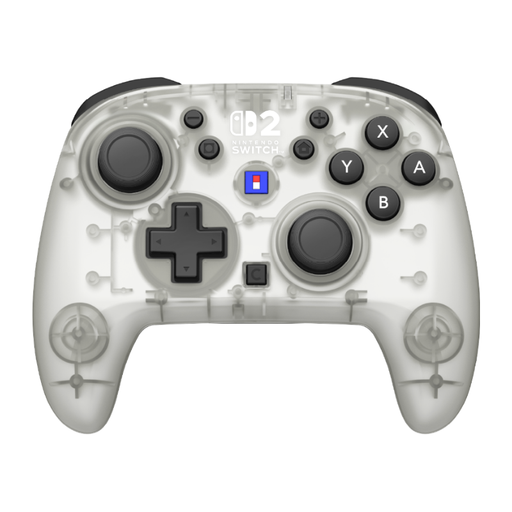 No image available
An option for a Switch or Switch 2 sports game that supports standard gamepad controls; check support for the specific title.
The product information lists a gyroscope, accelerometer and battery life of up to 10 hours.
The title lists a C button and assignable functions.
 No image available
A gamepad option for a Switch sports game that supports button controls; check compatibility with the individual title.
The product information lists Switch 2, Switch and Switch OLED as compatible systems.
The title lists TMR sticks, two programmable buttons and battery life of up to 40 hours.
 No image available
An alternative for a Switch sports game that supports gamepad controls; check support for the specific game.
The product information lists Switch, PC, iOS and Android as platforms.
Listed features include TMR sticks, a 6-axis gyroscope, and USB, Bluetooth and dongle connections.
No. Nintendo says that neither the Switch Pro Controller nor the Switch 2 Pro Controller is compatible, and the game doesn’t support handheld mode. The Joy-Con set-up that works depends on the sport.
Clear enough space around each player and take furniture and other people into account. Nintendo recommends being aware of your surroundings and wearing wrist straps when playing Nintendo Switch Sports; the amount of space you need depends on the players and how they move.
According to Nintendo, you can pair an original Joy-Con wirelessly with Switch 2, but you can’t attach it to the console. You’ll need an original Switch or a compatible charging accessory to charge it.
No, it varies by game and play mode. For example, Nintendo says that each player needs one Joy-Con in GO VACATION’s multiplayer mode; the controller set-up for Nintendo Switch Sports varies by sport.
For an online purchase as a consumer, ACM ConsuWijzer says you’ll usually have up to 14 days from delivery to change your mind, with some exceptions. If a product doesn’t perform as you could reasonably expect during normal use, you can contact the seller about your statutory guarantee.