Nintendo Switch Sports and Nintendo Switch Sports Resort require the controller and console suited to each specific game; Nintendo states that Resort is only for Switch 2. For other sports games, a standard gamepad may be enough if both your device and the game support it. So start by choosing based on your game and system, then consider motion controls, the number of players and your wireless setup.
Who plays sports games on the big screen?
Motion-control player
Wants to swing, hit or throw in front of the TV. Key considerations include having the right controller for your chosen sports game and enough clear space around the players. Nintendo recommends using wrist straps when Joy-Con controllers are detached from the system.
Player who enjoys playing together on the sofa
Wants to play locally with others and needs to check how many controllers the chosen sport requires and what’s already included with the system. One pair of controllers won’t necessarily be enough for every game mode.
Player who prefers a gamepad from the sofa
Plays a sports game using standard button controls on a console, PC or supported TV app. For this setup, game support, connectivity and power supply are all relevant.
What should you look for in a controller?
First decide which game and device you’ll use, then consider how you want to play and how many players there will be.
| What to consider |
What should you check? |
Who is this important for? |
| Game and system compatibility |
Check the exact game title, device and controller layout supported by the game. |
I want to make sure the controller works with my specific game and system, so I don’t choose a gamepad that isn’t recognised. Around 36% of consumers give compatibility with the game and device their highest priority. |
| Motion controls |
Check which Joy-Con generation, leg strap and amount of playing space your chosen sport requires. |
If I want to hit or throw in front of the TV, I want to use the motion controls supported by the sports game. Around 29% of consumers rank motion controls above their other buying priorities; Nintendo lists different controller requirements for the sports games featured here. |
| Local multiplayer |
Check how many controllers each sport needs and what’s already included with the system. |
I want to play with others and find out how many controllers our chosen sport requires first. Around 21% of consumers give the number of local players and the controllers needed their highest priority. |
| Wireless use and power |
Check whether your console, PC or TV app supports the connection and how the controller is powered. |
If I play from the sofa, I want to know whether my device supports wireless connectivity and how to keep the controller ready to use. Around 14% of consumers prioritise wireless play and power supply. |
Avoid common buying mistakes
-
Assuming ‘compatible with Switch’ means it works with every Switch sports game
Nintendo states that Switch and Switch 2 Pro Controllers aren’t compatible with Nintendo Switch Sports. Nintendo Switch Sports Resort is a different game and is only available for Switch 2.
Check the exact game title, your system generation and the controller layout required for the sport you want to play.
-
Ordering an extra set without counting what you already have
The number of local players varies by sport. Nintendo lists Joy-Con 2 controllers and wrist straps with the Switch 2 bundle featured here, but check what’s included in your own box.
Compare the controllers and accessories you already own with the requirements for the specific sport and game mode you want to play.
-
Assuming a wireless gamepad will recharge itself
Microsoft lists AA batteries or a separate rechargeable battery pack as power options for the Xbox Wireless Controller.
Check how the specific model is powered and what’s included in the box.
Depending on the option you choose, you may need AA batteries or a separate rechargeable battery pack.
Brands to consider
Nintendo
A relevant choice for motion-controlled games in the Switch ecosystem; the right controller generation depends on the game.
- Nintendo lists motion controls and separate use for the Joy-Con sets featured here.
- Nintendo Switch Sports and Nintendo Switch Sports Resort have different system and controller requirements. Nintendo states that Joy-Con 2 doesn’t work with the leg strap feature in Nintendo Switch Sports.
Microsoft Xbox
A standard gamepad option for sports games that support button controls on compatible devices.
- Microsoft lists Xbox Wireless and Bluetooth for the Xbox Wireless Controller and describes support for Xbox and Windows.
- The Xbox app works with controllers on compatible TVs and streaming devices; check that your device and chosen game are supported. Microsoft lists AA batteries or a separate rechargeable battery pack as power options.
Sony PlayStation
The DualSense is a gamepad option for PS5 sports games with standard controls, as well as supported games on PC.
- Sony lists haptic feedback and adaptive triggers as DualSense features.
- On PC, feature support depends on the game and connection. Sony states that haptic feedback on PC requires a USB connection.
8BitDo
The intended devices vary by model, so check the exact model before choosing.
- 8BitDo describes the Ultimate 2C Bluetooth as a controller for Switch with motion sensors.
- According to 8BitDo, the Ultimate 2C Wireless is designed for Windows and Android; this doesn’t make the two models interchangeable for the same game.
Joybuy products for sports games
This selection includes Joy-Con sets for motion-controlled sports games and gamepads for games with standard button controls. The right controller depends on the exact game and device.
 No image available
Xbox Wireless Controller – Heart Breaker Special Edition
Suitable for sports games with standard gamepad controls if the game and your device support this controller.
The product name specifies Xbox Series and PC.
View at Joybuy
 No image available
Wireless DualShock Controller, Black, for PS4 and PC
An option for a sports game with standard gamepad controls if your PS4 or PC and the game support this controller.
The product name specifies wireless use and compatibility with PS4 and PC.
View at Joybuy
 No image available
Nintendo Switch Joy-Con Pair – Neon Red/Neon Blue
Suitable for the Joy-Con setup in Nintendo Switch Sports when the sport you’ve chosen supports this controller layout.
This is a Switch Joy-Con pair, not a Joy-Con 2 set for Nintendo Switch Sports Resort on Switch 2.
View at Joybuy
 No image available
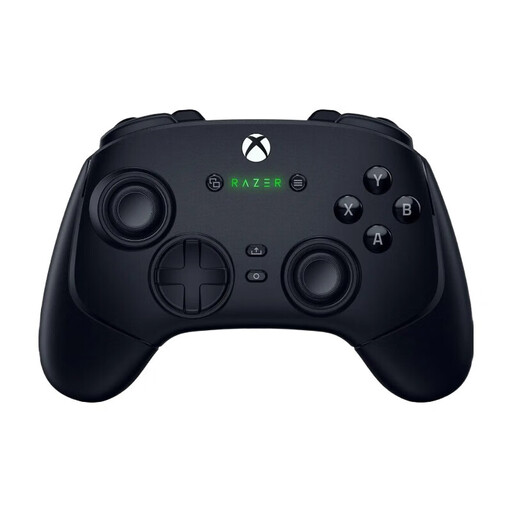
Wolverine V3 Pro – Black
Consider this controller for a sports game with standard gamepad controls; check that the exact model works with your device and game before buying.
View at Joybuy
 No image available
Nintendo Switch 2 Joy-Con 2 Pair – Light Blue/Light Red
Suitable for Nintendo Switch 2 games with Joy-Con 2 controls. Nintendo states that Nintendo Switch Sports Resort is only for Switch 2.
View at Joybuy
Frequently asked questions
Can you play Nintendo Switch Sports with a Pro Controller or in handheld mode?
No. Nintendo states that Switch and Switch 2 Pro Controllers aren’t compatible with Nintendo Switch Sports, and the game doesn’t support handheld mode. The Joy-Con layout you need varies by sport.
How can you set up motion controls safely in front of the TV?
Use the appropriate wrist straps when using detached Joy-Con controllers, and leave plenty of clear space around the players. These are Nintendo’s usage and safety instructions.
Does Joy-Con 2 work with the leg strap feature in Nintendo Switch Sports?
No. Nintendo states that Joy-Con 2 isn’t compatible with the leg strap. Also check which leg strap and controller are supported for the football game mode you’ve chosen.
Can you connect any wireless controller to your home cinema TV and start playing straight away?
No. A wireless connection doesn’t automatically mean that your TV, app and game support the controller. Microsoft describes support for certain TVs and streaming devices with the Xbox app; check your device and make sure you can access a supported game.


