Who is this for?

Motion sports player

You want to swing or throw with your guests. The controls for your chosen sport and the wrist straps that go with them determine which controllers you can use. Nintendo explains which controller combinations work with Nintendo Switch Sports.

Group games organiser

You want to know how many people can play at once and how many individual controllers a game mode requires. Nintendo lists the player numbers for each Sports Resort activity; these don’t automatically apply to every sport.

Gamepad player

You prefer buttons and a larger grip. First check whether the specific sports game accepts a traditional controller; Nintendo says Pro Controllers aren’t compatible with Nintendo Switch Sports.

What should you look for when choosing?

Nintendo Switch with Nintendo Switch Sports

Choose this option: if you want to play the game with guests on the original Switch, start with Joy-Con and your chosen sport mode.

Bear in mind: Nintendo says Pro Controllers aren’t suitable for this game; one pair of Joy-Con won’t necessarily be enough for every sport or player set-up.

Nintendo Switch 2 with sports games

Choose this option: if you’re playing a Switch 2 game, such as Sports Resort, check whether Joy-Con 2 is needed for each activity.

Bear in mind: Joy-Con 2 doesn’t work with the original Switch and isn’t interchangeable with the original Joy-Con wrist straps.

Traditional gamepad

Choose this option: if the specific game and game mode support gamepad controls, and you prefer using buttons and a larger grip.

Bear in mind: having a motion sensor or general Switch compatibility doesn’t prove that a Joy-Con-only game will accept a gamepad.

What to consider What should you look for? Who is this most important to?
Game compatibility Check the console, game and sport mode. Nintendo says Pro Controllers aren’t suitable for Nintendo Switch Sports. If I want to play a particular sport with guests, I want to know for sure that the game accepts my controller. Around 36% of consumers put compatibility first.
Motion controls Check which controller the activity requires; Joy-Con 2 only works with Nintendo Switch 2. If I want to swing or throw during a game, I check the controls for that specific activity. Around 29% of consumers put motion controls first.
Number of controllers Count how many individual controllers you need and check the player limit for your chosen activity. Nintendo lists offline Sports Resort activities for 1–2 or 1–4 players. If I want a group to join in, I want to know in advance how many controllers the game mode requires. Around 21% of consumers put playing together as a group first.
Charging and accessories Check the power requirements and included accessories. You can’t charge original Joy-Con by attaching them to a Switch 2; Nintendo recommends using an original Switch or a suitable licensed charging accessory. If I want to use the controllers regularly, I want to know which charging solution and accessories work with my equipment. Around 14% of consumers put charging and after-sales support first.

Common mistakes

  • Confusing a gyroscope with compatibility

    A gamepad can have motion sensors and still not work with a game that requires Joy-Con. Nintendo says Pro Controllers aren’t compatible with Nintendo Switch Sports.

    First check the controller requirements for the exact game and sport mode; only then compare the grip and extra features.

  • Assuming Joy-Con and Joy-Con 2 are interchangeable

    Joy-Con 2 doesn’t work with the original Switch. You can’t charge original Joy-Con by attaching them to a Switch 2, and Joy-Con 2 won’t fit in the Nintendo Switch Sports leg strap.

    Make a note of your console model, game, sport and existing accessories before choosing a set.

    To charge original Joy-Con with a Switch 2, you’ll need a different, compatible charging solution.

  • Assuming one pair of controllers is enough for two players in every sport

    The controller combination and number of players required vary by activity and game mode.

    Choose your activity first, then count the individual controllers it requires.

Brands to consider

Nintendo

Nintendo describes Joy-Con for Switch and Joy-Con 2 for Switch 2 as controllers for its motion sports games.

  • Individual controls and motion controls are useful for games and activities that support them.
  • Joy-Con 2 doesn’t work with the original Switch. Nintendo says Pro Controllers aren’t suitable for Nintendo Switch Sports.

PowerA

PowerA makes traditional wireless controllers for Switch games that support gamepad controls.

  • PowerA says model NSGP0608-01 has motion controls and comes with two AA batteries.
  • PowerA states that this model isn’t intended for games that only support Joy-Con. The rechargeable Enhanced Wireless Controller is a different model.

8BitDo

The Ultimate 2C Bluetooth is a traditional gamepad for supported Switch games.

  • 8BitDo lists motion controls and Switch 2 support after a firmware update for the Bluetooth version.
  • That information doesn’t prove the controller works with a specific Joy-Con-only sports game. The Ultimate 2C Wireless is a different version.

GameSir

GameSir describes Super Nova as a multi-platform gamepad for supported devices and games.

  • GameSir says Bluetooth, wired and dongle connections are available, with different connection steps for each device.
  • Support for a device doesn’t prove that a specific Joy-Con-only sports game will accept the controller.

Controllers on Joybuy

This Joybuy selection includes Joy-Con for motion games and traditional gamepads for Switch games that support gamepad controls. Before your games night, check which controller each game and activity requires.
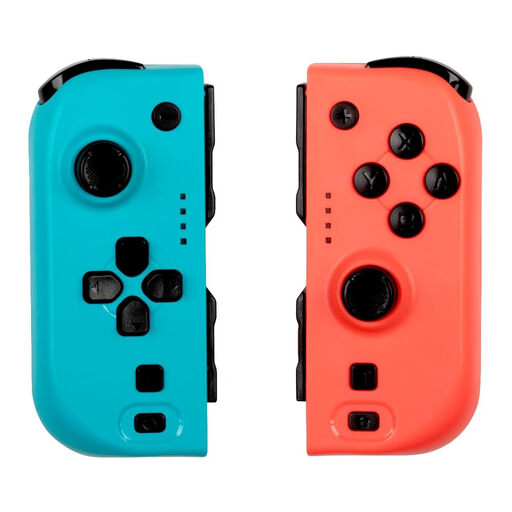
KONIX JoyPad Controller Pair, blue and red

KONIX JoyPad Controller Pair for Nintendo Switch and Switch OLED, compatible with Nintendo Switch 2, blue and red

An option for games that support traditional Switch gamepad controls; check the requirements of your chosen sports game.

The product name lists an 8-hour battery life and a vibration function.

Joybuy
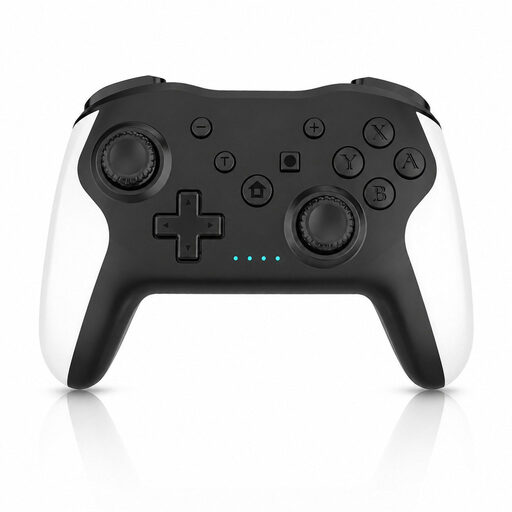
Gaming Controller with Dual Vibration & Gyro for Switch & PC

Gaming Controller with Dual Vibration & Gyro for Switch & PC

An option for games that support traditional Switch gamepad controls; a motion sensor alone doesn’t confirm that a specific sports game is supported.

The product name lists dual vibration and a gyroscope.

Joybuy

GameSir Cyclone 2 Multiplatform Controller, Black-Bundle Edition

GameSir Cyclone 2 Multiplatform Controller, Black-Bundle Edition

An option for games that support traditional gamepad controls on your chosen device; check compatibility with the specific game.

The product name lists PC, Switch, iOS and Android, TMR sticks, Hall and Micro 2-in-1 triggers, a 1000 Hz polling rate, RGB lighting and a charging dock.

Joybuy
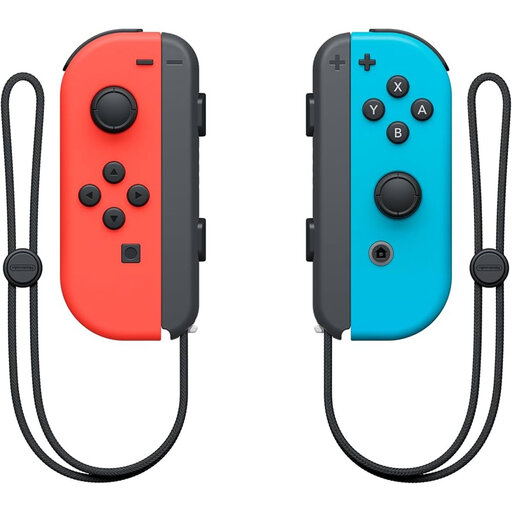
Nintendo Joy-Con controller pair, neon red and neon blue

Nintendo Switch Joy-Con controller pair, neon red and neon blue

An option for motion sports on Nintendo Switch that support Joy-Con; the game mode determines how the controllers are used.

The product name lists a pair of Joy-Con controllers.

Joybuy

Nintendo Switch 2 Joy-Con 2 pair, light blue and light red

Nintendo Switch 2 Joy-Con 2 pair, light blue and light red

An option for motion sports on Nintendo Switch 2 that support Joy-Con 2.

The product name lists a pair of Joy-Con 2 controllers. Nintendo says Joy-Con 2 can only be used with Nintendo Switch 2.

Joybuy

Frequently asked questions

Can you use a Pro Controller as a spare controller for Nintendo Switch Sports?

No. Nintendo says neither the original Switch Pro Controller nor the Switch 2 Pro Controller is suitable for Nintendo Switch Sports. For another sports game, check its controller support.

Can you use and charge original Joy-Con on a Switch 2?

Original Joy-Con can be paired wirelessly with Switch 2, but you can’t attach them to the console to charge them. Nintendo recommends charging them with an original Switch or a suitable licensed charging accessory.

How do you get individual motion controllers ready for a games night?

Check the game mode, synchronisation and charge beforehand, and attach the appropriate wrist strap when playing wirelessly. Nintendo says Joy-Con and Joy-Con 2 wrist straps aren’t compatible with each other.

Do you need Nintendo Switch Online for local play?

Nintendo doesn’t list a Nintendo Switch Online membership as a requirement for a local session on the same Switch system. However, Nintendo does require a membership for the ‘Worldwide’ online mode in Nintendo Switch Sports.

What are your rights in the Netherlands if a controller bought online turns out to be faulty or you change your mind?

If a product is faulty, the seller is responsible for putting things right; depending on the circumstances, this must be done free of charge. Many online purchases come with a cooling-off period, usually up to 14 days after delivery, although legal exceptions may apply. ACM ConsuWijzer explains these rights.
