Who is this for?

PC players racing together on one screen

You want the racing game to recognise both controllers separately. So check the game’s support, input mode and available USB or wireless connections. The Steam page for HOT WHEELS UNLEASHED 2 lists split-screen and controller support for that game.

Console owners who want to race together

You want to let a second player join in without choosing a controller for the wrong console model. First, check which controllers are supported by the game and your console. For example, Nintendo explains which controllers each player can use in Mario Kart 8 Deluxe.

Players who want to keep their set-up simple

You’re weighing up cables, receivers, batteries and the controllers you already own before setting up a gaming session. Microsoft and Logitech G describe different connection and power options for the models mentioned here.

What should you look for?

What you’re concerned about What should you check? Who is this important for?
Compatibility with your device and racing game Check the exact console model or PC operating system, the game’s controller support and the controller’s connection mode. I want to know in advance whether my device and chosen racing game will accept the controller; around 33% of consumers put compatibility with their device and game first.
Controls for every player Check how many local players are supported and what input each player needs—for example, a single Joy-Con or a full gamepad. I want everyone to be able to join the race without buying an extra controller unnecessarily; around 27% of consumers prioritise the number of separate controllers needed and the game’s input rules.
Connection and playing space Check that a cable is long enough, that USB ports are available and that your PC supports Bluetooth if you want to use that connection. Also check whether a 2.4GHz receiver is needed. I want the connection to suit where we’re sitting and the ports on my device; around 20% of consumers focus mainly on range, connections and space for players.
Power and required accessories Count the controllers you already own, then check the power source and included accessories for each version. I want to know whether my existing controllers are enough and what else I need to play; around 20% of consumers focus mainly on power requirements and extra accessories.

Common buying mistakes

  • Assuming ‘wireless’ always means Bluetooth

    According to 8BitDo, the 8BitDo Ultimate 2C Wireless uses Bluetooth for Android, and a 2.4GHz receiver or cable for Windows. So connection options vary by device.

    Check the connection options for the exact model and platform before choosing a controller.

  • Buying a second full-size gamepad without checking the game’s rules

    Nintendo says that players can also use a compatible single Joy-Con in Mario Kart 8 Deluxe. So you don’t automatically need an extra full-size controller.

    Count the controllers you already own and check which inputs the local game mode accepts for each player.

  • Automatically expecting PS5 features to work on a PC

    PlayStation says that adaptive triggers on PC depend on support in the game. According to PlayStation, a USB connection is needed for haptic feedback on PC.

    Check support in the specific game before choosing a DualSense for PC.

  • Confusing an extended warranty with your statutory rights

    According to the Dutch government, the Netherlands has no fixed statutory warranty period. An additional manufacturer’s or seller’s warranty is separate from your statutory right to a product that works as it should.

    Check what any additional cover includes, and keep it separate from your statutory rights.

Relevant brands to compare

Xbox / Microsoft

The Xbox Wireless Controller is an option for Xbox consoles and Windows PCs, provided your device and game support the controller.

  • Microsoft lists Bluetooth connectivity and button mapping for the Xbox Wireless Controller.
  • Microsoft describes AA batteries and a separate rechargeable option. Check the power source for the version you choose.

Sony / PlayStation

The DualSense is designed for PS5 and may suit PC games that support this controller.

  • PlayStation lists adaptive triggers and haptic feedback for the DualSense.
  • On PC, extra features depend on the game; according to PlayStation, USB is required for haptic feedback on PC.

Nintendo

Joy-Con and Pro Controllers are relevant options for local racing games on the Nintendo Switch generation they’re designed for.

  • Nintendo describes several controller combinations for local multiplayer in Mario Kart 8 Deluxe.
  • According to Nintendo, the Switch 2 Pro Controller is for Switch 2 only. An older Switch Pro Controller can still be paired wirelessly with Switch 2.

Logitech G

The F310 is a wired PC gamepad, while the F710 is a separate wireless option for PC.

  • Logitech G lists USB and XInput/DirectInput for the F310, and a 2.4GHz USB receiver for the F710.
  • According to Logitech G, using DirectInput with the F310 requires software installation. These features apply to the models mentioned, not to every controller from the brand.

8BitDo

The Ultimate 2C Wireless is a PC option with a 2.4GHz receiver or cable.

  • 8BitDo lists Hall Effect sticks and an included receiver for this version.
  • For this version, 8BitDo lists Bluetooth for Android, but not Windows. Check which connection you need before choosing.

Controllers at Joybuy

This selection includes controllers for Nintendo Switch, Xbox and Windows PC, among other devices. Check that the controller is suitable for local play with your specific racing game and device.
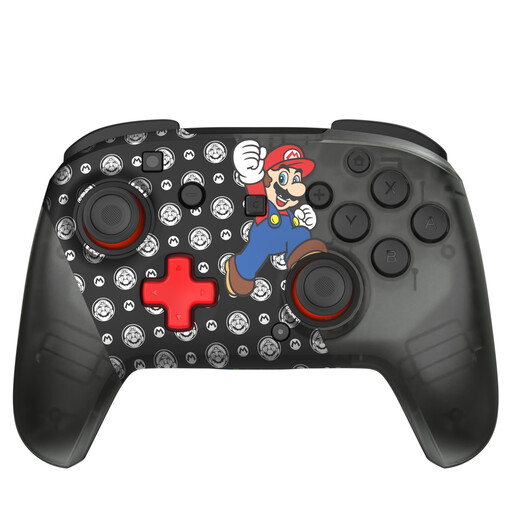
Turtle Beach Rematch Super Mario Jump Wireless Controller for Nintendo Switch 2 and Switch OLED

Turtle Beach Rematch Super Mario Jump Wireless Controller

A wireless option if you’re looking for a controller for a Nintendo Switch console; check that your racing game supports it.

The product name mentions Switch 2 and Switch OLED. The description lists a rechargeable battery.

View at Joybuy
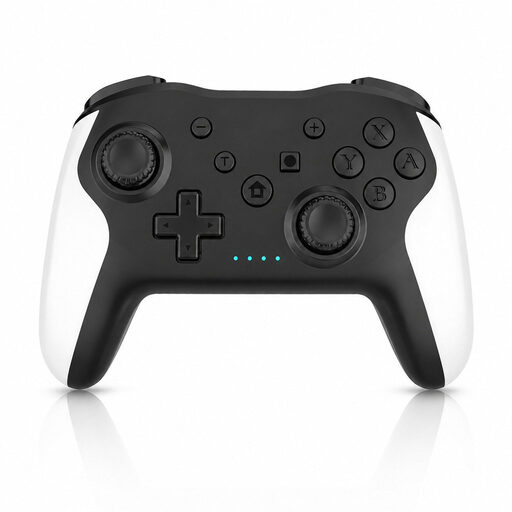
Game controller with dual vibration and gyro for Switch and PC

Game Controller with Dual Vibration & Gyro for Switch & PC

Worth considering if you’re looking for a controller for Switch or PC; check that your specific game supports it.

The product name mentions dual vibration and gyro. The description lists a motion sensor and a wireless connection.

View at Joybuy

Xbox Wireless Controller Robot White

Xbox Wireless Controller Robot White

An option for a Windows PC or Xbox, provided your game supports this controller.

The description lists Xbox Wireless, Bluetooth, USB-C and a hybrid D-pad. Check which connection you want to use.

View at Joybuy
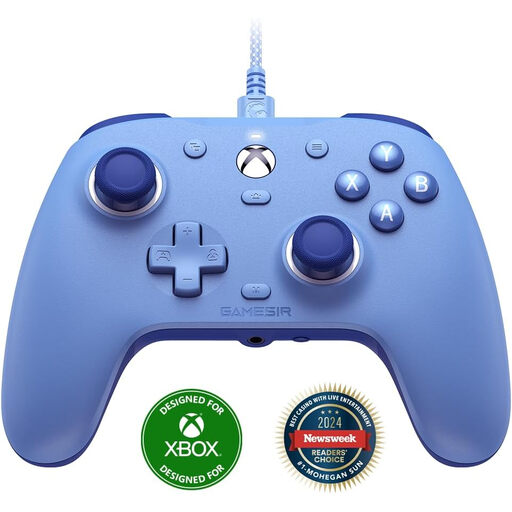
GameSir G7 SE wired Xbox game controller, Dynamic Blue, for Xbox Series X/S and Windows 10/11

GameSir G7 SE, Dynamic Blue

A wired option if you play on Xbox or a Windows PC and your game supports this controller.

The product name mentions Xbox Series X/S and Windows 10/11. The description lists a detachable USB cable and programmable rear buttons.

View at Joybuy
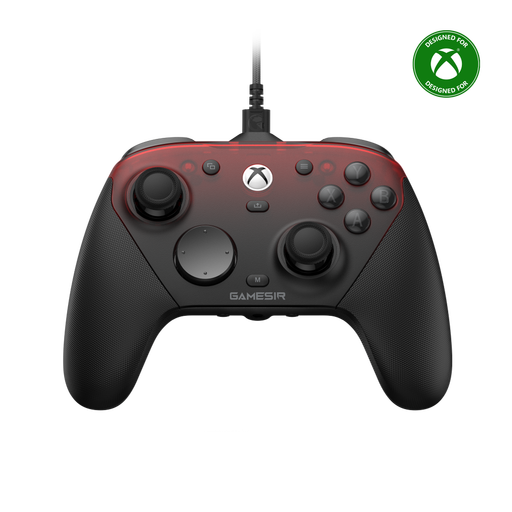
GameSir G7 Pro Tri-Mode, Shadow Ember, for Xbox, PC and Android

GameSir G7 Pro Tri-Mode, Shadow Ember

An option if you’re looking for different connection types for PC, Xbox or Android; check which connection is supported by each device.

The description lists wired use for Xbox and PC, 2.4GHz for PC and Bluetooth for Android. Don’t assume it can be used wirelessly with Xbox based on this information.

View at Joybuy

Frequently asked questions

Does every racing game that supports controllers also support split-screen?

No. Check separately whether split-screen and controller support are available for your game and version. The Steam page for HOT WHEELS UNLEASHED 2 lists both, but that doesn’t tell you anything about other racing games.

Which controllers can I use for two players in Mario Kart 8 Deluxe?

Nintendo says that each player can use a compatible single Joy-Con or Pro Controller. Check which controllers you already own and whether you’re using a Switch or Switch 2: the Switch 2 Pro Controller is for Switch 2 only.

Can you connect the 8BitDo Ultimate 2C Wireless to a Windows PC via Bluetooth?

For this specific model, 8BitDo lists Windows via the 2.4GHz receiver or cable, and Bluetooth for Android. So don’t assume it supports Bluetooth on Windows just because it’s called ‘Wireless’.

Do you need AA batteries for an Xbox Wireless Controller?

Not necessarily: Microsoft lists AA batteries and a separate rechargeable Xbox battery as options. Rechargeable AA batteries can’t be charged in the controller, so check which accessories are included with the version you choose.

What cooling-off period and warranty apply to online purchases in the Netherlands?

For online purchases from a business, a 14-day cooling-off period applies in many cases, according to the Dutch government. You’re also entitled to a product that works as it should; according to the Dutch government, the Netherlands has no fixed statutory warranty period. If a product is faulty, contact the seller. Check the terms and any exceptions that apply to your purchase.
