First, choose a controller that works with your gaming system and your racing game’s local multiplayer mode; a wireless connection alone won’t make split-screen play possible. In a supported Switch game, separate Joy-Cons can save space, while a full-size controller may be more suitable if each player wants their own. For PS5, Xbox and PC, you’ll also need to consider the connection options and how many players the game supports.
Who is this buying guide for?
Switch racers short on storage space
You want to race against others on one screen and are considering whether separate Joy-Cons will do the job in a supported game, rather than having to store a full gamepad for everyone. Nintendo says that Joy-Cons can be used separately in supported games.
Console racers adding a second player
You already have a PS5 or Xbox and want to know whether an extra controller is compatible with your console and your game’s local multiplayer mode. PlayStation Support and Xbox Support provide information about controller support on their platforms.
PC racers playing by the TV
You use a Windows PC in a compact media setup and want to check both the connection and whether your game supports multiple controllers. Microsoft and 8BitDo outline various connection options for PC use.
What should you look for when choosing?
First, check that your console or PC and your specific racing game support the local play mode you want. Then consider the number of separate controllers, the connections available and what you’ll need for all players.
| What to consider |
What should you check? |
Who is this important for? |
| System and game |
Check the console or PC, the exact controller version and support for local multiplayer. |
If I want to race on my own system, I want to be sure the game supports both the controller and the play mode I want. Around 36% of consumers prioritise compatibility with their system and game. |
| Connection and space |
Check which ports are free, the cable route and whether wireless use requires a suitable connection or receiver. |
In a small setup, I don’t want cables or receivers getting in the way by the screen. Around 29% of consumers focus mainly on the connection and available space. |
| Controls for each player |
Check how many local players the game supports and whether one Joy-Con can be used as a separate controller. |
If everyone needs their own controls, I want to know whether a Joy-Con will do or if each player needs a full gamepad. Around 21% of consumers prioritise separate controls for every player. |
| Complete gaming setup |
Count the controllers you already have and check which cables, batteries or charging options each model requires. |
When putting together a complete set for multiple players, I want to know in advance what I already have and what else I need. Around 14% of consumers prioritise the cost of the complete gaming setup. |
Buying pitfalls
-
Assuming that two Joy-Cons always mean two players
Supported play styles vary by game; a pair of Joy-Cons can’t automatically be used as two separate controllers in every racing game.
Check the local game mode and whether each player can use one Joy-Con held horizontally.
-
Choosing a wired Switch controller without checking your setup
According to PowerA, the PowerA model reviewed is designed for use when the Switch is docked.
Choose this type only if your console is docked by the TV and the racing game supports the controller.
-
Confusing an additional warranty with your statutory rights
ACM ConsuWijzer distinguishes between statutory guarantees and additional commercial warranties; the retailer is responsible for the statutory guarantee.
First check which statutory rights apply, then consider what an extra warranty service offers.
Relevant brands to consider
Nintendo
Joy-Con and Joy-Con 2 are worth considering if players want separate controls in a supported Switch game and would prefer not to store as many full-size gamepads.
- Nintendo says that Joy-Cons can be used separately in supported games.
- Joy-Con 2 doesn’t work with the original Switch. Original Joy-Cons work with Switch 2 wirelessly only, and need a different charging option.
Sony PlayStation
DualSense is an option if you already have a PS5 and play a racing game with local multiplayer.
- PlayStation Support says that up to four controllers can be connected to a PS5 at once.
- The number of connected controllers doesn’t tell you how many players your chosen game supports. According to Sony, supported haptic feedback on PC requires a USB connection.
Microsoft Xbox
The Xbox Wireless Controller is an option for Xbox consoles and supported games on Windows PC.
- Microsoft lists USB, Bluetooth and, with suitable PC hardware, Xbox Wireless as connection options for Windows.
- The standard model uses AA batteries; check which connection and power options suit your setup.
PowerA
The Enhanced Wired Controller model reviewed is a full-size wired controller for use with a docked Switch.
- According to PowerA, this model comes with a detachable 3 m USB cable and doesn’t need batteries.
- This specific model doesn’t support motion controls or games that require Joy-Cons only; it isn’t designed for handheld use.
8BitDo
The Ultimate 2C Wireless Controller is an option for a Windows PC with a free USB port for the 2.4GHz adapter.
- 8BitDo says this model includes an adapter and a USB cable.
- Bluetooth is listed for Android, not as a connection mode for Windows. Check the full model name to avoid confusing it with other Ultimate 2C variants.
Controllers at Joybuy
This selection includes Joy-Con controls for Switch and Switch 2, an extra controller for PS5, and controllers for Xbox and Windows PC. Before choosing, check that your racing game supports the local multiplayer mode and controller you want.
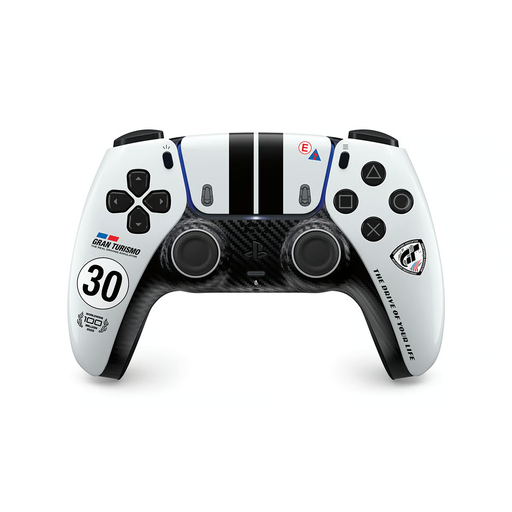 Image unavailable
PS5 DualSense wireless controller, Gran Turismo Limited Edition
An extra controller for a PS5 setup; check whether your racing game supports local multiplayer.
The product information lists Bluetooth for PS5 and a wired USB-C connection for PC. The controller has a built-in rechargeable battery.
View at Joybuy
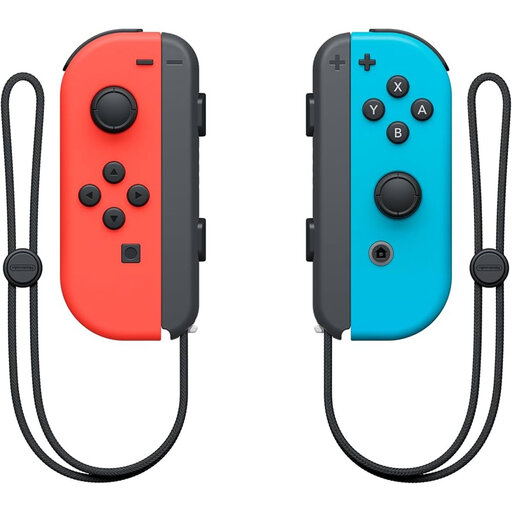 Image unavailable
Nintendo Switch Joy-Con pair, Neon Red/Neon Blue
A pair for separate use when supported by the Switch game; check the local player mode in your racing game.
According to Nintendo, original Joy-Cons work with Switch 2 wirelessly only and can’t be attached to the console. You’ll need another option for charging.
View at Joybuy
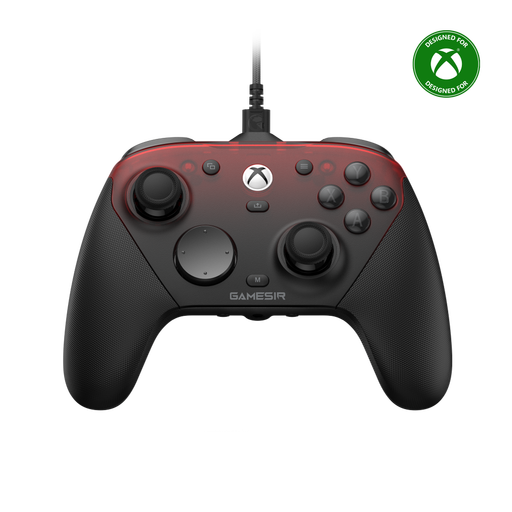 Image unavailable
GameSir G7 Pro Tri-Mode, Shadow Ember
An option for an Xbox or PC setup; check which controller connections your game supports.
The product information lists wired use for Xbox and PC, a 2.4GHz connection for PC and Bluetooth for Android. For Windows, USB or 2.4GHz is listed, not Bluetooth.
View at Joybuy
 Image unavailable
Nintendo Switch 2 Joy-Con 2 pair, Light Blue/Light Red
In a Switch 2 game that supports separate use of Joy-Con 2, each controller can be held horizontally and used as an individual controller.
According to Nintendo, Joy-Con 2 doesn’t work with the original Nintendo Switch.
View at Joybuy
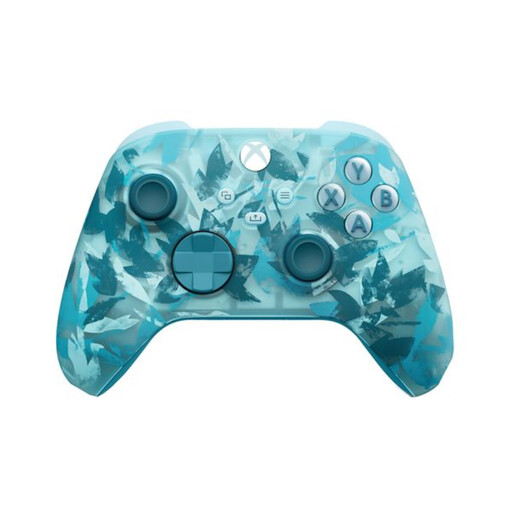 Image unavailable
Xbox Wireless Controller, Ice Breaker Special Edition
For Xbox or a Windows PC; check how many controllers your racing game supports at once.
The product information lists Xbox Series X|S, Xbox One and Windows 10/11, with Xbox Wireless, Bluetooth and USB-C. The controller uses two AA batteries.
View at Joybuy
Frequently asked questions
Are two controllers enough for split-screen racing?
It depends on the racing game and the play mode. Nintendo says that Mario Kart 8 Deluxe can be played with up to four players on a split screen in TV or tabletop mode; separate Joy-Cons work as individual controllers in supported games. Check the local player limit for any other game.
How do you connect a wired PowerA controller to a Switch by the TV?
For the Switch model reviewed, PowerA says to use it when the Switch is docked. Connect the USB cable to a USB port on the dock, then to the controller; also check that the game supports the controller.
Can you charge original Joy-Cons on a Switch 2?
No. According to Nintendo, original Joy-Cons can’t be attached to the Switch 2; to charge them, you’ll need an original Switch or a suitable separate charging accessory.
What if you’re unhappy with a controller bought online or it breaks prematurely?
For an online consumer purchase, you’ll generally have a statutory 14-day cooling-off period from delivery, with some exceptions. Separately, you have statutory rights if a product is faulty; ACM ConsuWijzer says that when the statutory guarantee applies, the retailer is responsible for providing a suitable solution.


