What should you look for?
First, decide whether you need to control the timer without moving your hands. Then consider how many OBS and audio actions you want visible at once, and how much space you can make for them.
| What to consider |
What to look for when buying |
Who this matters to |
| Managing splits while playing |
Check timer compatibility and any required plug-ins; test the assigned actions in a practice run. |
If I want to keep my hands on the game controls, I’ll prioritise splits over extra streaming buttons. Around 36% of consumers put hands-free timer control first. |
| Combining timer and streaming actions |
Write down which actions need to be visible at the same time; check OBS integration and software versions. |
When I want to recognise timer commands and presentation actions quickly during a run, I look for a clear layout. Around 29% of consumers prioritise this combination. |
| Controls for a small desk |
Measure the available space and decide whether six or eight visible keys will be enough. |
If the controller needs to fit beside my game controls, I’ll weigh up a compact size against the number of actions I can see at once. Around 21% of consumers prioritise saving space. |
| Adjusting audio during a run |
Decide whether muting is enough or whether you want to change levels; check that your software supports the action you need. |
When I want to adjust audio levels during a presentation rather than just mute, I look for the available dial controls. Around 14% of consumers prioritise active audio control. |
Joybuy product selection
This Joybuy selection focuses on a panel with several keys visible at a glance for OBS and streaming actions. Check separately whether it works with your timer and preferred plug-ins.
 No image available
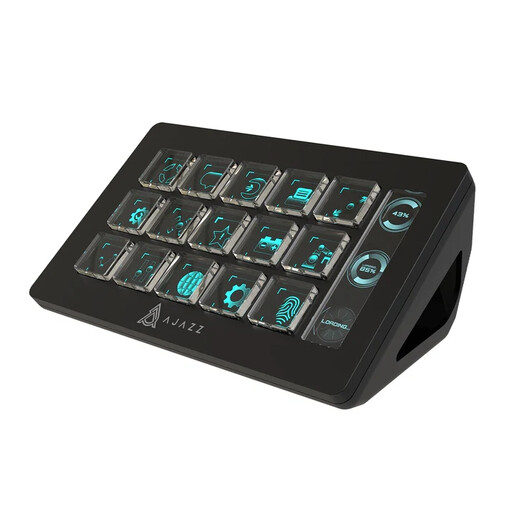
AJAZZ AKP153 Studio Controller (Black)
This panel is designed for those who want several OBS and streaming actions under keys that are visible at a glance. Check separately that it works with the timer and plug-ins you use.
The product description lists 15 customisable LCD keys and actions for OBS and livestreaming. The product name specifies PC/Mac.
View at Joybuy
Frequently asked questions
Can I get started without an extra controller?
Yes, if hotkeys cover the actions you need. LiveSplit documents global timer hotkeys, but how they work depends on the platform; OBS also documents hotkeys. Test your game, timer and OBS together to check for any key conflicts.
How do I set up the timer and OBS separately?
First assign your timer actions and test splits, reset and undo in a practice run. The LiveSplit plug-in on Elgato Marketplace uses LiveSplit.Server and works on Windows; Elgato provides separate OBS actions for scenes, recording and audio, among other things. Check the current software requirements for both integrations.
What should I check if OBS doesn’t respond to a connected panel?
First check that OBS and the required control software are running. If the OBS plug-in is disconnected, Loupedeck recommends starting OBS and, if necessary, restarting the Loupedeck software. OBS recommends password protection when controlling OBS via WebSocket.
What returns and warranty rights apply to online purchases in the Netherlands?
For a qualifying distance purchase, the Dutch government generally allows a 14-day cooling-off period; this does not automatically apply to an online purchase from a private individual. ACM ConsuWijzer points out that the seller remains responsible under the statutory guarantee if a product does not perform as you could reasonably expect during normal use.
Can someone else appear recognisably in my public speedrun stream?
Not without more. The Dutch Data Protection Authority explains that the exception for personal or household use does not apply when identifiable images are shared more widely; in that case, you need a lawful basis under the GDPR. Before going live, check what the camera shows and arrange a valid lawful basis where necessary, usually consent.


