What should you look for when buying?
Start with the connector and the space available around your port. Then consider the devices you’ll be transferring files between, the size of your files and how you’ll store important recordings.
| Consideration |
What should you check? |
Who is this important to? |
| Space around the USB port |
Compare the dimensions of the version you’ve chosen with the space available next to the port. |
When I’m working at a small desk, I don’t want a protruding flash drive to take up space around my ports. Around 31% of consumers mainly care about the space around the port. |
| Connection and readability |
Check the USB ports, support for external storage and the file system on both devices. |
When I transfer recordings between devices, the flash drive needs to connect to and be readable by each one. Around 25% of consumers prioritise connection and readability. |
| Keeping a usable copy |
Open a copied recording to check it, and keep important files in another location too. |
I want to be able to retrieve important recordings if my flash drive goes missing or gets damaged. Around 19% of consumers mainly want to keep their recordings safe. |
| Access to identifiable recordings |
If you need protection, check the security features and system requirements of the exact model. |
If I don’t want others to be able to view identifiable recordings if the drive is lost, I look for access protection and check that it works with my computer. Around 13% of consumers prioritise restricting access. |
| Capacity and transfer time |
Add up the file sizes of your recordings and, if you copy files regularly, compare the stated write speed of the exact version. |
When I copy a lot of recordings, I want enough space and a write-speed specification suited to the task. Around 12% of consumers prioritise capacity and transfer time. |
Joybuy product picks
These product picks include compact USB-A flash drives and models with both USB-A and USB-C. If you’re using one between devices, check that each device supports external storage and the file system you’ve chosen.
 No image available
SanDisk Ultra Flair 64 GB USB 3.0
Worth considering if you copy recordings on a computer with USB-A and want a compact flash drive.
64 GB; USB 3.0; metal casing. The product information lists a maximum read speed of around 150 MB/s.
View at Joybuy
 No image available
SanDisk Ultra Dual Drive Go 512 GB USB-A/USB-C
An option for transferring recordings between devices with USB-A and USB-C. Check that both devices can read external storage.
512 GB; USB-A and USB-C connectors.
View at Joybuy
 No image available
Kingston DataTraveler SE9 G3 64 GB USB 3.2 Gen 1
A USB-A option if you copy recordings on one computer and want to compare the drive’s dimensions with the space around the port.
64 GB; USB Type-A; 12,2 × 39 × 4,6 mm. The product information lists a maximum write speed of 100 MB/s and a maximum read speed of 220 MB/s.
View at Joybuy
 No image available
Samsung MUF-256BE 256 GB USB Type-A
A USB-A option to compare if you store recordings on a computer with this connector.
256 GB; USB Type-A; USB 3.2 Gen 1 (3.1 Gen 1). The product information lists a maximum write speed of 30 MB/s.
View at Joybuy
 No image available
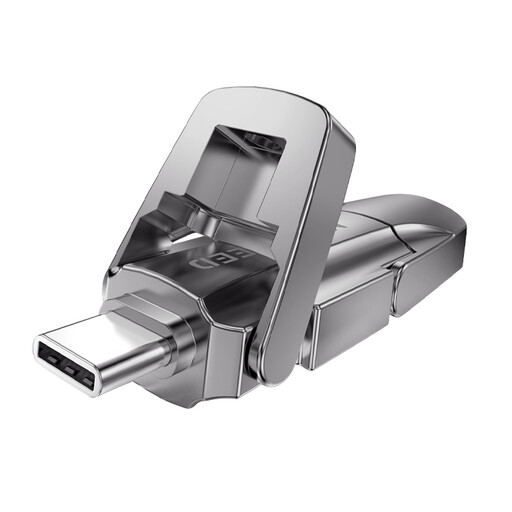
MOVESPEED YSUYVP10-256GSR 256 GB USB-A/USB-C
An option for transferring files between devices with USB-A and USB-C. Check that each device supports external storage and your files.
256 GB; USB-A and USB-C connectors; USB 3.2 Gen 1.
View at Joybuy
Frequently asked questions
How do I work out how much storage space my recordings need?
On the source device, add up the file sizes of the recordings you want to take with you, and leave some space for new files. Choose based on your own files rather than a set number of recording hours; the available space may be lower than the stated capacity.
Will a USB-C flash drive automatically work with my tablet?
No. Check that the tablet also supports external USB storage and the file system. For supported iPads, Apple Support says external storage must have a single data partition and lists formats including exFAT and FAT32. For another tablet or recorder, check the device documentation.
What should I do after copying recordings to the flash drive?
Open a copied file to check that it works, and keep important recordings in another location too. If you use Windows, safely eject the flash drive before unplugging it; Microsoft Support explains how to do this.
What are my rights if a flash drive bought online isn’t suitable?
For online consumer purchases in the Netherlands, you generally have up to 14 days after delivery to change your mind. Check the relevant exceptions and returns policy with ACM ConsuWijzer. You’re also covered by the legal guarantee if a product doesn’t do what you could reasonably expect under normal use. The retailer is your point of contact.
Can I take identifiable speech recordings with me without security protection?
That depends on who the recordings are about and in what capacity you’re processing them. The Dutch Data Protection Authority considers identifiable audio recordings to be personal data, and the loss of a flash drive containing unencrypted personal data may constitute a data breach. If you’re using it for work or on behalf of an organisation, check the applicable privacy rules and agreements. This doesn’t automatically mean that every buyer needs hardware encryption.


