What should you look for?
First decide on your playback source and how you want to control it. Then choose between a permanent setup with two speakers, a permanent Wi-Fi speaker or a portable model.
Permanent active stereo set
A good fit if: you have room for two speakers and your source has a compatible connection or Bluetooth.
Bear in mind: it needs mains power and space, with a cable between the speakers. The stated power output does not tell you how clearly vocals will come across in your lounge.
Permanent Wi-Fi speaker
A good fit if: you have Wi-Fi and want to control the speaker through an app.
Bear in mind: according to Sonos, the Era 100 must first be set up over Wi-Fi. A separate line-in adapter is needed for an external wired source.
Portable Bluetooth speaker
A good fit if: you want to be able to put the speaker away after listening or move it to another room.
Bear in mind: it needs charging. JBL's stated maximum battery life is not guaranteed for every setting or listening session.
| What to consider |
What to look for when buying |
Who is this important for? |
| Setup and vocals |
Check whether you can position two speakers and, if possible, listen to a familiar recording from the seats you plan to use. Do not judge the listening experience by wattage alone. |
If I listen with others, I want to know whether we can follow the vocals clearly from our seats. Around 40% of consumers give top priority to speaker setup and vocal reproduction. |
| Sharing control |
Check the setup requirements and volume controls, and make sure the people using the lounge can manage the chosen playback option. |
If several people use the lounge, I want it to be clear how playback and volume are controlled. Around 30% of consumers prioritise shared control. |
| Connecting existing recordings |
Note the output on your source, then check which input, cable or adapter your exact speaker model requires. |
If I want to use an existing player or collection of recordings, I want to know in advance what connection I need. Around 20% of consumers give connecting their own recordings top priority. |
| Moving and charging |
Consider whether the speaker will stay in one place. If you choose a portable model, remember that it will need charging. |
If the lounge is used for different activities, I want to be able to put the speaker away or move it afterwards. Around 10% of consumers prioritise portability. |
Joybuy products for the lounge
This selection includes permanent Wi-Fi and stereo speakers, as well as portable Bluetooth speakers for playing music in a shared lounge.
 No image available
Edifier ES300 Wi-Fi & Bluetooth Speaker, 60 W
A good fit if you want Wi-Fi or Bluetooth playback and app control from a permanent spot.
The product description lists Wi-Fi, Bluetooth, USB, AUX, app control and a built-in battery. The product name states 60 W.
Joybuy
 No image available
Edifier G1500 Hecate Gaming Speakers
A good fit for a permanent listening spot where you want to switch between Bluetooth and wired sources.
The product description lists 2.0 stereo and Bluetooth, USB and AUX connections. The product name states Bluetooth 5.3; according to the product information, the speaker is powered via USB.
Joybuy
 No image available
Bose Lifestyle Ultra Speaker, black
A good fit for a permanent setup where you want Wi-Fi, Bluetooth and app control.
The product description lists Wi-Fi, Bluetooth, AirPlay 2, Spotify Connect, Google Cast and the Bose Music app. According to the description, you need a second speaker for a stereo pair; this product listing is for one speaker.
Joybuy
 No image available
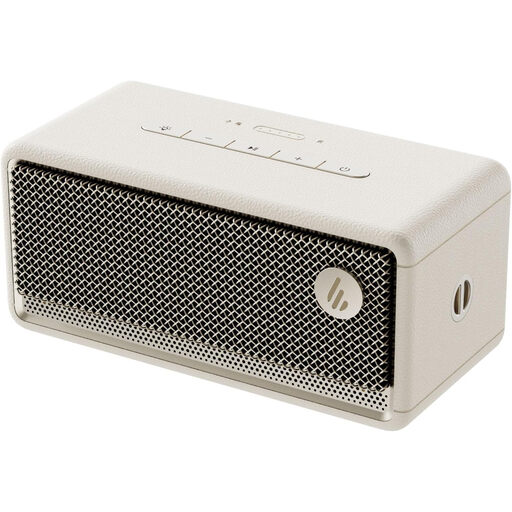
Edifier ES60 Bluetooth Speaker
A good fit if you need to move or put the speaker away after listening.
The product information lists a battery and IP66. A second ES60 is needed for the stereo pairing described; remember that it will also need charging.
Joybuy
 No image available
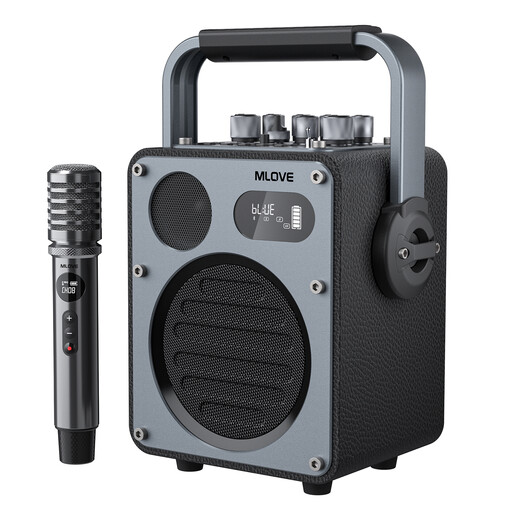
Mlove Rangers D4 Bluetooth Karaoke Speaker
A good fit if you want a portable speaker that can also play music from local sources.
The product description lists Bluetooth, USB, AUX and a separate music EQ mode. The stated package contents are one speaker and one wireless microphone; remember that it will need charging.
Joybuy
Frequently asked questions
Can I connect a CD player to these speakers?
It depends on the CD player's output and the speaker's inputs. According to Edifier, the R1280DB has RCA, optical and coaxial inputs, among others. For the Sonos Era 100, Sonos specifies a separate line-in adapter and a compatible cable.
Can I use the Sonos Era 100 directly over Bluetooth?
No. According to Sonos, the Era 100 must first be set up on a Wi-Fi network using the Sonos app. You can then use Bluetooth.
Do I need a music licence to play recordings of musicals in a shared lounge?
It depends on the situation; the description ‘shared lounge’ alone is not enough to determine this. BumaStemra says permission is needed for public playback, and that a combined BumaStemra and Sena licence is required for music heard by customers or employees in an organisation. Check which situation applies to your lounge.
Can I use a personal Spotify account in a lounge open to the public?
Spotify states that its service is for personal, non-commercial use only and must not be played publicly from a business. The description of the room alone does not establish whether a particular lounge falls under these terms, so check the terms of the streaming service too. A music licence, if required, does not replace those terms.
How can I tell whether the vocals will be clear in my lounge?
If possible, listen to a familiar recording from the seats where people will be listening. A stated power rating or other individual specification does not prove how the recording will sound in your room.


