
Concert listener at the table
You want a clear left-right soundstage or are exploring immersive concert music. Consider whether you can make room for two suitable speaker positions, and check that your source supports Atmos Music.


Start by checking whether your concert app, recording or device can play through the speaker using a supported connection. One speaker is practical if you mainly listen while cooking; for left-right stereo, you’ll need two compatible speakers and enough space. Dolby Atmos Music is only relevant if both the recording and the playback connection support it.
You want a clear left-right soundstage or are exploring immersive concert music. Consider whether you can make room for two suitable speaker positions, and check that your source supports Atmos Music.
You want to start and control music easily while cooking. Check that the speaker works with your phone, music service and network.
You want to play concert music through an app or another supported connection, but would rather not have a built-in voice assistant on your speaker.
First, check the playback connection for your concert source. Then decide whether one listening position is enough, or whether you have room for a stereo pair or a supported immersive audio set-up.
| What to consider | What should you check? | Who is this important for? |
|---|---|---|
| Sound and placement | Consider where you’ll listen, the space available and a safe spot away from direct splashes. | If I listen in different places while cooking and eating, I want to know whether one playback point is enough. Around 31% of consumers prioritise soundstage and placement. |
| Playback connection | Check that your concert app, recording or stream works from your device using your preferred connection. | I want to know before buying whether my particular concert source can connect to the speaker. Around 25% of consumers prioritise the playback connection. |
| Stereo or immersive audio | Check that the stereo pair is compatible and that both the service and recording support the intended format. | If I mainly want to listen to concerts with stereo separation or a supported immersive recording, this matters most. Around 19% of consumers start by considering stereo or immersive audio. |
| Controls and microphones | Check whether the speaker has a built-in assistant or microphone switch, and which commands work with your service. | I might want hands-free controls while cooking, or I might prefer not to use a built-in assistant. Around 13% of consumers prioritise controls or microphone options. |
| Complete set-up | Include a second speaker, adapter and any required cables in your comparison. | If I want to weigh up the complete set-up in advance, extra devices and connection accessories matter too. Around 12% of consumers prioritise the total purchase cost. |
Sonos says that Dolby Atmos Music on the Era 300 works with supported streaming services added to the Sonos system. The recording and playback connection you want to use must also be compatible.
Check the concert’s audio format and supported playback connection before choosing this feature.
According to Sonos, the Era 100 requires a separate Line-In Adapter for line-in. The connection also won’t work when the Era 100 is being used as a surround speaker.
Check your source’s audio output and the intended mode of use before choosing a wired connection.
The stereo pairs described by Sonos and Google consist of two speakers. A single speaker therefore won’t automatically give you left-right stereo.
First, decide where both speakers could go and whether suitable power sockets are available.
The Era 100 is an option for a compact set-up or a pair; the Era 300 is designed for supported Dolby Atmos Music.
The Google Home Speaker is worth considering if you want voice control or are thinking of pairing two speakers of the same type for stereo.
The HomePod (2nd generation) is worth considering if you want to play audio from a supported Apple device using AirPlay.
The Home 150 NV is worth considering for music playback as part of a HEOS set-up, without built-in microphones or assistants.
The Lifestyle Ultra Speaker is worth considering if you’re looking for a compact Wi-Fi and multi-room option.
These product picks include speakers that play audio over Bluetooth, Wi-Fi or a wired connection. Check each model to make sure its connection suits your concert source and intended set-up.
 No image available
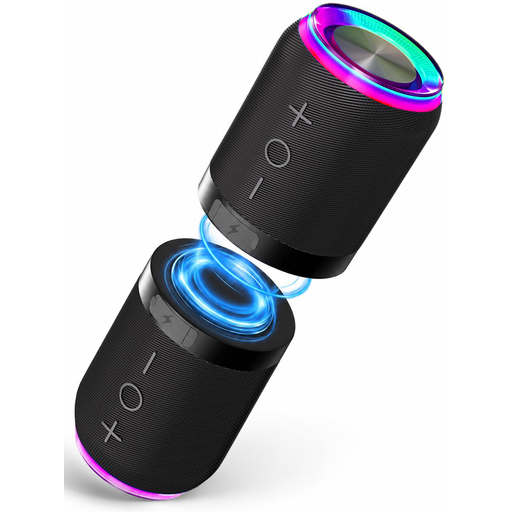
Worth considering if you want to place two speakers separately to play concert music from a Bluetooth source.
The product name lists a set of 2, stereo sound, magnetic attachment and IPX6 water resistance.
 No image available
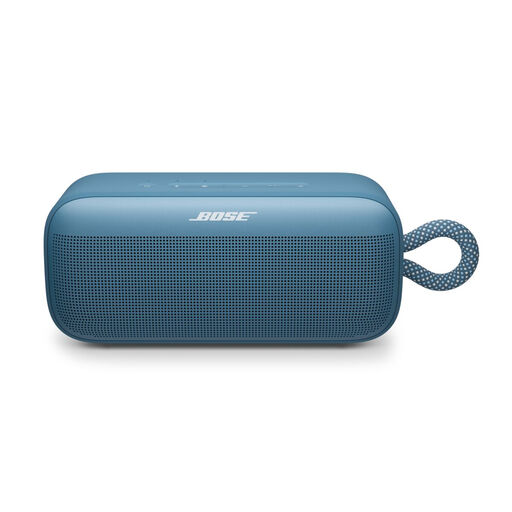
Consider this portable speaker if you want to play concert audio from a Bluetooth source; check that your device and concert app work with the connection you choose.
 No image available
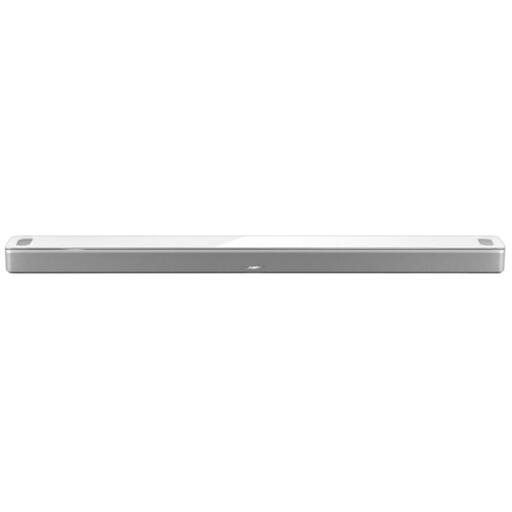
Consider this soundbar only if its placement and available connections suit your concert source. Before buying, check which output connection works with your device and concert app.
 No image available
Worth considering if your concert source plays over Wi-Fi or Bluetooth; check that your preferred connection works with the app and this model.
The product name lists Wi-Fi, Bluetooth and 60W.
 No image available
Worth considering if a compact desktop set-up suits your listening space; check which of the listed connections your concert source supports.
The product name lists Bluetooth 5.3, USB input and 3.5 mm AUX input.
No, the label ‘smart’ alone doesn’t guarantee that. Check the specific concert app and source: Sonos describes Bluetooth for the Era 100 and line-in using a separate adapter; Apple describes AirPlay for audio from a supported Apple device. Whether your stream works over either connection depends on the source.
Yes. Sonos says to set up the Era 100 using the Sonos app over Wi-Fi first; you can then use Bluetooth.
Keep the Era models mentioned by Sonos away from direct splashes. Moisture-resistant doesn’t mean waterproof; Sonos warns that direct contact with water can cause damage. Also follow the placement and cleaning instructions for your specific model.
According to ACM ConsuWijzer, if a product breaks too soon under normal use, the seller must offer a free solution, such as a repair, replacement or, in some cases, a refund. Online purchases also generally come with a statutory cooling-off period that ends 14 days after delivery; check which exceptions apply to your purchase.