If you want to save space and stream with ease, look at a compact home speaker. If a clear left-right soundstage matters more, consider two speakers placed separately. Compare the bass at your usual listening volume, the connections and whether you have room for a second speaker or future expansion. A quoted power rating alone won’t tell you how deep the bass will sound in your room.
Who is this relevant to?
Listeners who want to assess bass at living-room volume
You want to hear the low notes in electronic music clearly, without automatically turning the volume up or adding extra equipment. Consumentenbond notes that larger speaker cabinets generally reproduce more low frequencies than smaller ones. The sound in your room also depends on how you position the speakers.
Listeners with space for left and right speakers
You can place two speakers separately and value physical stereo separation more than having a single unit. An active bookshelf speaker pair, or a system that can be set up as a stereo pair according to its model-specific rules, could suit your setup.
Streamers with limited space
You’re looking for a compact home speaker and want to choose between playing directly over Bluetooth and streaming over Wi-Fi. Wi-Fi requires a suitable home network, so also check that the speaker works with your preferred source and controls.
What should you look for?
For electronic music in a small living room, your choice mainly comes down to how the speaker sounds at your usual listening volume, the setup you want and how your music source connects.
| What to consider |
What should you check? |
Who is this important for? |
| Bass |
Where possible, listen at your usual volume. Check whether there’s bass control and, only if you might want to expand your setup later, whether the model has a subwoofer output. |
If I play electronic music at my usual living-room volume, I want to assess the bass without immediately turning it up. Around 33% of consumers give low frequencies at their own listening volume top priority. |
| Stereo separation |
Check whether you have room for two speakers and whether the system you choose actually supports a stereo pair. Sonos has model-specific rules for pairing. |
If I want a clear left-right soundstage, I need space for two separate positions. Around 25% of consumers give stereo separation top priority. |
| Connection and controls |
Check each model for the connections you need, such as Wi-Fi, Bluetooth, optical, RCA or 3.5 mm. Also check whether you’ll need an adapter. |
If I want to play music from my phone or an external audio source, the speaker needs to work with that source and its controls. Around 25% of consumers give source compatibility top priority. |
| Space and expansion |
Measure the space available for one speaker or two cabinets, and check whether you’re buying a single unit or a pair. Factor in any adapters you need and upgrades you want. |
If I have limited space, I want to know in advance how much room the setup will take up and which components are included. Around 17% of consumers give space and a straightforward purchase top priority. |
Avoiding common buying mistakes
-
Assuming a high power rating proves the speaker has deep bass
A speaker’s quoted power rating isn’t a listening test in your room. Consumentenbond points out that cabinet size also affects low frequencies.
Where possible, assess the sound at your usual volume and consider speaker placement and any bass controls, rather than looking at watts alone.
-
Assuming ‘stereo’ from a single cabinet is the same as two separately positioned speakers
A separate stereo pair needs two spaces for positioning. Sonos explains that stereo pairing depends on the compatibility rules for the models in question.
First decide whether you have room for left and right speakers. Then check that you’re buying the right two speakers and can pair them.
-
Assuming a visible port accepts analogue audio directly
For line-in on the Era 100, Sonos requires a separate Line-In Adapter, so having a suitable-looking port or cable isn’t enough.
Before connecting an external source, check the exact model’s input type and which adapter or cable you need.
Brands to consider
Edifier
The R1280DBs is an active bookshelf stereo pair with multiple inputs and a subwoofer output.
- According to Edifier’s model specifications, the pair has a combined output of 42 W RMS, Bluetooth, optical and coaxial inputs, two RCA inputs and a subwoofer output.
- You’ll need space for two cabinets. The power and connection specifications don’t tell you how the bass will sound in your living room.
Sonos
The Era 100 is a compact home speaker for streaming over Wi-Fi or Bluetooth. According to Sonos’ model-specific rules, it can be paired with a suitable second speaker to create a stereo pair.
- Sonos lists Wi-Fi, Bluetooth and Trueplay for the Era 100.
- For an external analogue source, Sonos requires a separate Line-In Adapter and a suitable cable. Before expanding your setup, check that the two exact models can be paired for stereo.
Marshall
The Acton III is a mains-powered home speaker with Bluetooth, a 3.5 mm input and physical sound controls.
- Marshall lists bass and treble controls and a 3.5 mm input.
- Marshall doesn’t list Wi-Fi for this model, so choose another way to connect if you need to stream over your home network.
JBL
The Authentics 200 combines Wi-Fi and Bluetooth in a single cabinet for home use.
- JBL lists a woofer, passive radiator and automatic self-tuning for this model.
- JBL notes that voice assistant availability may vary by country and language. Treat brand claims about sound as distinct from independent measurements.
Denon
According to Denon, the Home 150 is a compact mono speaker with Wi-Fi, Bluetooth and HEOS. It’s worth considering if you already use compatible HEOS equipment.
- Denon lists pairing with other HEOS devices.
- A single Home 150 isn’t a separately positioned stereo pair. Check that your existing equipment and music services are supported.
Joybuy products for wireless music and bass control
These Joybuy products offer options for wireless music playback, including soundbars and portable speakers. Check that the design and connections suit a permanent setup in a small living room.
 No image available
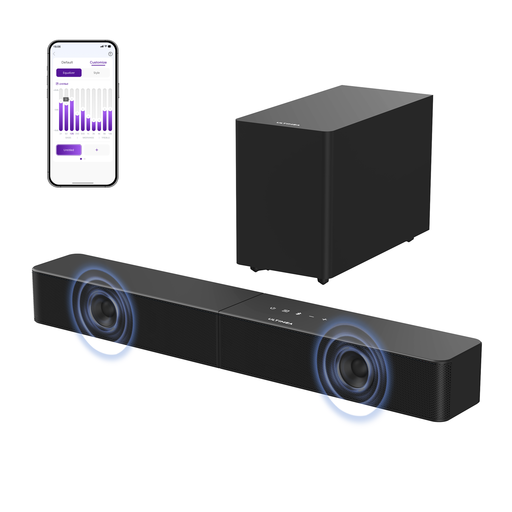
ULTIMEA Poseidon R3T 2.1ch soundbar with wireless subwoofer
An option if you want to play music over Bluetooth and adjust the bass in an app.
2.1ch soundbar with wireless subwoofer; Bluetooth 6.0; HDMI, optical and USB.
View at Joybuy
 No image available
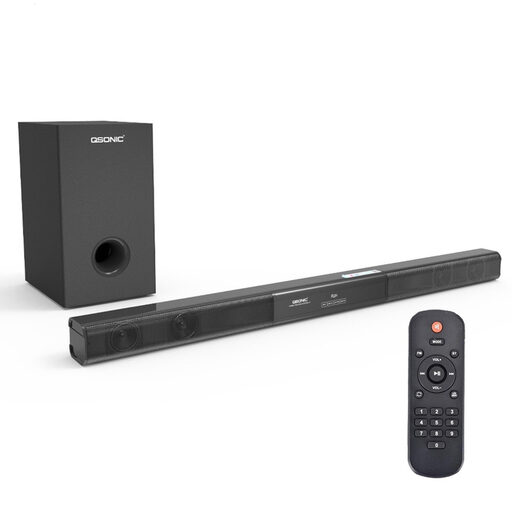
2.1 soundbar with subwoofer and Bluetooth 5.0
An option if you want to play music from a Bluetooth device through a soundbar setup with a subwoofer.
Bluetooth 5.0; coaxial, AUX and USB connections.
View at Joybuy
 No image available
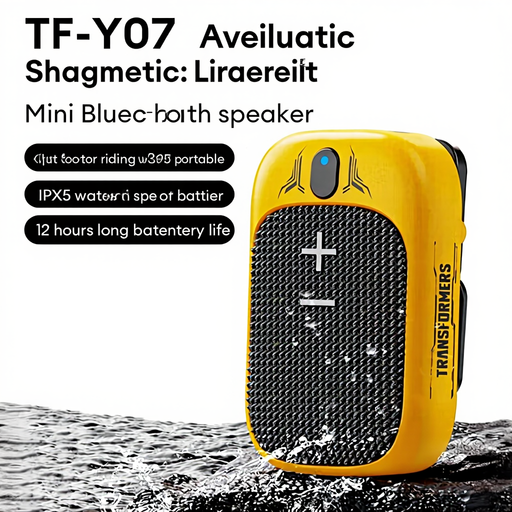
Transformers TF-Y07 Ultra Mini Bluetooth speaker, yellow
A compact Bluetooth option for anyone looking for a small wireless speaker.
The product specifications list button controls and an output power of 3 W.
View at Joybuy
 No image available
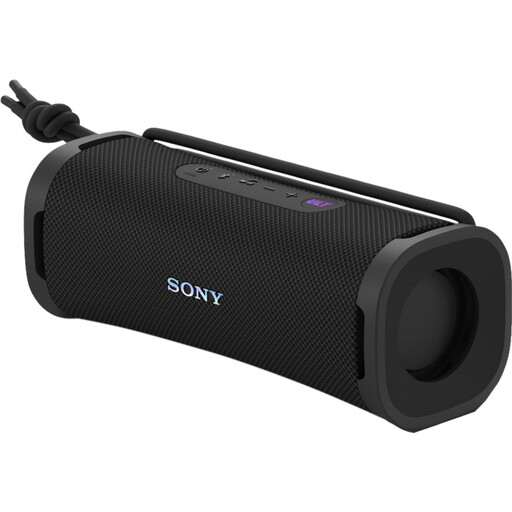
Sony ULT FIELD 1 Bluetooth speaker, black
A portable option if you want Bluetooth streaming and adjustable sound via an app.
The product description lists a ULT sound mode and a 3-band equaliser in the app; USB-C is listed as a connection.
View at Joybuy
 No image available
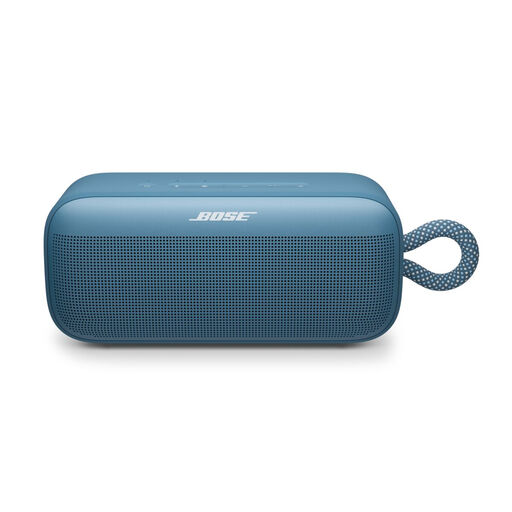
Bose SoundLink Plus, Blue Dusk
A portable Bluetooth option if you want to adjust the sound and explore the option of pairing two speakers.
The product description lists bass, mid-range and treble settings, as well as pairing two SoundLink Plus speakers.
View at Joybuy
Frequently asked questions
Do I need a subwoofer straight away for electronic music?
No, a subwoofer isn’t essential for every setup. First, assess the bass at your usual listening volume. If you might expand your setup later, check whether your speaker has a suitable output. According to Edifier, the R1280DBs has a subwoofer output; this isn’t automatically the case with other models.
Can I make a stereo pair from any two Sonos speakers?
No, Sonos pairing depends on model compatibility. Before choosing a second speaker, check the exact two models against Sonos’ model-specific rules.
Can I connect an external audio source directly to the Era 100’s USB-C port?
Not with a standard audio cable alone: Sonos requires a separate Line-In Adapter and a suitable audio cable for line-in. You also need to configure the connection in the Sonos app. According to Sonos, line-in is disabled when Era 100 speakers are used as surround speakers.
What do I need to use a Wi-Fi speaker at home?
You’ll need a suitable, reliable home network. Consumentenbond also highlights the importance of manufacturer support. Check the model’s network and support requirements if you plan to listen over Wi-Fi for a long time.
Can I play music at any volume in my home?
Be considerate of your neighbours when playing music, and agree on the volume and times if necessary. The Dutch government recommends discussing arrangements together first. If the disturbance continues, a landlord, owners’ association or local council may be able to help.


