
The attentive guitar listener
You listen from a fixed spot, paying attention to detail and the left-to-right presentation of recordings. Genelec explains that both the room and speaker placement affect what you hear.


For guitar recordings at a fixed workstation, a stereo pair that you can position around your listening spot is a sensible starting point. Active monitors are suited to focused listening when the connections and placement are right. Compact models with USB-C and Bluetooth, such as the Kanto ORA and Audioengine A2+ Gen 3, offer different connection options. Genelec stresses that the room and speaker positions both affect what you hear, so a product feature alone cannot tell you how a set will sound in your home office.
You listen from a fixed spot, paying attention to detail and the left-to-right presentation of recordings. Genelec explains that both the room and speaker placement affect what you hear.
You want to fit two speakers on your desk without crowding your workspace. Compare the dimensions and connections of the exact models you’re considering.
You switch between your computer and phone, and want to know in advance whether the version you choose offers the wired or wireless connection you need.
A good fit if: you mainly listen attentively from a fixed workstation and can position two speakers well. Edifier lists a monitor mode for the MR4.
Bear in mind: check that your computer or audio interface has a suitable output. A monitor mode doesn’t guarantee how the set will sound in your room.
A good fit if: you have limited desk space or want to play audio from different devices. Kanto ORA and Audioengine A2+ Gen 3 list these connections.
Bear in mind: check the exact version and which cables you’ll need. Wireless features alone don’t tell you whether you’ll like the sound.
A good fit if: easy connection is your priority and you’re not looking for monitor-focused features. Edifier lists AUX, Bluetooth and USB audio for the G1500.
Bear in mind: Edifier positions the G1500 as a gaming set; its connections don’t provide a sound-quality comparison with monitors.
| What to consider | What to check before buying | Who should pay extra attention? |
|---|---|---|
| Sound presentation and placement | Check whether you can position two speakers symmetrically around your listening spot; compare features only between models that actually have them. | When listening to guitar recordings from one fixed spot, I want to hear the detail and place sounds accurately from left to right. Around 33% of consumers give sound presentation and placement top priority. |
| Desk space | Measure the space available on both sides of your listening spot; also check whether the listing is for one speaker or a pair. | With limited desk space, I want to fit two speakers without crowding my workspace. For around 27% of consumers, desk space is the main priority. |
| Connections to your devices | Compare your source’s output with the input on the exact version; check which cable you’ll need. | If I switch between my computer and phone, I want to know in advance whether the version will connect to my devices. Connection options come top of the list for around 20% of consumers. |
| Simplicity or extra features | Check which inputs and features you’ll actually use, and verify the full model name. | If I mainly want to play audio easily from my computer, I want to see at a glance which features I need. Around 20% of consumers prioritise simplicity over extra features. |
Genelec states that the G One is sold individually. You’ll need two for a stereo pair.
For every listing, check explicitly whether you’re buying one speaker or a pair.
If you choose two individual speakers, remember to factor in suitable cabling too.
The models reviewed have different inputs, and the version can make a difference even within the same product range.
Compare the full model name and its inputs with the outputs on your computer, phone or audio interface.
Genelec’s placement advice explains that the room and speaker positions affect what you hear.
As well as checking the product features, consider whether you can position the speakers effectively in your home office.
Edifier positions the MR4 as a model with monitor and music modes; the G1500 is a separate computer speaker set positioned for gaming.
Kanto describes ORA as a compact active desktop stereo pair for music and computer use, among other things.
Audioengine describes the A2+ Gen 3 as an active pair for desktop use.
The Genelec G One is an active home audio speaker sold individually, intended for use in small spaces and with computers, among other things.
Joybuy speakers described in their product names as stereo, desktop or active speakers; check whether your setup needs any additional equipment for each model.
 No image available
The product name describes a compact stereo set for PC and desk use.
RGB lighting is mentioned in the product name.
 No image available
The product name describes compact stereo speakers for desktop use.
Coloured LED lighting is mentioned in the product name.
 No image available
A passive pair of bookshelf speakers for putting together a stereo setup.
The product name lists 6.5 inch drivers; check which amplifier and connections are suitable for your setup.
 No image available
A passive pair of bookshelf speakers for stereo music playback.
The product name lists 6.5 inch drivers; according to the product information, this model requires a separate amplifier.
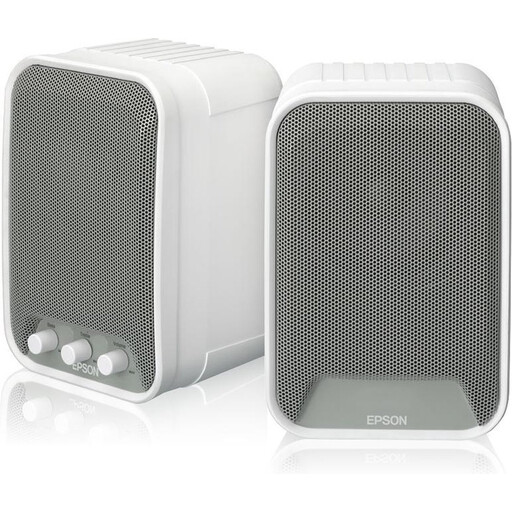 No image available
An active set of two speakers for anyone looking for a pair.
The product name lists 2 × 15 W.
Point both speakers towards your listening spot and try a symmetrical left-to-right arrangement. Genelec recommends an angle of 60° between the speakers as a placement guide; this isn’t a requirement for every desk.
That depends on the connections available on the exact version and your device. Kanto ORA and Audioengine A2+ Gen 3 list USB-C and Bluetooth; Genelec G One lists an analogue RCA input per speaker. Check in advance which connection and cable your setup requires.
According to the Dutch Government, the seller must provide a solution if there’s a problem with a product you’ve bought. For distance purchases, you generally have a 14-day cooling-off period; check the terms and any applicable exceptions for your purchase.
A CE mark is only required if the speaker falls under EU rules that call for one. According to the European Commission, the manufacturer is responsible for the conformity assessment; this general framework doesn’t confirm the documentation for a specific item on sale.