
A team with a remote colleague
Reviews a concept together and wants the remote colleague to be able to hear everyone around the speakerphone.


First, measure the distance to the furthest speaker and check that the connection is compatible with the computer hosting the meeting. Then check whether the exact model supports full-duplex conversations. A compact USB speakerphone suits a fixed setup, while USB and Bluetooth offer more flexibility but mean you’ll also need to check the connection and keep it charged. If people nearby must not hear the conversation, an open speakerphone isn’t suitable.
Reviews a concept together and wants the remote colleague to be able to hear everyone around the speakerphone.
Often jumps in while editing, so needs to consider support for simultaneous speech and microphone placement.
Moves meetings or switches between a laptop and phone, so needs to check the connection and power supply for each device.
Start with the speaker furthest from the device, then check the connection and finally consider whether an open speakerphone offers the level of privacy you need.
| What to consider | What should you check? | Who should pay particular attention? |
|---|---|---|
| Distance from the speakers | Measure from the intended position to the furthest speaker. Jabra recommends placing the Speak2 55 0.5–2.3 m from each participant; HP specifies a range of up to 2 m for the Poly Sync 20. | I want the remote colleague to be able to follow everyone around the desk, so I take the furthest position into account. Around 31% of consumers prioritise being able to hear clearly from different positions. |
| Simultaneous speech | Check whether the exact model supports full duplex. Jabra specifies this for the Speak2 55, as does EPOS for the EXPAND 20. | If we jump in while editing, I want to know whether speakers can talk at the same time. Around 25% of consumers prioritise smooth turn-taking. |
| Laptop connection | Check the port, meeting app and exact model. For example, HP distinguishes between the Sync 20 and the Sync 20+, which comes with a BT700 adapter. | I want to be able to start the meeting easily from the computer hosting it. For around 19% of consumers, a compatible connection is the top priority. |
| Moving and charging | Check that the cable sits neatly at both desk heights and compare the stated battery life for the exact model. Jabra specifies up to 12 hours of wireless use for the Speak2 55. | If I move between workspaces, I want to be able to reposition the device easily. Around 13% of consumers prioritise flexible placement. |
| Confidentiality | Decide in advance whether people nearby may hear the conversation. A mute function does not stop them from hearing the incoming audio. | For a confidential concept review, I want to prevent people in the room from listening in. Confidentiality is the top priority for around 12% of consumers. |
A manufacturer gives distances for a model, but that doesn’t automatically tell you how voices will sound in your room.
Measure the distance to the furthest speaker and ask someone joining remotely to listen in before you use it.
The connection can vary depending on the host device and model. Jabra recommends USB when using the Speak2 55 with a computer.
Check the exact model, any adapter included and compatibility with your computer and meeting app.
For a consumer purchase in the Netherlands, statutory protection is separate from any additional manufacturer’s warranty or paid cover. The Dutch government identifies the seller as your point of contact if a product is faulty; business purchases are not automatically covered by the same consumer rules.
Check who is making the purchase and compare any extra cover with the rights you already have.
Compare the product ranges listed below and always check the exact model. The brand name alone won’t tell you which connection or accessories are included.
The Speak2 55 is a compact option; the Speak2 75 is a separate model to compare for a larger meeting room.
The EXPAND 20 is a wired option; the EXPAND 30 series is worth considering if you want to compare USB-C and Bluetooth.
The Sync 20 is designed for personal use or a small shared setup; the Sync 40 is an option to compare if you need a stated microphone range that covers more space.
The PowerConf S3 is an option to compare for a workspace where USB-C and Bluetooth could come in handy.
The CP900 is a portable USB and Bluetooth model to compare if picking up several voices around the desk is important.
Here you’ll find speakerphones for fixed or flexible setups, plus a portable speaker whose suitability for meetings with several participants should be checked.
 No image available
The product name describes this as a Bluetooth conference speakerphone. Compare this model if you’re looking for a portable setup.
 No image available
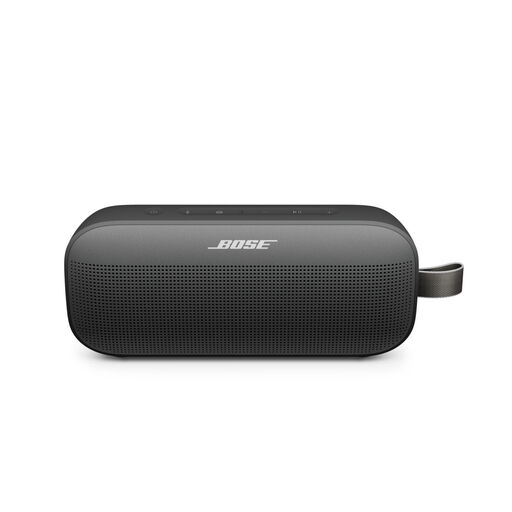
The product name describes a portable speaker. Before choosing it, check whether its built-in microphone and speakerphone function are suitable for a meeting with several participants.
 No image available
The product name lists USB-A and Bluetooth. Check that the connection is compatible with your computer and that the connection method works with your meeting app.
 No image available
Jabra specifies full duplex, four beamforming microphones and up to 12 hours of wireless use for the Speak2 55. Check that this MS Teams version suits your meeting setup.
Start by placing it between the speakers, then check the distances at both desk heights. Jabra recommends placing the Speak2 55 in the middle of the table, 0.5–2.3 m from each participant. Ask someone joining remotely to check that the setup works.
Don’t assume so. Jabra recommends using the built-in USB cable with computers and warns that a standard Bluetooth connection to a computer doesn’t offer the same certification and audio quality guarantees as USB. Once connected, select the right input and output device in your system and meeting app.
For a consumer purchase, Dutch statutory protection is separate from a manufacturer’s warranty or an extended warranty you buy. The Dutch government identifies the seller as your point of contact if a product is faulty; compare any extra cover with the rights you already have. Business purchases are not automatically covered by the same consumer rules.
The Dutch Authority for Digital Infrastructure states that electrical and electronic equipment must carry the correct CE marking, and that wireless radio equipment is subject to requirements under the Radio Equipment Directive. Check the exact model; a product name or retailer listing alone doesn’t prove that an individual product meets these requirements.
First consider the purpose, legal basis and information obligations if the recording involves processing personal data. The Dutch Data Protection Authority lists consent as one possible legal basis, not as an automatic requirement for every recording. For work calls, check with your organisation which secure communication option is suitable.