Start by considering how far the furthest speaker will be from the microphone, and how the device connects to your computer. A portable model may be enough for a small table; for a larger or changing setup, check the microphone range and whether you can expand the system. A speakerphone handles audio, not the sharing of research slides.
Who is this guide for?
Presenter leading a discussion around a table
You talk through research findings while participants around the table ask questions. The distance between each speaker and the microphone matters; Jabra recommends a particular placement for participants seated around the table when using the Speak2 55.
Organiser of a larger room
You change the table layout or expect speakers to sit further from the centre. So you’ll want to check whether the microphone setup suits the room and whether an expandable solution is available. HP describes wireless pairing for two Poly Sync 40 devices.
Presenter using different equipment
You use different laptops or meeting apps and want to check in advance which connection and version are right for you. Jabra distinguishes between the Speak2 55 versions and recommends using USB to connect to a computer.
What should you look for when choosing?
Small table with several speakers
When: when everyone is within the stated microphone range. Jabra gives the Speak2 55 a maximum range of 2.3 m and recommends placing it in the middle of the table, 0.5–2.3 m from each participant.
Consider: these are manufacturer claims, not measurements of your room; seating and acoustics still matter.
Larger or changing table layout
When: when it’s difficult to position a single speakerphone centrally. HP says that two Poly Sync 40 devices can be paired wirelessly.
Consider: expandability doesn’t guarantee coverage in every room, so check the layout and connection requirements in advance.
Presenting from one fixed computer
When: when a reliable computer connection and the right platform version are important. Jabra recommends USB to connect the Speak2 55 to a computer.
Consider: a cable may limit where you can place it; Jabra says standard Bluetooth to a computer is not certified for this model.
| What to consider |
What should you check? |
Who is this important for? |
| Clear audio with several speakers |
Check the stated microphone range, seating positions and full-duplex capability. Ask the furthest participant to try asking a question, too. |
If I want questions from different seats to be heard clearly, I focus on range and placement. Around 36% of consumers prioritise clear audio. |
| Coverage across the table or room |
Measure the distance from each seat to the intended device position, and check whether devices can be paired with the version you’ve chosen. |
For a larger or changing layout, I want to know whether the furthest speaker will still be within range. Around 29% of consumers are mainly looking to cover the entire setup. |
| Connection and meeting platform |
Check whether you need USB-A or USB-C, the exact Teams or UC version, and the audio settings on both your computer and meeting app. |
If I want to present without connection issues, I want to know in advance which version and audio settings will work. Around 21% of consumers give this peace of mind the highest priority. |
| Portability and working without a mains socket |
Check the stated battery life, charging options and which accessories are included with the exact version. |
If you present in different locations, portability and being able to work without a mains socket may be important factors. Around 14% of consumers put this need first. |
Common buying mistakes
-
Confusing Bluetooth range with microphone range
The distance over which a device can stay connected doesn’t tell you how far away the microphone can pick up voices clearly.
Compare the seating positions with the model’s microphone range. Jabra gives the Speak2 55 a maximum microphone range of 2.3 m.
-
Assuming every Bluetooth connection has the same certification
Jabra says that a standard Bluetooth connection from the Speak2 55 to a computer is not certified.
Check the full version details and connect to your computer using USB if platform certification is important.
-
Planning around maximum battery life as if it were guaranteed
Jabra states up to 12 hours for the Speak2 55, while HP states up to 30 hours of talk time for the Poly Sync 40. These figures are for different models and aren’t a like-for-like comparison under the same conditions.
Charge the device before your presentation and, if needed, make sure you have a suitable cable connection.
-
Confusing the manufacturer’s warranty with your statutory rights
ACM ConsuWijzer explains that your statutory guarantee depends on what you could reasonably expect from the product.
Keep your proof of purchase and don’t judge a fault solely by the length of the manufacturer’s warranty.
Brands and models to consider
Jabra
The Speak2 55 is a compact option for use around a table. Jabra also provides placement advice and a stated microphone range.
- For the Speak2 55, Jabra lists four beamforming microphones, full-duplex audio, USB-A/USB-C and up to 12 hours of wireless use.
- The stated maximum pick-up distance is a manufacturer figure. Teams certification depends on the version; Jabra says standard Bluetooth to a computer is not certified.
HP Poly
According to HP, the Sync range includes a compact USB option, a pairable Sync 40 and the Sync 60 for meeting rooms.
- HP lists full-duplex audio for the models discussed and says that two Sync 40 devices can be paired wirelessly.
- The stated features don’t guarantee that a model will cover a particular room. Check the layout and availability of the exact version.
AnkerWork
AnkerWork positions the PowerConf S500 for small to medium-sized meeting rooms. The manufacturer says it can be paired with a second device.
- AnkerWork lists four microphones, full-duplex audio and connection via USB-C, Bluetooth or a dongle.
- This information comes from the manufacturer’s Canadian website. Check the features and included accessories for the version sold in the Netherlands.
EPOS
According to EPOS, the EXPAND 40 is a portable speakerphone with three beamforming microphones.
- The official EPOS specification lists three beamforming microphones and says the box includes a USB-C cable and USB-A adapter.
- The packaging information comes from a US product page; check what’s included with the version sold in the Netherlands.
Speakerphones at Joybuy
These products may suit presentations with several speakers, portable setups or a computer connection. For each model, check that the microphone setup, connection and version are right for your table and meeting app.
 No image available
Insta360 Wave AI Conference Speakerphone, Bluetooth, white
For a larger or changing table layout, it’s worth checking the pick-up distance and whether devices can be paired for the exact version.
View at Joybuy
 No image available
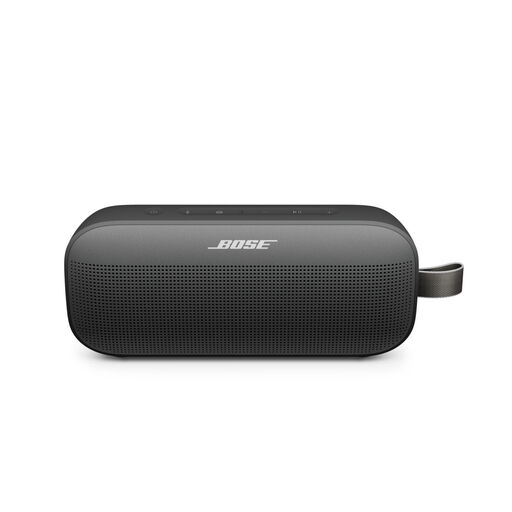
Bose SoundLink Flex Portable Speaker (2nd Gen), black
This portable speaker is also listed as having speakerphone functionality. Check whether that feature is suitable for calls with several participants around a table.
View at Joybuy
 No image available
Jabra Speak 510 MS, Bluetooth, USB-A (USB 2.0), black
Consider this model if you’re looking for a speakerphone for computer meetings. Check that the USB-A connection and your chosen meeting app are compatible with the computer you’ll be presenting from.
View at Joybuy
Frequently asked questions
Can you use a speakerphone to show your research slides?
No. A speakerphone handles the microphone and speaker functions, not displaying slides. You’ll need a computer and a suitable way to share your screen or present. Beforehand, check which audio devices are selected in your meeting app.
Where should you place a speakerphone?
For the Speak2 55, Jabra recommends placing it in the middle of the table, 0.5–2.3 m from each participant. This recommendation doesn’t guarantee the same range for other models or rooms.
What can you do if your laptop isn’t using the speakerphone?
Select the speakerphone as both the input and output device in your operating system and meeting app. The Jabra and AnkerWork user guides explain how to do this.
What are your rights when buying online in the Netherlands?
When you buy online as a consumer from a business, you’ll generally have a 14-day statutory cooling-off period from the date of delivery, subject to legal exceptions. ACM ConsuWijzer explains how this period works. Your statutory guarantee depends on what you could reasonably expect from the product. Also check whether you’re buying as a consumer or on behalf of a business.


