Joybuy products
This selection includes products described in their product information as suitable for hands-free calls or speakerphone use. Check that each model’s connection and meeting features suit your set-up.
 No image available
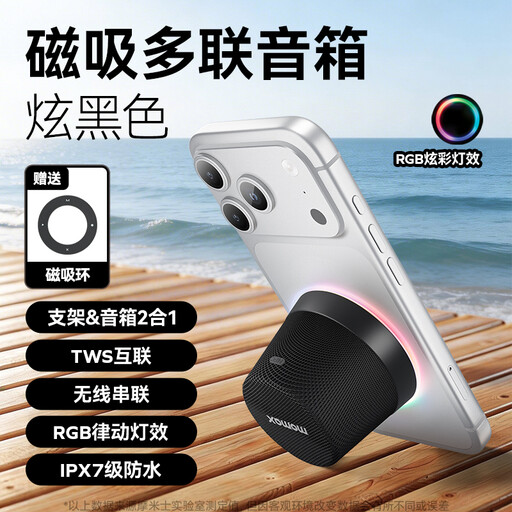
MOMAX 1-Vibe Mood Pro Magnetic Portable Bluetooth Speaker, Black
The built-in microphone and hands-free function make it suitable for phone calls around the table.
The product description lists Bluetooth 5.3.
View at Joybuy
 No image available
Insta360 Wave AI Conference Speakerphone, Black
The product name describes this model as a conference speakerphone for meetings.
The product description lists eight microphones, five directional patterns and a recording range of up to 16 feet.
View at Joybuy
 No image available
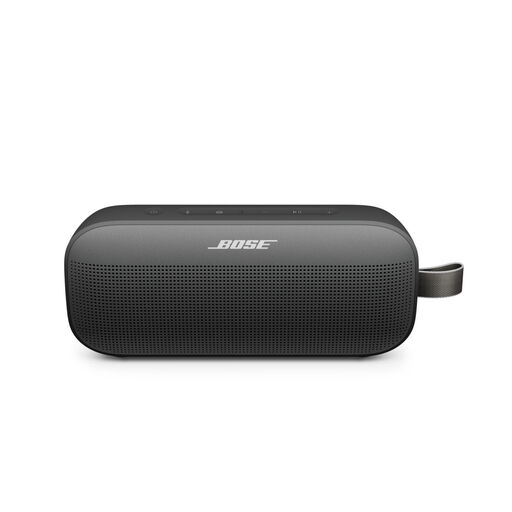
Bose SoundLink Flex Portable Speaker (2nd Gen), Black
The product description lists a built-in microphone and speakerphone use for calls over Bluetooth.
View at Joybuy
 No image available
Jabra Speak 510 MS, USB-A, Black
The product information describes this model as a personal speakerphone for conference calls.
USB-A and Bluetooth are listed; check which connection works with the device you’re presenting from.
View at Joybuy
 No image available
Jabra Speak2 55 MS Teams, Dark Grey
The product information lists four microphones and full-duplex audio for calls with several participants.
Jabra specifies a microphone range of up to 2,3 metres for the Speak2 55 and lists USB-A and USB-C. Check which connection works with your computer.
View at Joybuy
Frequently asked questions
Do you need to share computer audio separately when giving a project update with video?
Yes. In Microsoft Teams, when sharing content, turn on the computer audio option if participants also need to hear your computer’s sound. Microsoft Support warns that computer notifications may then be heard too, so test the setting in advance.
How can you check that the speakerphone is actually in use?
Select the connected speakerphone as both the microphone and speaker in your meeting app. Microsoft Support explains how to choose the speaker in Microsoft Teams; also check that your device or browser has access to both.
How can you avoid audio playing twice when using a second device?
Check which devices are playing audio before starting the meeting. For a personal device used alongside a Teams room device, Microsoft Support recommends joining with the audio turned off to avoid echo. Check which setting suits your meeting set-up.
What return and guarantee rights apply to a personal online purchase in the Netherlands?
According to ACM ConsuWijzer, online purchases generally come with a statutory 14-day cooling-off period from delivery, subject to exceptions. If a product doesn’t do what you could reasonably expect when used normally, you also have statutory rights against the seller; a manufacturer’s guarantee doesn’t replace them.
What should you check before your next project update?
Check the connection, selected microphone and speaker, and mute setting. Charge a battery-powered model if needed. Battery life depends on the model; follow the instructions for your chosen version for maintenance and updates.


