
Teacher with participants around the table
You teach in a small room where other people also ask questions. When comparing models, the distance from each speaker to the microphone matters.


Choose a speakerphone based on the distance between the microphone and everyone who will be speaking during the tutorial, then check that it connects to your teaching computer. If remote participants will be asking questions, full-duplex audio and testing the complete audio setup are important. The stated microphone ranges and talk times are manufacturers’ maximum figures, not a guarantee that everyone will be clearly heard in your room.
You teach in a small room where other people also ask questions. When comparing models, the distance from each speaker to the microphone matters.
You expect questions from remote participants and want to test both speaking and listening. Full-duplex audio is a useful specification to consider.
You take the speakerphone with you and check what computer connections and power sources are available at each location.
First, measure the distance to the furthest speaker. Then check the computer connection and, finally, test a conversation in both directions.
| What to consider | What should you look for? | Who is this important for? |
|---|---|---|
| Picking up everyone’s voice | Measure the distance from the intended spot on the table to each speaker, then make a test recording using your actual setup. | If I’m teaching with people asking questions around the table, I want the furthest speaker to be audible too. Around 36% of consumers mainly want to pick up everyone’s voice. |
| Two-way conversations | Check that the exact model is specified as full-duplex and test a question-and-answer scenario in your meeting software. | For an interactive tutorial, I want remote participants to be able to ask questions while I respond. Around 29% of consumers prioritise smooth interaction above all else. |
| Connecting to your teaching computer | Check for USB-A or USB-C, any dongles, and the audio input and output settings on your computer and in your meeting software. | If I want to get started without connection problems, I check in advance that the speakerphone works with my teaching computer. Around 21% of consumers put this connection first. |
| Moving between rooms | Check the stated talk time, charging method and included cable or dongle. Maximum battery life won’t apply to every type of use. | If I regularly move between classrooms, I consider portability and power. Around 14% of consumers prioritise this kind of mobility. |
A manufacturer’s specification doesn’t tell you how clearly people will be heard in your meeting room.
Compare the distance to all speakers and make a test recording using your actual setup before an important tutorial.
The PC connection and included dongle can vary by model and version. Jabra specifies Bluetooth for smartphones or tablets with the Speak2 55; check the connection options on the exact version you’re considering for your teaching computer.
Check the full model name, what’s included in the box and the available connections on your computer.
The AnkerWork PowerConf S500 manual says you may sometimes need to set the device manually as the computer’s audio device.
Select and test both the microphone and speaker before the lesson, including a question from a remote participant.
The Speak2 55 is worth considering for a small meeting room if you’re looking at both a wired USB connection to a computer and use with a phone or tablet.
HP says the Sync 40 is designed for flexible workspaces and small meeting rooms where users bring their own computers.
The SP92 is a portable option to compare if you’re looking for a stated wider pickup range and several connection options.
AnkerWork positions the PowerConf S500 as a conferencing option for several people in one room.
This selection of Joybuy products ranges from conference speakerphones to portable audio devices for online conversations. For each model, check that the microphone and speaker functions, connection and settings suit your computer and teaching setup.
 No image available
The product name mentions Bluetooth. Check that the connection you want works with your teaching computer and test the audio settings before the tutorial.
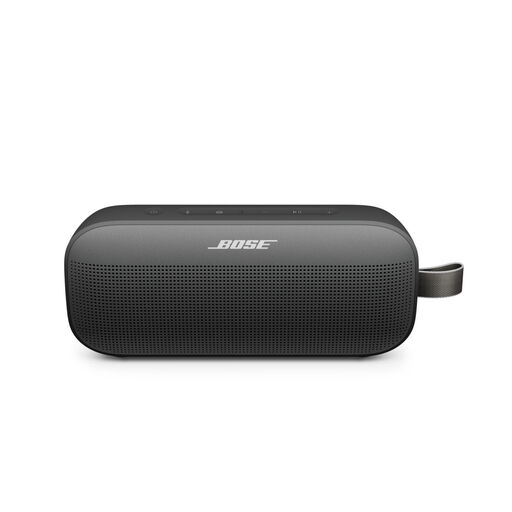 No image available
This portable speaker is only an option for online lessons if its microphone and speaker functions work with your teaching computer and meeting software. Test both audio settings in advance.
 No image available
The product name mentions USB-A and Bluetooth. Check which connection is suitable for your teaching computer, then set the device up as both a microphone and speaker before the lesson.
 No image available
This version is worth considering if you’re running an interactive tutorial and want a wired computer connection. Jabra specifies USB-A or USB-C, four microphones and full-duplex audio. Its stated microphone range is up to 2.3 metres, which isn’t a guarantee that everyone will be heard clearly in your room.
Jabra states that this model offers up to 12 hours of talk time. Test your setup with speakers in their usual places.
Select the speakerphone as both the microphone and speaker in your computer settings and meeting software. The AnkerWork PowerConf S500 manual says you may need to select it manually; then test voices from the places where participants will be speaking.
No. Don’t assume every model uses the same connection method. Jabra specifies USB-A or USB-C for connecting the Speak2 55 to a computer, and Bluetooth for a smartphone or tablet. HP says the Poly Sync 40+ comes with a BT700 adapter; check the version and packaging you choose.
The Dutch Authority for Digital Infrastructure says electrical and electronic equipment must carry the correct CE mark and gives wireless speakers as an example. Check the mark on the specific device and follow the manual. The mark isn’t an assessment of sound quality.
For online consumer purchases, there is generally a statutory cancellation period of up to 14 days after the product has been delivered, subject to statutory exceptions. Consumers are also entitled to a product that meets reasonable expectations; a shorter commercial or manufacturer’s warranty doesn’t remove those statutory rights. Check separately which terms apply if you’re buying on behalf of a business.