
Housemates listening together
Would you like to follow a lecture together or ask questions using one device? Consider where you’ll place the speakerphone and its microphone range, not just the speaker volume.


A speakerphone is handy if you’re listening to an online lecture with your housemates or want to ask questions yourself. If so, consider the number of participants, the connection and how the microphone is controlled. If you’re listening alone and don’t want others at home to hear the lecture or be disturbed, a headset or earbuds may be a better fit. When choosing a speakerphone, check the exact model and test the microphone and speaker with the platform you use for the lecture.
Would you like to follow a lecture together or ask questions using one device? Consider where you’ll place the speakerphone and its microphone range, not just the speaker volume.
If you want to hear the speaker without disturbing your housemates, first decide whether personal audio would be a better fit than a speaker that plays the lecture aloud in the room.
If you switch between listening and speaking, check the connection to your device, the microphone controls and the echo-cancellation features.
Choose this option: if you’re listening in a quiet room and occasionally want to ask a question yourself.
Bear in mind: housemates will still be able to hear the sound; noise cancellation doesn’t guarantee that other voices won’t be picked up.
Choose this option: if you want to listen together or ask questions from one spot.
Bear in mind: background conversation may be picked up by the microphone. Check the stated range for the exact model and your set-up.
Choose this option: if you’re listening alone and don’t want your housemates to hear the lecture or be disturbed.
Bear in mind: it’s less convenient to share the lecture with your housemates.
For a lecture in a shared home, clarity, privacy, shared use and connectivity are all important considerations.
| What to consider | What to look for | Who is this important for? |
|---|---|---|
| Clear audio and speaking | Check for full-duplex audio, echo cancellation, a mute button and the stated microphone range. Test the set-up in the room where you’ll usually use it. | If you want to respond during the lecture and be heard clearly, speech clarity is your priority. Around 36% of consumers rank clear speech as their top priority. |
| Quiet and privacy | Consider whether you’re happy for your housemates to listen in. Mute the microphone when you’re not speaking, or choose personal audio for solo use. | If you want to listen without disturbing others or picking up their conversations, a quiet home matters most. Around 29% of consumers rank quiet and privacy as their top priority. |
| Taking part together | Compare the number of participants with your table set-up and the stated microphone range. A maximum participant number doesn’t guarantee clear speech in every room. | If several housemates are following the same lecture from one spot and want to take part, shared use matters most. Around 21% of consumers rank listening together as their top priority. |
| Connection and controls | Check for USB-A or USB-C, Bluetooth support for your device, and which microphone and speaker are selected in the lecture app. | If you want to join without connection problems using your own laptop, tablet or phone, check compatibility with your device. Around 14% of consumers rank device compatibility as their top priority. |
To ask questions, you need more than audio playback: you also need a microphone and a suitable connection.
Check that the device is specifically designed to work as both a microphone and speaker with your device.
The lecture will still play aloud through the speaker in the room. Other voices aren’t guaranteed to stay out of the microphone connection either.
For solo listening in a shared room, personal audio is a better choice. If you use a speakerphone, test the microphone and mute it when you’re not speaking.
Models in the same product family can differ in their connections, platform versions and included dongles.
Before ordering, compare the full model name, connections and box contents with your laptop or phone.
The Speak2 55 is a compact option to consider when comparing connections, full-duplex audio and microphone range.
The OfficeCore M0 Plus is worth considering if several housemates want to sit around one device.
The Sync 20 series offers portable speakerphones with USB and Bluetooth versions.
The SP92 is an option for personal use or a small-group set-up, with a choice of connection options.
The PowerConf range is worth exploring when comparing speakerphones with microphones positioned all around the device.
This selection includes speakerphones for solo or group use, plus earbuds for anyone who wants to listen alone.
 Image unavailable
Suitable for listening together or taking part using one device.
The product name mentions Bluetooth; check that the connection suits your device for the lecture.
 Image unavailable
Suitable for listening on your own and occasionally responding during a call.
The product name lists USB-A (USB 2.0) and Bluetooth; check which connection suits your device.
 Image unavailable
Suitable for listening and responding from a home-working space.
Check that the connections and features of the MS Teams version suit your device and lecture platform.
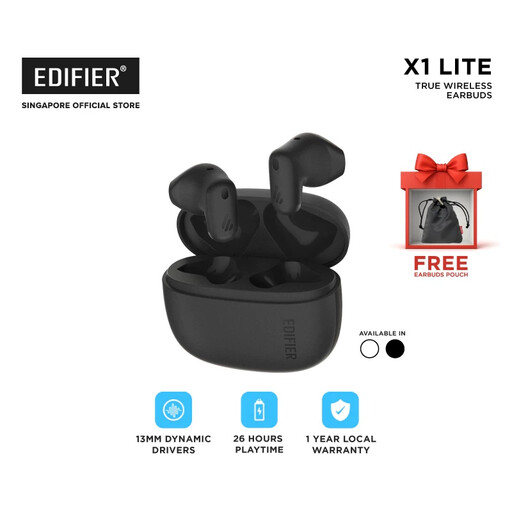 Image unavailable
Suitable for listening on your own if you don’t want your housemates to hear the lecture.
These earbuds are designed for personal use, not for sharing the lecture with housemates through one speaker.
First, check which connections your exact model supports. Then select the same device as both the microphone and speaker in your lecture platform, and test the volume and mute button. Jabra specifically lists Bluetooth for smartphones and tablets with the Speak2 55.
No, don’t rely on it to do that. Microsoft Support explains that the high noise suppression setting in Teams suppresses background noise that isn’t speech. Test it with the ambient noise in your room and mute the microphone when you’re not speaking.
Choose a set-up that suits the number of participants and their distance from the microphone. Compare the stated range for the exact model with where you’ll be sitting; a manufacturer’s maximum isn’t a guarantee of clear speech in every room.
A speakerphone plays the lecture aloud in the room, so personal audio is a better fit if you don’t want to disturb your housemates or let them listen in. If you still want to use a speakerphone, test the microphone and use the mute function when you’re not speaking.
Connections and included accessories can vary between versions. Compare the full model name with your device’s connections and check whether the version you’ve chosen includes any adapter or dongle you need.