
Learners around one small table
You’re taking an online lesson together from one computer and mainly want the tutor to hear each person speaking. Compare the stated microphone range with the seating positions.


Start by considering how many learners will be speaking from the same place and how far they are from the speakerphone. Then check that the connection is compatible with the device you use for your lesson. A compact model may suit a small table, while a larger or expandable set-up is worth considering if learners are sitting further apart. The stated microphone range and battery life do not guarantee that every voice will be clearly audible in your room.
You’re taking an online lesson together from one computer and mainly want the tutor to hear each person speaking. Compare the stated microphone range with the seating positions.
Your group isn’t sitting close to one device, so microphone coverage or an expandable set-up is an important factor when choosing.
You sometimes take lessons on a computer and sometimes on a phone or tablet. Check which USB and Bluetooth connections the model you’re considering supports.
First, consider where the learners are sitting and how far the furthest speaker is from the device. Then check the connection and any expansion options you’ll need for your lesson.
| What to consider | What to look for | Who is this important for? |
|---|---|---|
| Hearing everyone around the table | Measure the distance to the furthest seat and compare it with the stated microphone range for the exact model. | If we’re sitting around one table, I want the learner at the furthest end to be audible too. Around 31% of consumers say hearing every speaker is their main consideration. |
| A larger or spread-out group | Check which expansion method is supported and whether you’ll need a second unit or additional microphones. | If our group is spread further apart, I want to know whether one device will be enough or whether we’ll need to expand the set-up. Around 25% of consumers focus mainly on coverage for a larger or spread-out group. |
| Connecting to your lesson device | Check the USB port, the exact model and the audio settings on your lesson platform. | I want to use the speakerphone with my computer, phone or tablet without connection problems. Around 25% of consumers focus mainly on finding a connection that suits their lesson device. |
| Conversation flow and battery life | Check for full-duplex support and the stated talk time for the model you’re considering. | If we want to respond to each other naturally during the lesson and use the speakerphone wirelessly, I want to know whether the device is suitable. Around 19% of consumers focus mainly on conversation flow and wireless battery life. |
A stated pick-up range doesn’t tell you how clearly every learner will be heard in your room. Distance and positioning also matter.
Map out the seating positions, compare the distances with the specifications for the exact model, and check which accessories you’ll need to expand the set-up.
Jabra warns that standard Bluetooth to a computer isn’t certified for the Speak2 55 and may sound different from USB.
Check which connection the manufacturer recommends for your computer and, if necessary, set the speakerphone as the microphone and speaker in your lesson platform.
The connections and accessories included can vary between configurations. For example, Jabra notes that a Bluetooth adapter may or may not be included with the Speak2 75, depending on the version.
Compare the full model and package contents with the connections and any expansion options you need.
The Speak2 range includes portable speakerphones. The Speak2 55 may be worth considering if you’re looking for both USB connections and mobile Bluetooth use.
EPOS positions the EXPAND 20 for personal use or small groups, and the EXPAND 80 for larger meetings.
HP describes the Poly Sync 20 USB-A as a portable option for a small room, for use with a computer or smartphone.
The OfficeCore M0 Plus may be worth considering if you want to add a second compatible device to a compact speakerphone later on.
The SP92 is a portable option to compare if you’re considering USB, Bluetooth and a version with a USB-C/A adapter.
These Joybuy products are portable speakerphones suitable for lessons with several participants. Connections, microphone specifications and expansion options vary by model, so check which version suits your table and lesson device.
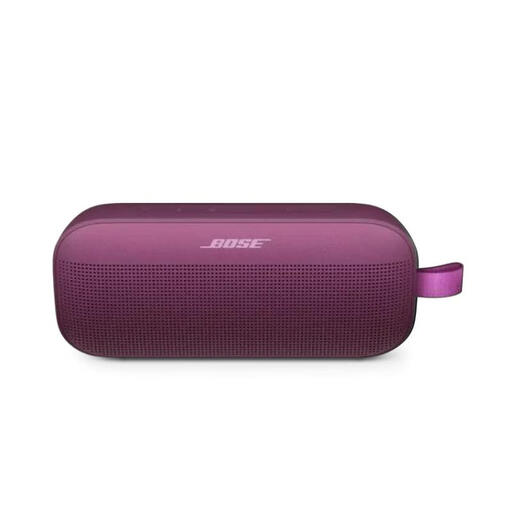 No image available
The product description mentions a built-in microphone and speakerphone functionality for wireless use.
Bluetooth and up to 12 hours of battery life are listed. Check that the connection described is compatible with your lesson device.
 No image available
The product description lists eight microphones and a pick-up distance of 16,4 ft; this doesn’t guarantee clear audio in your lesson room.
Bluetooth, up to 12 hours of use and pairing with up to three devices are also listed. Check which accessories and connection method suit your set-up.
 No image available
This model may suit you if you’re considering a speakerphone with USB-A and Bluetooth connectivity; the product description lists up to 15 hours of talk time.
The stated wireless range of up to 30 m requires the optional Jabra Link 370 adapter. Check whether you need this adapter for your set-up.
 No image available
The product description lists four beamforming microphones and full-duplex audio for group calls.
USB and Bluetooth are listed, with up to 12 hours of stated wireless use. Jabra warns that standard Bluetooth to a computer isn’t certified and may sound different from USB.
Use a connection supported by both the model you’ve chosen and your lesson device. If necessary, set the speakerphone separately as the microphone and speaker; Jabra recommends this setting for the Speak2 55.
Check the charge level and supported connection method before your lesson. HP lists up to 20 hours of talk time for the Poly Sync 20 USB-A, while Jabra lists up to 12 hours of wireless use for the Speak2 55. These are stated maximums, not a guarantee for every usage scenario.
For an online consumer purchase, ACM ConsuWijzer states that you generally have a 14-day cooling-off period, which ends 14 days after delivery, subject to legal exceptions. You’re also entitled to a legal guarantee if a product doesn’t perform as you could reasonably expect under normal use; in the Netherlands, there’s no fixed general two-year period for this.
Using a speakerphone doesn’t in itself give you permission to record people’s voices. According to the Dutch Data Protection Authority, an organisation processing personal data must determine an appropriate GDPR legal basis in advance; consent is one possible legal basis. For education, the authority also recommends agreements on informing people and on making and storing recordings.
CE marking applies to products covered by harmonised EU rules; it isn’t an independent quality assessment. Radio equipment, including Bluetooth devices, is also covered by the EU radio equipment framework. Check the information for the exact model you’re considering.