
Colleagues meeting around the table
You want several people in the room to be able to speak through one meeting device. The distance to the furthest seat and people speaking at the same time are important factors.


If several people will be joining from the kitchen table, choose a model based on the distance to the furthest speaker and check that it’s compatible with your meeting device. If you’re meeting alone, a headset may be a better choice if you don’t want others at home to hear the conversation. Before a meeting, check which microphone and speaker the app is using.
You want several people in the room to be able to speak through one meeting device. The distance to the furthest seat and people speaking at the same time are important factors.
You have meetings on your own at the kitchen table and need a suitable connection and an easy way to adjust the meeting audio.
You’re sitting at the table alone, but other people at home or background noise may make an open speakerphone less suitable.
Choose this option: if people sitting in different places around the table need to speak through one device.
Bear in mind: the stated microphone range doesn’t guarantee that everyone will be easy to hear in your kitchen. An open speaker also plays the conversation aloud in the room.
Choose this option: if you’re the only person using a fixed laptop and prefer a USB connection.
Bear in mind: check your laptop’s connection. Table coverage or wireless use may be unnecessary for this set-up.
Choose this option: if you’re speaking alone in a shared space and don’t want others at home to hear the conversation.
Bear in mind: a headset isn’t the answer if several people at the same table need to join in through one microphone.
| What to consider | What to look for | Who should pay particular attention? |
|---|---|---|
| Picking up voices | Measure the distance to the furthest seat and compare it with the stated microphone range for the exact model. Jabra gives a maximum of 2,3 metres for the Speak2 55; HP gives a maximum of 2 metres for the Sync 20 series. | If I’m sitting with colleagues in different places around the table, I want the furthest speaker to be picked up too. Around 40% of consumers prioritise being easy to hear from several seats. |
| Connection and app | Check whether the model offers USB-A, USB-C or Bluetooth for your device. Select both the microphone and speaker you want to use in your meeting app. | When I’m using a fixed laptop, I want to know before the meeting that the speakerphone connects properly and that the app is using it. This is the main reason for buying for around 30% of consumers. |
| Quiet and confidentiality | Consider who might hear the conversation in the kitchen. Test background noise with someone you’re speaking to and compare it with a headset if necessary. | If other people at home are nearby, I want to decide first whether an open conversation is practical and discreet enough. Around 20% of consumers prioritise quiet or confidentiality. |
| Portability and battery life | Compare the stated talk time with how you’ll use the device, and check how it charges and which cables are included. | If I regularly move my meeting spot, portability and being able to use the device without a mains connection matter to me. This is the main reason for around 10% of consumers. |
Bluetooth connectivity can vary by device and model. Jabra specifies USB for a computer and Bluetooth for a smartphone or tablet with the Speak2 55.
Before buying, check the computer connection, whether you need an adapter and the exact model.
A stated distance doesn’t guarantee that voices will come through clearly in your kitchen. Seating arrangements and background noise also play a part.
Measure the distances and ask each person to say a test sentence before relying on your chosen set-up.
A manufacturer’s warranty doesn’t replace your statutory rights. The Dutch government describes a manufacturer’s warranty as an addition to the statutory guarantee.
Compare the terms of any extra warranty with your existing rights, and contact the seller if a product is faulty.
The Speak2 range is worth considering if you’re looking for a portable conference speaker and want to compare its stated range across a table.
Depending on the model, the Sync 20 series is an option for personal use and small groups around a table.
The EXPAND 40 is worth considering if you’re looking for a portable wireless speakerphone for a conversation around the table.
The OfficeCore M0 Plus is an option if you want to compare USB-C and Bluetooth for meetings around the table.
The Modern USB-C Speaker is a wired option for an individual Teams user with a compatible computer.
This selection includes portable speakerphones and Bluetooth speakers with features listed for calls. Check that the connections and features of the model you choose suit your meeting set-up.
 No image available
For anyone who wants several people around a table to speak through a speakerphone.
The product description lists an array of 8 microphones, voice pickup up to 16 ft and five pickup patterns.
 No image available
A portable option to compare if you want to make conference calls via USB or Bluetooth.
The product description lists USB, Bluetooth and battery life of up to 15 hours. The optional Link 370 adapter is listed for wireless range of up to 30 metres.
 No image available
Worth comparing for a conversation around the table where several seats are within the stated range.
Jabra lists four microphones, full-duplex audio and a microphone range of up to 2,3 metres for the Speak2 55. The product description gives battery life of up to 12 hours for wireless use.
 No image available
Consider this if you’re looking for a portable Bluetooth speaker with a hands-free calling feature.
The product description lists a 360° microphone and hands-free answering for incoming calls. AUX, USB disk and TF card are also listed as connection or playback options.
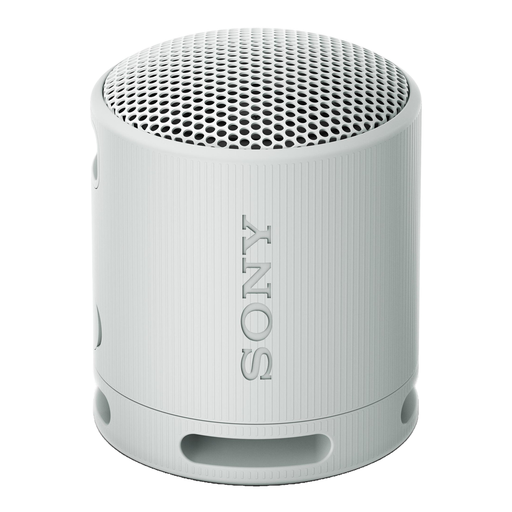 No image available
A portable speaker to compare if you want to make hands-free calls via Bluetooth.
The product description lists hands-free calling, echo cancellation and battery life of up to 16 hours.
Connect the device, then select the speaker and microphone you want to use in Teams. Microsoft also describes how to make a test call; use it to check your set-up before the meeting.
No. The number of microphones alone doesn’t determine whether everyone will be easy to hear in your kitchen. Compare the stated range for the exact model with the seating positions and test the furthest speaker. Manufacturer specifications aren’t standardised real-world tests in your kitchen.
A headset may be a better fit if you’re speaking alone in a shared space and don’t want others at home to hear the conversation. If several people at the table need to join in through one device, a headset won’t suit that group set-up.
According to the Dutch government, when you buy online as a consumer from a business, you’ll often have 14 days to change your mind. Check the terms of the specific purchase. The same rules don’t apply in the same way to every transaction, such as a purchase from a private seller.
A manufacturer’s warranty is in addition to your statutory rights and doesn’t replace them. According to the Dutch government, there’s no fixed statutory warranty period in the Netherlands. If a product is faulty, contact the seller.