What should you look for when choosing one?
USB speakerphone for a computer
A good fit if: you present from a laptop and want someone joining remotely to take part. Compare USB-A or USB-C connectivity and the stated microphone coverage with where people will be sitting.
Bear in mind: the cable needs to suit your setup. Jabra and HP’s stated figures are not measurements taken at your kitchen table.
Portable model for calls via a phone
A good fit if: you make calls using a smartphone or move the speakerphone around. Compare Bluetooth, battery use and the connection options for a computer.
Bear in mind: going wireless also means pairing and charging. Jabra lists Bluetooth for the Speak2 55 with a smartphone and tablet, and USB for a computer.
Discussion with people at the table only
A good fit if: nobody is joining remotely and you don’t need to record via a computer. First, work out what problem you need a speakerphone to solve.
Bear in mind: the devices reviewed are designed for calls via a connected computer or mobile device. Don’t assume they’ll amplify a speaker’s voice for people in the room.
For a hybrid conversation, the key things to check depend on who’s speaking, where they’re sitting and which device is handling the connection.
| What to consider |
What to check before buying |
Who is this important for? |
| How clearly the presenter can be heard |
Compare the stated microphone range with the furthest seat and check for features such as mute, echo cancellation and full-duplex. Test it on a call. |
When I explain my research, I want the remote participant to follow what I’m saying and ask questions. Around 36% of consumers prioritise how clearly the presenter can be heard. |
| Contributions from people at the table |
Compare the manufacturer’s stated room and microphone coverage with your table layout, and ask people in the room to speak during a test. |
If questions and comments from other people need to come through too, I want the remote participant to hear more than one voice. Around 29% of consumers prioritise picking up multiple voices. |
| Connection to your calling device |
Check the exact model variant, USB-A or USB-C, how Bluetooth works with each device, and your meeting app’s audio settings. Check whether any required dongle is included. |
If I want to use my existing computer, phone or tablet, the connection needs to work with it. For around 21% of consumers, connectivity is the top priority. |
| Portability and battery |
Check how it charges, which cable is included and whether the stated talk time is long enough for how long you need to use it. |
If I hold discussions in different places, I want to be able to move the device easily. Around 14% of consumers prioritise a portable setup. |
Joybuy products
This selection includes portable speakerphones and models that connect to a computer via USB, for calls with a phone or a remote participant.
 No image available
Insta360 Wave AI Conference Speakerphone, white
A portable option to compare for calls via a phone and Bluetooth.
Bluetooth is mentioned in the product name.
Joybuy
 No image available
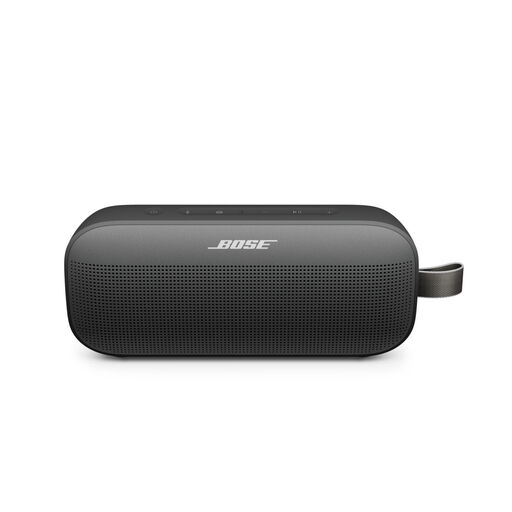
Bose SoundLink Flex Portable Speaker (2nd Gen), black
A portable option to compare for phone calls; check that its features suit the way you hold meetings.
The product name describes it as a portable speaker.
Joybuy
 No image available
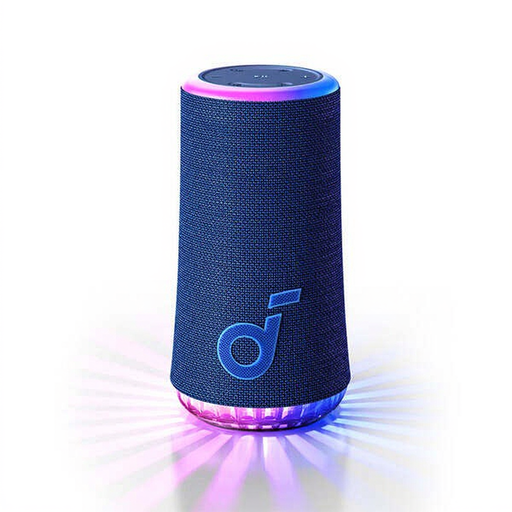
soundcore Glow-Blue
A portable option to compare for hands-free calls using a connected phone.
Bluetooth and hands-free calling are listed as features.
Joybuy
 No image available
Jabra SPEAK 510 MS Conference Room, USB-A, black
A compact option to compare for calls via a computer with USB-A.
The product name lists Bluetooth and USB-A (USB 2.0). The stated wireless range of up to 30 metres requires the optional Jabra Link 370 adapter.
Joybuy
 No image available
Jabra Speak2 55 MS Teams, Dark Grey
An option for a hybrid meeting where the presenter and remote participant can speak over one another.
Jabra lists full-duplex and four microphones for the Speak2 55. According to the Dutch specifications, Bluetooth is for a smartphone or tablet, while the computer connection is via USB.
Joybuy
Frequently asked questions
Is a speakerphone useful if everyone is sitting at the table?
Not necessarily. The models discussed are designed for calls with a connected computer or mobile device. If nobody is joining remotely, first decide whether you need to record or use another specific feature; don’t assume the speakerphone will make your voice louder for people in the room.
How can you make sure the remote participant hears the right microphone?
Connect the device as specified for your model and select it as both the microphone and speaker in your meeting app. Test it from the seats you’ll usually use before presenting; the stated microphone range doesn’t guarantee how it will sound in your kitchen.
Can you hold a wireless meeting on your laptop with the Jabra Speak2 55?
Don’t assume so: Jabra’s Dutch specifications list Bluetooth for a smartphone and tablet, and USB for a computer. Check the relevant specifications for any other model or variant.
What are your rights when you buy a speakerphone online?
According to ACM ConsuWijzer, online consumer purchases usually come with a statutory cooling-off period of up to 14 days after delivery, subject to applicable exceptions. You also have a statutory guarantee if, under normal use, the product doesn’t do what you could reasonably expect it to; a manufacturer’s warranty does not replace this statutory right.
Can you record the discussion without asking?
According to the Dutch Data Protection Authority, an organisation recording personal data needs a lawful basis under the GDPR; consent is one possible basis. Whether the GDPR applies to a recording made solely for personal or household use depends on the circumstances. So don’t leave the recording function running without people noticing, and check which rules and agreements apply before recording.


