
Housemate making a solo call
Wants their family to hear them clearly while other people are at home. Placement, mute controls and a connection that works with the calling device are all important considerations.


A speakerphone is a good choice if you want the call to play through a loudspeaker, for example when several people are sitting around the table. Check the microphone range, mute controls and connection to your phone or computer. If you don’t want housemates to hear the conversation, noise cancellation won’t solve the privacy issue: choose a headset or find a private spot instead. Manufacturer specifications alone can’t predict how clear calls will sound in your home.
Wants their family to hear them clearly while other people are at home. Placement, mute controls and a connection that works with the calling device are all important considerations.
Wants several people to join the call around one table. Check that the microphone set-up suits the seating positions and distances in the room.
Doesn’t want housemates to hear the other person on the call. First consider whether an open loudspeaker is suitable, or whether a headset or private spot would be a better fit.
First decide whether you’re happy for housemates to hear the call. Then consider where people will be sitting and how the speakerphone connects to your device.
A good fit if: you usually make calls from a laptop and can use a cable.
Bear in mind: cable reach and a suitable USB port; you’ll also need to select the device in your system settings and calling app.
A good fit if: your model supports Bluetooth with the phone or tablet you’ve chosen.
Bear in mind: pairing and battery charge. Support for a phone doesn’t necessarily mean Bluetooth works in the same way with a computer.
A good fit if: housemates mustn’t hear the call, or a loud conversation would disturb others.
Bear in mind: it’s less convenient to share the audio with several people around the table.
| What to consider | What should you check? | Who should pay extra attention? |
|---|---|---|
| Call clarity in the room | Test with typical background noise to check whether your family can hear everyone from the intended seats; check the placement and mute controls. | If you’re calling from a shared room, you’ll want your voice to come through clearly despite other people talking. Around 33% of consumers put call clarity first. |
| Privacy and noise for housemates | Think about who can hear the call and where you’ll be making it; check whether the device has an easy-to-find mute button. | If the call is private, you won’t want housemates to hear the other person through the loudspeaker. Around 27% of consumers make privacy their top priority. |
| Connection to your device | Check the ports and any included adapter for the exact version; select the speakerphone as both the microphone and speaker in your calling app. | If you’re calling from your own computer, phone or tablet, you’ll want to know in advance whether it will connect. Around 20% of consumers put connectivity first. |
| Multiple speakers | Compare the stated microphone range with the seating positions, and test each intended spot during a trial call. | If several housemates are joining the call, you’ll want your family to hear everyone from different spots around the room. Around 20% of consumers prioritise calls with multiple speakers. |
The other person’s voice still plays through the loudspeaker into the room. Microphone noise cancellation doesn’t change who can hear that sound.
First decide whether housemates can listen in. If not, choose a headset or find a private spot.
Connections can vary between computers, phones and tablets, and between versions of the same model. Jabra warns that standard Bluetooth with a computer isn’t certified for the Speak2 55 and may sound different from USB.
Check the full version name and box contents against the device you’ll be using for calls.
Your preferred set-up may require a different connection or a version with a dongle.
A range listed in the product specifications doesn’t show how voices and background noise will sound in your home.
During a typical day at home, test every intended seat with someone at the other end of the call.
The Speak2 55 is a compact option for calls from a computer or, via Bluetooth, a phone or tablet.
According to HP, the Poly Sync 20 USB-A combines USB and Bluetooth for calls.
The SP92 is an option for comparing USB and Bluetooth, including for calls with several people around a table.
According to EMEET, the OfficeCore M0 Plus offers a USB-C connection and Bluetooth.
This selection includes open speakerphones for calls with one or more people, as well as headsets and earbuds if you’d rather not listen through an open loudspeaker.
 No image available
An option if you’re looking for an open conference speakerphone with Bluetooth for calls with several people.
 No image available
A speakerphone option if you want to make calls through an open loudspeaker.
The product name lists USB-A (USB 2.0) and Bluetooth.
 No image available
A speakerphone option for computer use and calls with multiple speakers; the open loudspeaker means the conversation can be heard around the room.
Jabra lists four beamforming microphones and a microphone range of up to 2,3 m for the Speak2 55. For use with a computer, Jabra recommends USB rather than a standard Bluetooth connection. The stated range hasn’t been tested in your home.
 No image available
A headset option if you’d rather not join the call through an open loudspeaker. The product name specifies a mono version and USB-A.
 No image available
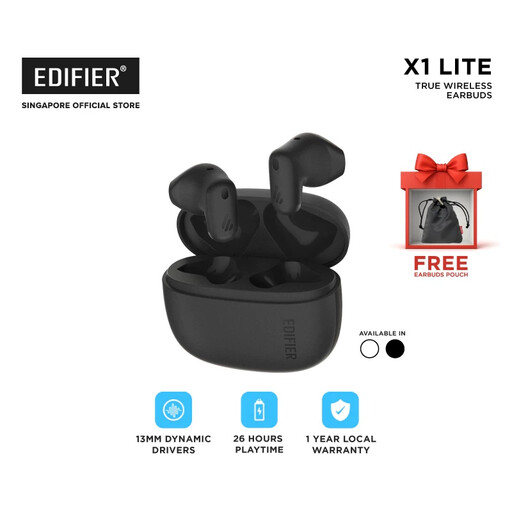
An earbud option if you’d rather not listen through an open loudspeaker; it isn’t a way for several people to join in around one speakerphone.
The product description lists Bluetooth 5.4.
First check the connection on the exact version. For the Speak2 55, Jabra specifies USB-C or USB-A for a computer. Then select the speakerphone as both the recording and playback device in your system settings and calling app. EMEET specifies USB-C and Bluetooth for the M0 Plus.
Check that your calling app is using the intended microphone, and test the mute function with someone at the other end of the call. For use with a computer, Jabra recommends USB rather than standard Bluetooth for the Speak2 55. If you’re still having problems, consult the manual and manufacturer’s software for your model.
For online consumer purchases in the Netherlands, you generally have up to 14 days from delivery to change your mind, subject to legal exceptions and the applicable returns policy. You’re also entitled to a product that works properly: according to the Dutch government, there’s no fixed term for the statutory warranty in the Netherlands, and you should contact the seller if a product is faulty.
Check that the exact version being offered carries the required CE marking. The Dutch Authority for Digital Infrastructure explains that equipment must meet the applicable product requirements; a model name alone doesn’t confirm which version you’re being offered.