What should you look for?
Start with where people will be speaking from and how many will take part. Then check the call features and connections that work with your teaching device.
| What to consider |
What to look for |
What matters to you |
| Being heard clearly from every seat |
Measure the distance to the furthest speaker and compare it with the specification for the exact model. Jabra gives a maximum range of 2.3 metres for the Speak2 55, HP gives up to 2.5 metres for the Poly Sync 40, and Yealink gives 1.5 metres for the CP700. Then test from the furthest seat. |
If I’m speaking with several learners from different seats, I want to know whether the teacher can hear us at the back of the room too. Around 36% of consumers say being heard clearly from every seat is their top concern when buying. |
| Responding naturally |
Check whether the exact model supports full-duplex audio, and test during a call to see whether people can speak at the same time. Jabra lists full-duplex for the Speak2 55, as does HP for the Poly Sync 40. |
During pronunciation and conversation exercises, I want to be able to respond without one side always having to wait. Around 29% of consumers give natural turn-taking top priority. |
| Connecting to your teaching device |
Check your computer or phone, available USB ports and whether you’ll need an adapter. Jabra lists USB for computers and Bluetooth for smartphones and tablets with the Speak2 55. EPOS offers different EXPAND 40 versions, including models with and without a dongle. |
If I use my laptop or phone for the lesson, I want to know in advance how to connect the speakerphone. Around 21% of consumers prioritise having the right connection and platform version. |
| Portability and charging |
Compare the charging options and cable position with the place where you’ll be teaching. AnkerWork says the PowerConf S330 A3308 has no built-in battery or Bluetooth; Jabra lists up to 12 hours of talk time for the Speak2 55. |
If I move between classrooms, I want to know whether I can use the device away from a fixed setup and when I’ll need to charge it. Around 14% of consumers put portability and use without a fixed setup first. |
Speakerphones at Joybuy
This selection includes speakerphones for a learner joining a call alone and for conversations with several participants. For each model, check whether the connections, features and microphone setup are right for your teaching space.
 No image available
Insta360 Wave AI Conference Speakerphone, Black
The product description mentions multiple pickup patterns and Bluetooth. Test it on a call to check whether the setup can pick up everyone in your classroom.
The description lists eight microphones, a pickup range of 16.4 feet and a built-in battery offering up to 12 hours of use.
Joybuy
 No image available
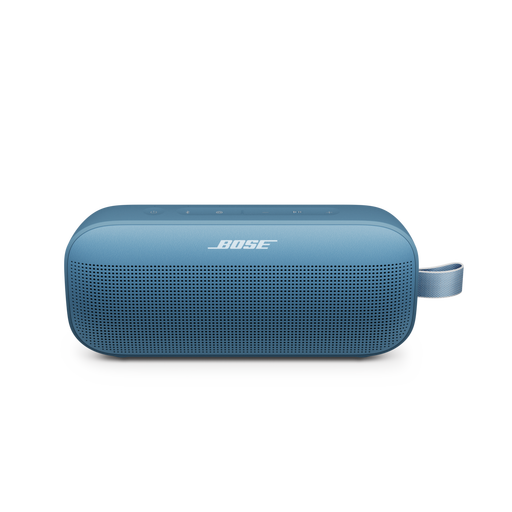
Bose SoundLink Flex Portable Speaker (2nd Gen), Blue Dusk
The product description mentions speakerphone use via the built-in microphone. Check that your teaching app recognises the device as both a microphone and a speaker.
The description lists Bluetooth, a built-in rechargeable battery offering up to 12 hours of use and a weight of around 0.59 kg.
Joybuy
 No image available
Jabra Speak 510 MS, Black
The product description presents this as a personal, portable speakerphone for calls. Check where you place it if several learners will be speaking from the classroom.
The description lists USB and Bluetooth, with battery life of up to 15 hours.
Joybuy
 No image available
Jabra Speak2 55 MS Teams, Dark Grey
Full-duplex audio can be useful for interactive exercises. Test the setup with several speakers to see how well it works in your classroom.
The product description lists four microphones, USB and Bluetooth, with battery life of up to 12 hours.
Joybuy
Frequently asked questions
Can one speakerphone pick up everyone in the classroom?
Not necessarily. Compare the furthest speaking position with the stated range for the exact model, then test the setup in your classroom. Logitech describes additional microphones for specific Rally systems, including for long or unusually arranged rooms.
How do I set up the speakerphone before the lesson starts?
Connect the device using a supported method, then select it as both the microphone and speaker in your operating system and teaching app. AnkerWork’s guide explains how to do this for the PowerConf S500; for other models, follow the instructions provided with the device.
Who can help if a speakerphone I bought as a consumer turns out to be faulty?
For a consumer purchase, the seller must offer a solution under Dutch Government guidance if a product is faulty. Dutch statutory guarantees don’t have a fixed two-year limit; what you can expect depends, among other things, on the product and the information provided at the point of sale. If an educational institution makes the purchase, check the contract terms separately.
Can I record a language lesson in the classroom?
Using a speakerphone doesn’t in itself give you permission to record lesson participants. The Dutch Data Protection Authority says educational institutions must limit privacy risks and agree on recordings, their purpose and how long they will be kept. Check the applicable lesson policy before recording.
Does the school always need to carry out a DPIA for online participation?
No, not just because a speakerphone is being used. The Dutch Data Protection Authority says a DPIA is required for data processing that poses a high privacy risk. The school must assess the risks of the planned online lesson setup.


