
You’re choosing a charger for your speaker
Your main priority is checking that the connector, cable and power supply meet your portable speaker’s charging requirements.


First, check the connector and charging requirements for your speaker. If you’re only charging the speaker, a suitable separate charger may be all you need. A USB power strip is useful mainly if you also need extra mains sockets. If you’re charging several devices, check the power available from each port and the total shared output.
Your main priority is checking that the connector, cable and power supply meet your portable speaker’s charging requirements.
You’re looking for a practical place to charge your speaker and want the mounting, cable and set-up to work with your desk. The fire service advises placing chargers in a clear space so heat can escape.
You want to know how many USB ports are available and how the power is shared between them when you charge several devices at once.
Choose this if: you mainly want to charge your speaker and don’t need extra mains sockets. Check that the connector, cable and charging mode match your speaker’s manual.
Bear in mind: a separate charger won’t give you extra mains sockets. Belkin states that model WCC002vfWH delivers up to 67 W when using one port. With three ports in use, Belkin specifies up to 25 W on one port and 20 W on each of the other two.
Choose this if: you need mains sockets at your desk as well as a way to charge your speaker. Compare a clamp model with a cube and check that the cable and mounting will work in your space.
Bear in mind: a clamp model needs a compatible desk top, while a cube takes up space on your desk. ACT states that the AC2480 clamp fits desk tops up to 5,5 cm thick. For the ACT AC2420, the manufacturer specifies 30 W when using one USB-C port and 15 W in total when using two or three USB ports at the same time.
Choose this if: you want to charge other devices as well as your speaker, and their charging requirements are compatible with the available ports.
Bear in mind: Hama lists three mains sockets, three USB ports and 100 W in the product name for model 00223192. That figure doesn’t tell you how much power each port delivers when used at the same time, or what your speaker can accept.
| What to consider | What to check before buying | Who is this important for? |
|---|---|---|
| Connector and charging mode | Compare the speaker port, cable and permitted power supply with the manual. | If your main concern is making sure the charger is compatible with your speaker, put compatibility first; around 40% of consumers say this is their main concern when buying. |
| Safe charging | Check that the charger and cable are undamaged and that the charging area is clear; don’t connect extension leads to one another. | If you want to charge your speaker in a clear space, away from bedding, safe use is your top priority; around 30% of consumers put this first. |
| Position and reach | Measure the distance to the socket and, for a clamp, the thickness of your desk top. | If your desk has limited space, you’ll want to know in advance whether the set-up will fit and leave room for the speaker; around 20% of consumers prioritise position and reach. |
| Charging several devices at once | Check how the power is shared between the number of ports you plan to use at the same time. | If you’re charging other devices as well as your speaker, you’ll want to know how much power is available to each port; around 10% of consumers choose this as their first consideration. |
The stated output can change when you use several USB ports at the same time. So, the total figure alone doesn’t tell you how much power one port will deliver to your speaker.
Check how power is shared across the combination of ports you plan to use, and compare this with your speaker’s charging requirements.
The fire service advises against connecting extension leads to one another.
Measure the distance to your charging spot and choose a single, suitable solution in good condition.
The European Commission states that the common charging rules have applied since 28 December 2024 to new portable speakers covered by the rules. This doesn’t tell you which connector a speaker you already own has.
Check the port on your speaker and consult its manual before choosing a charger or cable.
ACT offers USB power strips for a range of desk set-ups.
Model 00223192 is a power strip for anyone looking to combine USB ports and standard mains sockets in one set-up.
The BoostCharge WCC002vfWH is a separate USB-C wall charger, with no extra mains sockets.
These product options combine USB charging with either a separate wall charger or a power strip with standard mains sockets. Before buying, check that the connectors and power distribution are suitable for your speaker.
 No image available
A separate wall charger to consider if you want to charge USB devices without adding extra mains sockets to your desk.
The product name lists 65 W, two USB-C ports and one USB-A port. Check the power distribution between ports and your speaker’s required charging mode.
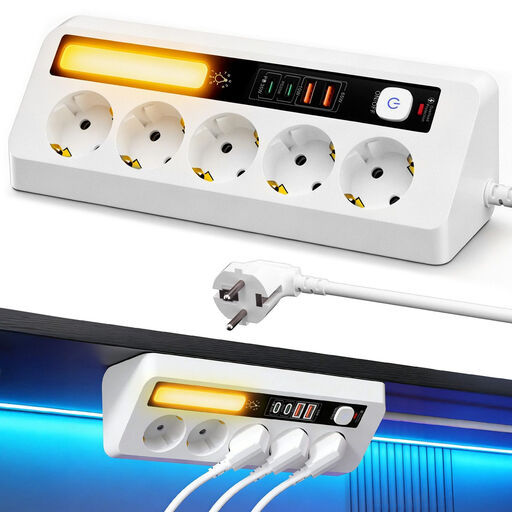 No image available
An option to consider if you want to combine USB charging with several standard mains sockets in one place.
The product information lists five mains sockets, four USB ports and a total USB output of 65 W. Check how the power is shared when charging several devices at once.
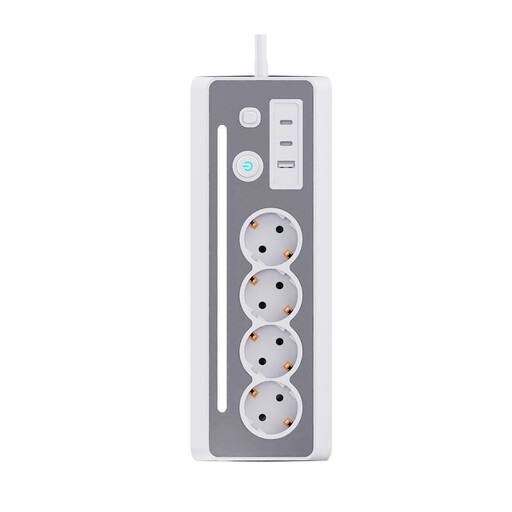 No image available
An option if you want standard mains sockets at your desk as well as USB charging.
The product information lists two USB-C ports, one USB-A port and a 1,5 m cable. Check that the available USB connectors are suitable for your speaker’s cable.
 No image available
A clamp-on model to consider if you want to place USB ports and standard mains sockets at the edge of your desk.
The product information lists three Schuko sockets, two 20 W USB-C ports, one 18 W USB-A port and a 1,4 m cable. Check that the clamp fits your desk top.
 No image available
An option for a student room if you want to combine USB-C charging with standard mains sockets.
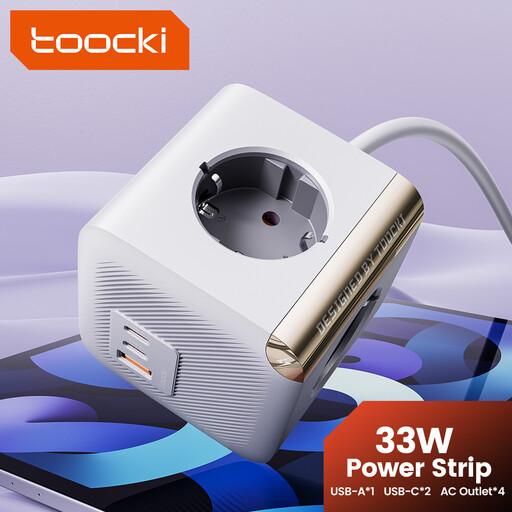
The product name lists PD33W; the product information specifies four mains sockets, one 20 W USB-C port and one 18 W USB-C port. Don’t plug this power strip into another power strip; the product information lists a maximum load of 2500 W.
No, not necessarily. According to the European Commission, the common charging rules have applied since 28 December 2024 to new portable speakers covered by the rules. If you already own the speaker, check its connector and manual.
Place the charger in a clear space so heat can escape, and don’t charge your speaker under a pillow or duvet. The fire service advises using chargers and cables that are undamaged; a charging set-up doesn’t remove the need to take these precautions.
It depends on the model and the combination of ports in use. ACT states that the AC2420 delivers up to 30 W when using one USB-C port and 15 W in total when using two or three USB ports. Compare the power distribution with your devices’ charging requirements.
For online purchases, ACM ConsuWijzer says you’ll usually have a 14-day cooling-off period from delivery, subject to legal exceptions. In the Netherlands, statutory consumer rights also apply if a product doesn’t do what you could reasonably expect under normal use; there is no fixed statutory period of exactly two years.
Electrical equipment covered by the scope of the EU Low Voltage Directive must meet the relevant EU requirements. The NVWA advises checking for a CE mark on electronic products. The mark alone doesn’t confirm that the charger is suitable for your specific speaker.