Start with the playback route for your audiobook app: for Storytel, Storytel and Sonos describe a route through the Sonos app, which requires an active Storytel account. Then see how clearly you can hear a spoken passage from your usual seat, and only then choose between phone, button or voice controls. You may not need a larger model or a stereo pair.
Who is this guide for?
Listeners with a favourite audiobook app
You want to keep using your existing library. So check that your app, subscription, phone and chosen playback route are all compatible. The Storytel Help Centre Netherlands explains how to add Storytel to the Sonos app for accounts with an active subscription.
Listeners in a shared living room
You want to follow the narrator from your own seat without turning the volume up unnecessarily for others in the household. Listen to a spoken passage from that spot at your usual volume. Consumentenbond notes that you can’t judge sound quality by looking at a speaker.
Listeners who want simpler controls
You want to pause or resume playback from your seat, and choose between your phone, buttons and voice control. Check the language and features of your chosen assistant: Sonos Support lists US English and French for Sonos Voice Control, but not Dutch.
What should you look for?
First, confirm a playback route from your audiobook app. Then assess how easy the narration is to follow from your seat, before deciding which controls and microphone features you want. The percentages show the main priority for each group of consumers looking for a speaker for audiobooks in a large living room.
| What to consider |
What should you check? |
Who is this important to? |
| Playing your own audiobooks |
Check that your app and subscription work with your chosen playback route. Storytel says an active account is required to use Storytel through the Sonos app. |
I want to keep using my existing library rather than having to switch to a new app. Around 33% of consumers say playing their own audiobooks is their main priority. |
| Clarity from your seat |
Listen to a spoken passage from your usual seat at your normal volume; check the speaker’s placement before considering a second one. |
I want to follow the narrator without turning the volume up unnecessarily for others in the household. Around 27% of consumers prioritise clarity from their listening spot. |
| Controls from your seat |
Check the buttons, app and any voice assistant separately, including the language and commands available for your audiobook app. |
I want to pause or resume easily while listening, ideally without having to reach for my phone every time. Around 20% of consumers name controls as their main priority. |
| Required service and connection |
Check whether your chosen playback route requires an active account and whether you need an adapter for a particular connection. |
I want to know in advance which service and components I’ll need for my listening setup. Around 13% of consumers say this is the most important factor in their choice. |
| Microphone and privacy |
Compare models with and without built-in voice control. Also check the microphone controls, privacy notice and security settings. |
I want to decide whether a built-in microphone suits the way I’ll use the speaker. Around 7% of consumers say this is their main consideration. |
Buying pitfalls
-
Assuming every smart speaker supports your audiobook app
A speaker with Wi-Fi or a voice assistant won’t necessarily give you direct access to your audiobook library. Storytel describes a specific route through the Sonos app and requires an active account.
Before you choose, check the exact service, your account, the app on your phone and the playback route you plan to use.
-
Choosing a large speaker or stereo pair straight away for audiobooks
Claims about room-filling sound or stereo-pair support don’t tell you how clearly you’ll hear a narrator from your seat. You don’t automatically need a second speaker for a single spoken voice.
First, listen to a spoken passage from your usual spot at your normal volume. Then check whether a stereo pair with the exact model and your planned placement would add anything.
-
Assuming a voice assistant understands Dutch book titles
Voice-control support doesn’t prove that every Dutch command or audiobook app will work. Sonos lists US English and French for Sonos Voice Control, but not Dutch.
Check the language, chosen assistant and commands for your service separately. If that route isn’t right for you, compare using the app or buttons instead.
Brands to consider
Sonos
Worth considering if you want to use Storytel through the Sonos app or are looking for different playback connections on an Era model.
- Sonos lists Wi-Fi, Bluetooth, AirPlay 2 and touch controls for the Era 100. The Storytel Help Centre Netherlands explains how to add Storytel to the Sonos app with an active account.
- According to Sonos, Sonos Voice Control supports US English and French, but not Dutch. The Era 100’s line-in requires a separate adapter.
Google
The Google Home Speaker available in the Netherlands is an option if you’re looking for a Google Home setup and its associated controls.
- Google Store Netherlands lists Wi-Fi, Bluetooth and a switch to mute the microphone. Google also explains how to pair speakers of the same type.
- These features don’t confirm that your audiobook app will work directly or that a specific Dutch voice command will start a book. Check the playback route with your own app and phone.
Denon
The Home 150 is worth considering if you use HEOS or want to play audio from a compatible device via Bluetooth or AirPlay 2.
- Denon describes the Home 150 as a mono speaker with HEOS and three Quick Select buttons.
- The listed playback connections and control via other compatible devices don’t confirm that every audiobook app is supported directly.
Apple
HomePod mini 2 is a future AirPlay option for households with a compatible Apple device.
- Apple lists AirPlay, support for a stereo pair and an iPhone or iPad as installation requirements.
- Apple says it will be available from 30 October 2026. The description ‘room-filling’ isn’t an independent assessment of how clearly you’ll hear narration from your seat.
Joybuy product picks for listening from your phone
These products suit a setup where you play audiobooks from your phone. Check which connections and controls work with your phone and audiobook app.
 No image available
Bose Lifestyle Ultra Speaker - Black
Worth comparing if you want to play audiobooks from your phone and control playback through an app. Check which playback routes your audiobook app supports.
According to the product information, an app or service is required to use it.
View on Joybuy
 No image available
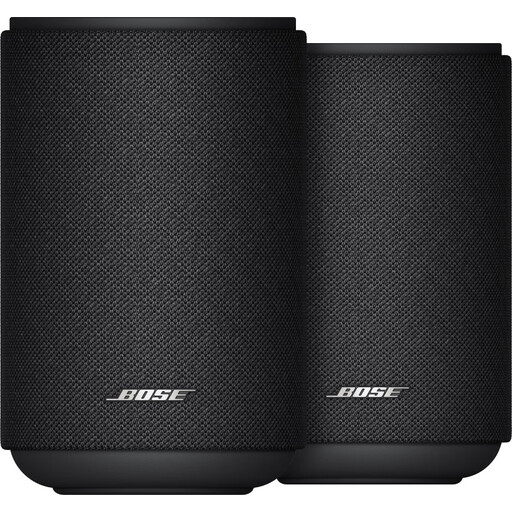
Bose Lifestyle Ultra Speaker Duo Pack - Black
Worth considering if you want to compare a two-speaker setup and play audiobooks from your phone. First, check that your app and phone work with the playback route you’ve chosen.
According to the product information, an app or service is required to use it.
View on Joybuy
 No image available
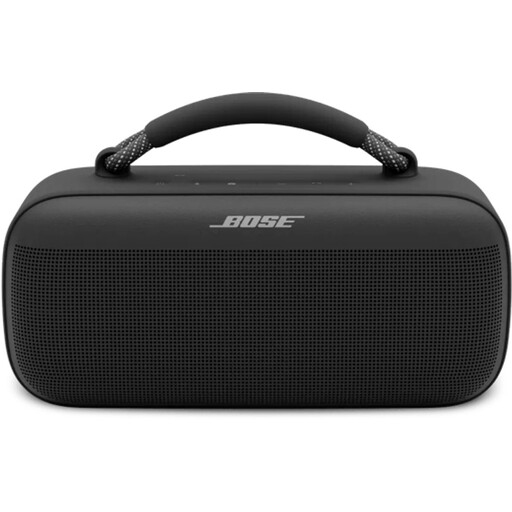
Bose SoundLink Max Bluetooth speaker - Black
Suitable for listening from your phone. Check that your audiobook app supports Bluetooth and how to control playback from your phone.
Bluetooth is listed in the product name.
View on Joybuy
 No image available
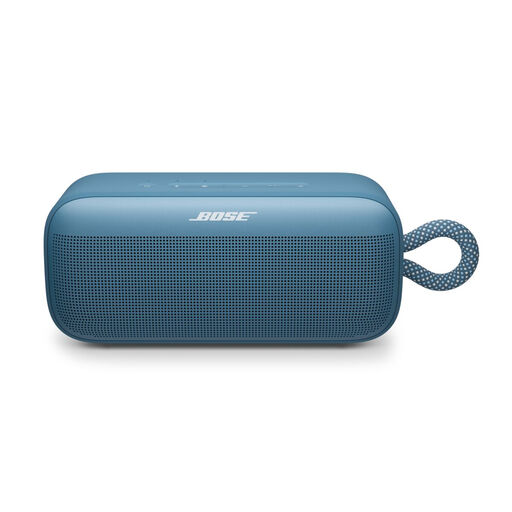
Bose SoundLink Plus Blue Dusk
Worth comparing if you want to play audiobooks from your phone. Check the connection to your phone and the controls in your audiobook app.
View on Joybuy
 No image available
Edifier ES300 WLAN & Bluetooth Speaker
Worth comparing if you want to play audiobooks from your phone and app controls matter to you. Check that your phone and audiobook app support your chosen playback route.
The product name lists 60W. That alone doesn’t determine how clearly you’ll hear the narrator from your seat.
View on Joybuy
Frequently asked questions
Can I add Storytel to Sonos?
Yes. Storytel explains how to add Storytel to the Sonos app, and requires an active Storytel account. Then check that the app and controls work on your phone as you’d like them to.
Do I need two speakers for a large living room?
Not just because the room is large. First, listen to a spoken passage from your usual seat. Then check whether the exact model supports a stereo pair that suits your setup.
What should I check during setup and use?
Check which app and network connection your model needs. For the Era 100, Sonos lists a phone or tablet, Wi-Fi and the Sonos app. The Dutch government recommends using strong passwords and keeping software and apps on connected devices up to date.
Do I need a subscription or adapter for my listening setup?
That depends on the service and connection you choose. According to Storytel, an active account is required for the route through the Sonos app described by Storytel. For the Era 100’s line-in, Sonos specifies a separate adapter.
What are my rights when buying online in the Netherlands?
According to the Dutch government, when you buy from a business at a distance, you’ll often have a 14-day cooling-off period, although there are exceptions. Products must also be of satisfactory quality; if there’s a problem, the seller must provide a solution. Check the terms that apply to your specific purchase.


