
Vandaag of morgen in huis

Kwaliteit gegarandeerd

Welkomstaanbiedingen ontgrendelen: GRATIS bezorging | Tot 80% korting | Gratis 30 dagen JoyPlus-proefperiode
Download de app
Want to buy a soundbar, but finding it hard to tell the models apart through terms such as Dolby Atmos, 5.1.2 and eARC? A soundbar can make your TV sound clearer and fuller, but not every model is right for every living room, television or listening style.
Most disappointing purchases come down to three common pitfalls:
Use the points below to compare models based on verifiable specifications rather than marketing claims.
The channel configuration tells you how many speaker channels a system uses. A 2.0 soundbar typically has only left and right channels. A 2.1 soundbar adds a subwoofer. In a 5.1.2 soundbar, the numbers represent five main channels, one subwoofer channel and two height channels.
A 7.1 soundbar or 7.1 system with separate surround speakers is particularly interesting for films, TV series and games where sound comes from multiple directions. Always check whether rear speakers are actually included. Some models use only virtual processing, such as DTS Virtual:X or similar technology.
According to TCL’s product information, the Q75H supports Dolby Atmos and DTS:X in a 5.1.2 configuration. The Ultimea Aura S4T is described as a 7.1 system with four surround speakers and a subwoofer. These are different set-ups, so they aren’t directly comparable.
A Dolby Atmos soundbar can process height information, but the result depends on the soundbar, its placement and the source. Not every streaming service, games console or TV broadcast provides Atmos audio. So also check whether your television and streaming devices pass through the audio formats you want.
DTS:X is another audio format that uses object-based sound information. According to Sony’s own product information, the HT-S2000 supports Dolby Atmos, DTS:X and DTS Virtual:X, among other formats. The Sony BRAVIA Theatre Bar 6 has a 3.1.2 configuration, wireless subwoofer and support for Dolby Atmos and DTS:X, according to its product specifications.
A soundbar with HDMI eARC is handy if your compatible TV also supports eARC. One HDMI cable can often make it easier to connect your TV’s audio and controls. HDMI ARC is enough for many standard formats, while eARC offers more bandwidth for certain high-quality audio formats.
Also look out for:
A compact model with built-in bass speakers is easier to position. A soundbar with a wireless subwoofer can deliver more bass, but takes up extra floor space.

Why it suits this profile: A compact plug-and-play solution for anyone who wants to improve their TV sound without putting separate speakers around the room.
The product specifications list HDMI ARC/eARC, optical audio, Bluetooth and an integrated subwoofer. So you don’t automatically need to buy a separate bass module.
2.0 configuration, Dolby Atmos and DTS support according to the product information, plus Bluetooth 5.2 and app control.
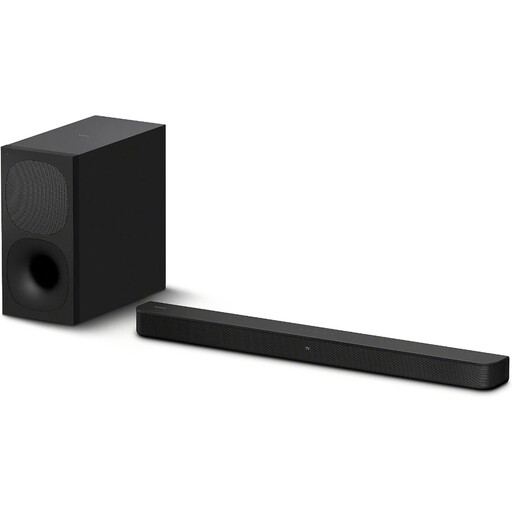
Why it suits this profile: For viewers looking for a clear upgrade for films and music, with room for a separate subwoofer.
The product information lists a 2.1 configuration, wireless subwoofer and HDMI ARC. This makes clear that it isn’t a full Atmos system with height channels.
330 watts RMS according to the specifications, Dolby Digital, Bluetooth 5.0 and an active wireless subwoofer.
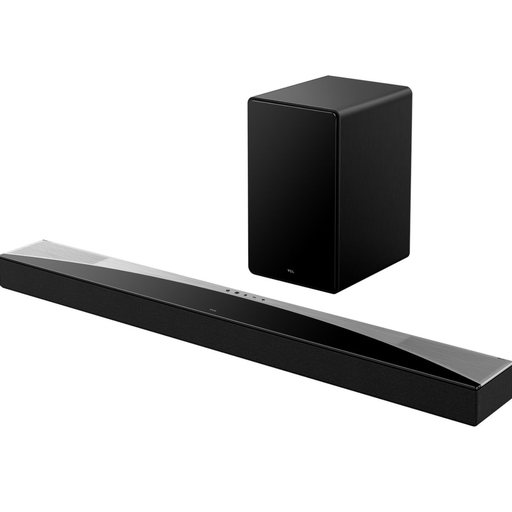
Why it suits this profile: For a home cinema set-up with height channels, a wireless subwoofer and a range of connection options.
The 5.1.2 configuration and included subwoofer are explicitly listed in the product specifications. Do check that your room and TV are suitable for the positioning you want.
620 watts RMS, HDMI eARC, HDMI input, Bluetooth 5.3, Apple AirPlay 2 and support for Dolby Atmos and DTS:X.

Why it suits this profile: For gaming, films and TV series where separate surround speakers and extensive adjustment options are important.
Unlike a virtual surround sound soundbar, this system lists four separate surround speakers and a subwoofer. Bear in mind that you’ll need extra cables and space to position them.
7.1-channel set-up, 350 watts peak power, HDMI ARC, optical input, AUX, USB and app control with an equaliser.
We’ve put together a complete, up-to-date list of products that fully meet these strict selection criteria and the applicable European safety regulations.
Place the soundbar centrally beneath or in front of the TV. If wall-mounting it, check the distance from the wall and make sure the ventilation openings remain clear. On a model with upward-firing Atmos speakers, a low ceiling, deep shelf or obstruction above the soundbar can affect the spatial sound effect.
Use HDMI ARC or eARC if both devices support it. Then select the external audio output on your TV and, if necessary, switch off the built-in TV speakers. Bluetooth latency can vary between devices, so a wired connection is often more practical for films and gaming.
Not necessarily. A subwoofer can deliver more bass, but it needs extra space and a power socket. For a small living room, a compact soundbar with built-in bass speakers may be more practical. Look at the channel configuration, dimensions and connections rather than focusing only on whether a subwoofer is included.
It depends on the source and the audio format being used. Many basic Atmos signals can be passed through HDMI ARC, while eARC offers more bandwidth and is more often suitable for advanced formats. Check the specifications of your TV, soundbar and streaming source together.
Its lifespan depends on usage, heat, dust and the quality of its power supply. Don’t place the device in an enclosed cabinet, keep the ventilation openings clear and update its firmware when the manufacturer offers updates. Also keep your proof of purchase and check the statutory guarantee in the EU, along with any additional rights under Dutch consumer law.
