
Album listener with a wide seating area
You listen closely to vocals, bass and instruments from a fixed spot, and want to decide whether one speaker is enough or a stereo pair would suit your listening position better.


For soul albums in a large living room, one larger speaker is a sensible choice if you want a simple setup. Choose a compatible stereo pair if wider sound coverage from your listening position is more important. Then check that your music service or audio source works with your chosen model: according to Sonos, spatial audio on the Sonos Era 300 requires compatible content, a supported service and Wi-Fi.
You listen closely to vocals, bass and instruments from a fixed spot, and want to decide whether one speaker is enough or a stereo pair would suit your listening position better.
You want to play full albums through your current streaming service or audio source, without choosing a speaker that uses an unsuitable playback method.
You want to know which voice controls are useful in your home and what you might need to switch off if you don’t want to use the microphones. App control may also be a factor.
First, choose a setup that suits your listening position. Then check your music service, preferred controls and privacy settings.
| What to consider | What to look for | Who is this relevant to? |
|---|---|---|
| Sound and coverage | Compare the sound balance and usable volume at your listening position. Check whether the same model can be used as a stereo pair and whether you have room for two speakers. | If I listen to full albums from a fixed spot, I want to follow the vocals and instruments clearly and tailor the setup to that position. Around 29% of consumers prioritise sound and coverage in the living room. |
| Access to albums | Check that your own music service works with the speaker and that it has a suitable input for any audio source you want to connect. Also check whether you’ll need an adapter. | I want to keep playing albums through my usual service or audio source, and know in advance what connection I’ll need. Around 23% of consumers give access to their preferred albums top priority. |
| Controls and ecosystem | Check the language supported by your preferred voice assistant, any setup requirements, and whether app or button controls will suit you. | I want to start albums using controls that work in my household, without relying on an assistant that doesn’t understand my language. Around 18% of consumers choose mainly on the basis of controls and ecosystem. |
| Complete setup | Allow for two compatible speakers if you want a stereo pair, and a separate adapter if you’re connecting a wired source. | I want to know in advance which components I need to complete my chosen setup, rather than looking at just one speaker. Around 18% of consumers prioritise the complete setup. |
| Privacy and security | Review the privacy, account and microphone settings, and check which features won’t be available if you switch off the microphone. | I want to be able to choose which data and microphone features I use, even if that means missing out on certain controls. Around 12% of consumers give privacy and security the greatest importance. |
An album needs to include compatible spatial audio content to use that playback format. A standard stereo mix is a separate consideration.
Check that your albums and music service support the spatial audio you want, and compare speakers for standard stereo playback too.
A stereo pair needs two compatible speakers. The Sonos Era 300 also requires a separate adapter for its line-in connection.
Before comparing, work out whether you want one speaker, two compatible models or a wired audio source.
Sonos currently lists US English and French for Sonos Voice Control. The language of a product page doesn’t tell you which languages the assistant understands.
Check the language supported by the specific assistant, and consider whether app or button controls will suit you.
The JBL Authentics 500 is a larger smart speaker for anyone looking for a choice of streaming methods and voice assistants.
The Era 300 is worth considering if you’re looking at an expandable system, a stereo pair or compatible spatial audio recordings.
The HomePod (2nd generation) is best suited to households that already use the necessary Apple devices, AirPlay or Apple Music.
The Denon Home 350 could be a technical option if you want to combine HEOS devices or an analogue audio source with a larger speaker.
These products are designed for wireless music playback. Check which service, audio source and setup suit the way you plan to use each model.
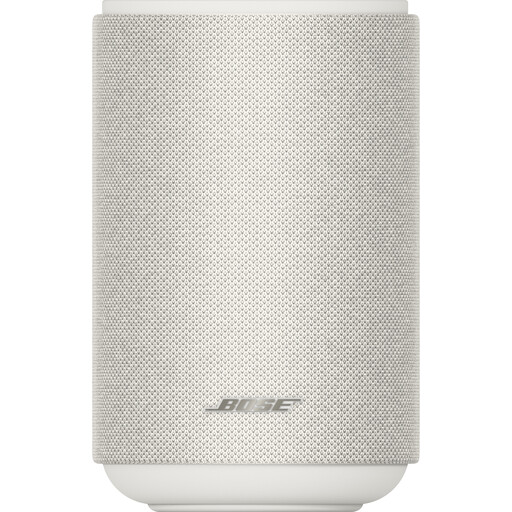 No image available
According to the product description, you can use this speaker on its own or as part of a stereo pair. The listed streaming options include Wi-Fi, Bluetooth, AirPlay 2, Spotify Connect and Google Cast.
 No image available
The listed Wi-Fi, AirPlay 2 and Bluetooth options give you different ways to play music wirelessly. The product description also mentions USB and AUX inputs for a wired source.
One speaker keeps your setup simple; two compatible speakers are a better fit if wider sound coverage from your listening position matters more. Sonos generally requires the same model for a stereo pair, and Apple lists stereo pairing for the HomePod (2nd generation).
No. You need compatible spatial audio content, a supported music service added to the system and Wi-Fi. Check the specific album; standard stereo playback is a separate consideration.
That depends on the player’s audio output and the speaker’s input. Denon lists an analogue 3.5mm input for the Home 350; according to Sonos, the Era 300 requires a separate adapter for its line-in connection.
The Dutch Data Protection Authority (Autoriteit Persoonsgegevens) advises reviewing your account and privacy settings, using strong login details and keeping your device up to date. On the Sonos Era 300, the physical microphone switch also disables features that rely on the microphone.
According to the Dutch Authority for Digital Infrastructure (Rijksinspectie Digitale Infrastructuur), radio equipment must meet the applicable requirements of the Radio Equipment Directive and carry CE marking. Since 1 August 2025, stricter digital security requirements have also applied to certain wireless devices. The RDI lists 11 December 2027 as the start date for the general Cyber Resilience Act design requirement; this future date is not a requirement that is already in force.