
Console gamer on the sofa
You play a snowboarding game on PS5, Xbox or a Switch in TV mode, and mainly want a controller that works with that specific console and game.


First, choose a controller that’s compatible with your console or PC and supported by the specific snowboarding game you want to play. Connecting to a device doesn’t guarantee that every game or feature will work. Then consider how far you’ll be sitting from the screen, whether you want a wired or wireless connection, the button layout and the power requirements. The right choice depends on your platform and gaming setup.
You play a snowboarding game on PS5, Xbox or a Switch in TV mode, and mainly want a controller that works with that specific console and game.
You play on a Windows PC connected to a big screen, so as well as checking game support, you’ll need to choose how to connect your PC to where you sit.
You want to change the button layout or use extra buttons, without assuming that every game will support those features.
Start with your device and the specific game you want to play. Then compare the connection from your seat, the controls and the power requirements.
| What to consider | What to check before buying | Most important for |
|---|---|---|
| Platform and game | Check that your device and the specific version of your game are both supported. | If I’m playing from the sofa, I want to be sure that both my console or PC and my snowboarding game support the controller. Around 36% of consumers put compatibility at the top of their list when buying. |
| Connection from your seat | Measure the distance and check which cable, receiver or wireless connection the exact model uses with your device. | I don’t want to have to arrange my gaming space around a cable, and I want to know in advance which connection will suit my setup. Around 29% of consumers prioritise the connection from where they sit. |
| Buttons and customisation | Check the layout and whether the game supports remappable buttons or any special features. | If the standard layout doesn’t suit how I play, I want to know whether I can customise the buttons and whether the game supports those changes. Around 21% of consumers prioritise personalised controls. |
| Power and accessories | Check which batteries or rechargeable battery you need and how it’s charged. | I want to know in advance what’s involved in playing wirelessly and whether I need anything else to use the controller. Around 14% of consumers give power and additional accessories top priority. |
Ubisoft publishes different lists of supported controllers for each game. A controller may connect to a PC but still not appear on the official support list for your game.
Check the specific title and platform version before choosing, especially if you’re relying on particular features.
According to 8BitDo, the Ultimate 2C Wireless uses a 2.4GHz connection or cable on Windows; Bluetooth is for Android. The separate Ultimate 2C Bluetooth is designed for Switch.
Check the full model name and the connection supported by the version you’re buying for your device.
Nintendo says that the Switch Lite doesn’t support TV mode. A separate controller won’t change that.
If playing on a big screen is important to you, check which Switch model you have first.
An additional warranty service isn’t the same as your statutory rights against the retailer. ACM ConsuWijzer explains that statutory rights apply when a product, used normally, doesn’t do what you could reasonably expect of it.
Consider any additional service separately from your statutory rights. Any costs depend on what’s offered.
The Xbox Wireless Controller is an option for supported Xbox consoles and Windows PCs.
DualSense is designed for PS5 and may also suit PC games that support the controller.
The Nintendo Switch Pro Controller is an option for Switch games played in TV mode.
The Ultimate 2C Wireless offers a Windows connection via a 2.4GHz receiver or cable; the Ultimate 2C Bluetooth is a separate model for Switch.
The Advantage Wired Controller for Xbox Series X|S with Hall Effect is a wired option for the Xbox consoles and Windows 10/11 listed by PowerA.
This selection includes wired and wireless controllers for Switch, Xbox, PS5 and Windows PCs. Check that both the connection and controls are supported for the specific model and game you have in mind.
 Image unavailable
A wired option for playing on Switch if the USB cable can reach from your seat; check that your specific game supports it.
The product information lists Switch and Switch 2, a USB connection and programmable rear buttons. The USB cable isn’t included.
 Image unavailable
A wireless option for Xbox or Windows, provided your specific snowboarding game supports the controller.
The product information lists Xbox Wireless, Bluetooth, USB-C and compatibility with Xbox Series X|S, Xbox One and Windows 10 PCs. AA batteries are required for wireless use; they can’t be charged in the controller.
 Image unavailable
An option for PC or Switch players looking for different connection options and customisable buttons; check support for each game.
The product information lists PC, Nintendo Switch and Switch 2, six programmable buttons, and wired, 2.4GHz and Bluetooth connections.
 Image unavailable
A wireless option for PS5, or for a PC game that supports DualSense. Ubisoft lists DualSense as a supported controller for Riders Republic on PC.
The product information lists haptic feedback and adaptive triggers. The triggers only work when supported by the game; PlayStation also says that a USB connection is required for haptic feedback on PC.
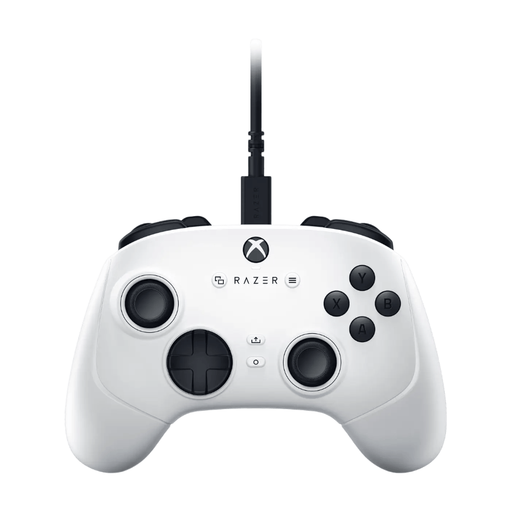 Image unavailable
A wired option for Xbox or Windows, if the cable can reach from your seat and the game supports the controller.
The product information lists Windows and Xbox, Hall Effect sticks, assignable buttons and a detachable 3 m USB-C cable.
No. Check the support list for the specific game. For Riders Republic on PC, Ubisoft lists DualSense, DualShock 4 and Xbox Wireless Controller, among others. The PC support list for Steep includes DualShock 4 and Xbox Wireless Controller, but not DualSense. Other controllers may work even if they aren’t on the official list.
Use a standard Nintendo Switch or Switch OLED in TV mode, with the dock, power supply and HDMI connection to your TV, then select the correct HDMI input. Nintendo says that the Switch Lite doesn’t support TV mode, even with a separate controller.
For the Switch Pro Controller, Nintendo explains how to sync it using the dock and USB cable, or the SYNC button in the controller menu. Xbox Support advises charging rechargeable AA batteries outside the controller. For other models, follow the manufacturer’s instructions.
ACM ConsuWijzer states that online purchases generally come with a statutory cooling-off period of up to 14 days after delivery, although there are exceptions. You also have statutory rights if a product, used normally, doesn’t do what you could reasonably expect of it; the retailer must then offer a suitable solution. An additional commercial warranty service is separate from those statutory rights.