What should you look for when choosing?
Check the game and device first, then consider which connection suits your desk. Only after that should you weigh up any extra control features.
| What to consider |
What to look for when buying |
Who is this important for? |
| Game and device compatibility |
Check the exact game title, platform and supported controllers for the version you play. |
If I want to be sure my controller works with the game I’ve chosen, I check that title’s compatibility first. Around 36% of consumers say compatibility with their game and device is their top priority. |
| Connection and desk space |
Check whether the model is wired or uses a receiver, and whether you have a suitable connection and a spare port. |
If I share my desk with work equipment, I want to know where a cable will run and whether a receiver will use a USB port. Around 29% of consumers prioritise the connection and available workspace. |
| Controls and customisation |
Compare the button layout and check whether extra buttons or adjustable sticks suit the way you play. |
If I want to customise the controls, I look for a layout that feels comfortable for the actions my game supports. Around 21% of consumers make stick feel and button layout their top priority. |
| Extra features and usability |
Check whether the game supports extra features and what comes with the specific model. |
If I’m considering extra features, I want to know whether my game actually uses them and what connection or accessories they require. Around 14% of consumers prioritise the usefulness of extra features and usability. |
Game controllers at Joybuy
This selection features game controllers whose product names mention PC use, or PC and console use. Before buying, check that your snowboarding game and device support the connection you want.
 No image available
Black wireless DualShock game controller for PS4 and PC
The product name mentions PC and PS4 use; check separately whether your snowboarding game supports this controller.
The product description lists a USB cable for initial pairing.
View at Joybuy
 No image available
VIELLAN wireless game controller with Hall Effect joysticks
The product name mentions PC use; check support for your specific game and device.
The title lists Hall Effect joysticks, 255-level triggers, programmable rear buttons, RGB lighting and a 1000 mAh battery.
View at Joybuy
 No image available
Xbox Wireless Controller – Pulse Red
An option to consider if your game and PC support the Xbox Wireless Controller; Ubisoft lists this controller family for Riders Republic on PC.
The product name mentions Xbox, PC and cloud gaming. According to the product information, wireless use requires AA batteries.
View at Joybuy
 No image available
BEITONG KP70 Elite wireless game controller
The product name mentions PC use; check that your game and device support this model.
The product name lists haptic triggers, adjustable joysticks and six programmable buttons.
View at Joybuy
 No image available
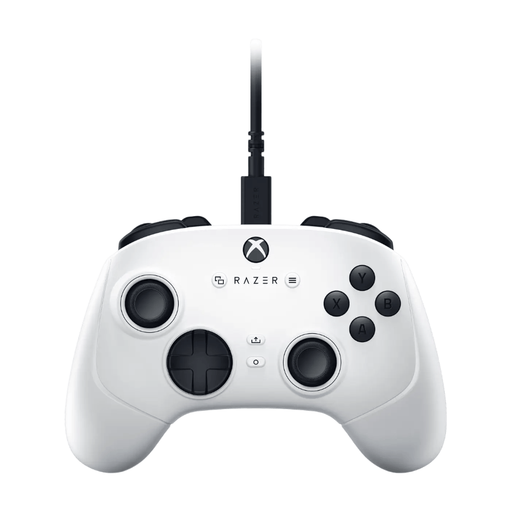
Razer Wolverine V3 Tournament Edition White
The product name mentions PC and Xbox; check support for your specific snowboarding game.
According to the product information, this is a USB gamepad with a wired USB-C connection. The title lists Hall Effect thumbsticks and six assignable buttons.
View at Joybuy
Frequently asked questions
Do I need a controller for every snowboarding game?
No, it depends on the game. Steam says that Shredders requires a controller and doesn’t support a keyboard and mouse; Ubisoft also lists a keyboard and mouse for Riders Republic on PC. Check the requirements for the title you play.
Can I connect the 8BitDo Ultimate 2C Wireless to my Windows PC via Bluetooth?
For this model on Windows, 8BitDo lists a 2.4GHz receiver or cable, and specifies Bluetooth for Android. To use it wirelessly on Windows, plug the receiver into a USB port and check the instructions for your model.
What if my controller develops a fault during normal use?
According to the Dutch government, you’re entitled to a product that works properly in the Netherlands and can contact the seller if it develops a fault. There’s no fixed statutory guarantee period; an additional manufacturer’s or paid guarantee doesn’t replace your statutory rights.
Can I return a controller bought online?
According to the Dutch government, when you buy online from a business, you generally have 14 days to change your mind. This doesn’t necessarily apply to online purchases from private sellers, so check which terms apply to your purchase.
Is an imported controller automatically safe if EU product information is missing?
You can’t automatically assume that. The Dutch government warns that when buying from online shops outside the EU, it isn’t always possible to assess whether European safety requirements have been met. Check the seller, product information and return options; this doesn’t mean that any of the models mentioned here have been found not to comply.


