
Console players with a wired headset
You play on Xbox or PS5 and want to know whether your headphones will connect to the controller, without overlooking support for your snowboarding game.


First, choose a controller supported by your console and snowboarding game. Then decide whether you want to connect your headphones to the controller or directly to your system. For Riders Republic, Ubisoft lists the Xbox Wireless Controller for Xbox and Windows, and the DualSense for PS5 and Windows. According to PlayStation, the DualSense headset jack only works on PC when the controller is connected by cable.
You play on Xbox or PS5 and want to know whether your headphones will connect to the controller, without overlooking support for your snowboarding game.
You play a snowboarding game on Windows and want to make sure controller support, connection type and audio setup all work together.
You want to adjust the volume or mute the microphone quickly while playing. So compare headset features only after checking that the controller and game are compatible with your platform.
First, check support for your exact game and platform, then look at the headphone connection and how it connects. Next, decide whether you want to play wired or wirelessly, and which extra buttons you actually need.
| What to consider | What should you check? | Who should prioritise this? |
|---|---|---|
| Game and platform support | Check the list for your exact game and console or Windows version. Ubisoft lists different controllers for Riders Republic and Steep. | I want to make sure the controller works with my snowboarding game and platform first. For around 33% of consumers, compatibility is the top purchasing priority. |
| Headset connection and audio | Check the plug and where your game and chat audio will come from. On PC, the DualSense headset jack requires a wired controller connection. | I want to connect my headphones to the controller and make sure the audio works with my chosen connection. Around 27% of consumers prioritise this audio setup. |
| Wired or wireless | Weigh cable length against freedom of movement and check how the controller is powered. Also make sure your headset works with the connection you choose. | If I don’t want a cable in the way while playing, freedom of movement matters most. If I don’t want to manage a battery, a wired option may suit me better. Around 20% of consumers focus mainly on this trade-off. |
| Buttons and audio controls | Look at the position of the sticks and extra buttons. Check which headset features are available on your platform and with your connection. | I want quick access to extra buttons or audio controls, but only if they work with my setup. For around 20% of consumers, these controls come first. |
On PC, the DualSense 3.5mm jack only provides headset audio when the controller is connected by cable.
Before buying, decide where you’ll connect your headphones and how you’ll connect the controller to your PC.
Ubisoft publishes different lists of supported controllers for Riders Republic and Steep.
Check the name of your game and platform separately before choosing a controller.
On PC, Chat Mix on the Turtle Beach Recon doesn’t work when a 3.5mm headset is connected to the controller.
Compare audio controls based on the features available with your platform and connection.
Nintendo states that the Switch 2 Pro Controller is for Switch 2 only. Ubisoft doesn’t mention Switch 2 in the platform information consulted for Riders Republic.
First, make sure your specific snowboarding game is playable on Switch 2.
An option for playing Riders Republic on Xbox or Windows if you want to use an Xbox Wireless Controller.
Ubisoft lists the DualSense as an option for Riders Republic on PS5 and Windows.
A wired, Xbox-compatible option if you’re looking for a headset jack and extra control buttons.
The Recon is a wired option for players comparing headset controls on Xbox or Windows.
The Switch 2 Pro Controller is only an option if your snowboarding game is playable on Switch 2.
This selection from Joybuy includes controllers for Xbox and PC, including wired options, as well as a Bluetooth controller for phones and PC. Check that each controller is supported by your game and that headset audio works with the connection you choose.
 Image unavailable
An option to compare if you’re looking for an Xbox or Windows controller with a headset jack. Check how audio works with your PC connection.
The product information lists Bluetooth, USB-C and a 3.5mm headset jack. Headset audio through the controller isn’t confirmed for every connection type on Windows.
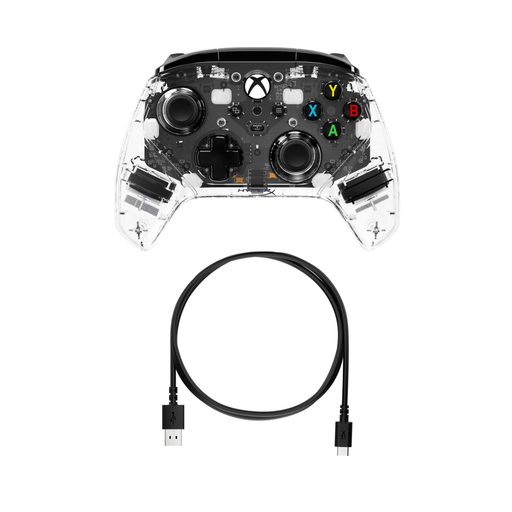 Image unavailable
This wired controller is worth comparing if you want to connect a wired headset to your Xbox or PC.
The product information lists Xbox One, Xbox Series X|S and PC, plus a 3.5mm stereo jack. It also mentions programmable rear buttons.
 Image unavailable
An option to compare if you want to weigh up different connection types and programmable buttons for PC.
The product information lists wired, wireless and Bluetooth use, six programmable buttons, and compatibility with PC, Nintendo Switch, Switch 2, Steam and Android.
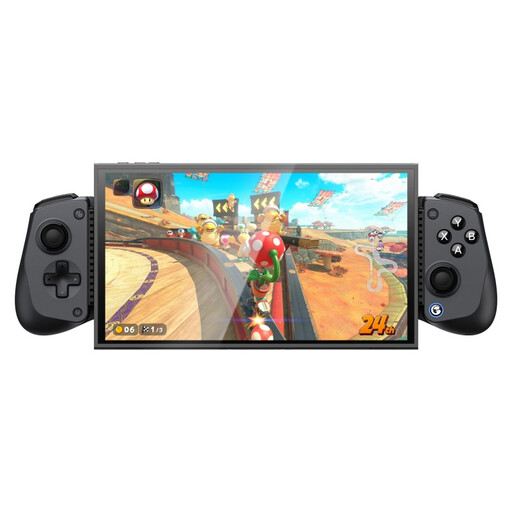 Image unavailable
This Bluetooth controller is an option to compare if you want to play on a compatible phone or PC.
The product information lists support for phones measuring 105–213 mm, Hall Effect sticks and triggers, interchangeable ABXY buttons and a turbo function.
 Image unavailable
An option to compare if you’re considering wired use with Xbox or PC. Check the connection for your specific platform.
The product information lists wired use on Xbox and PC, programmable rear buttons and a turbo function. The name also indicates wireless use for mobile devices.
Not through the headset jack in that setup: according to PlayStation, this feature requires a wired controller connection on PC. Alternatively, you can connect your headphones to an audio output on your PC and check the sound settings there.
Look up the list of supported controllers for your exact game and platform. The Ubisoft lists for Riders Republic and Steep are different, so support for one game doesn’t confirm that the controller will work with the other.
No. ACM ConsuWijzer distinguishes between a commercial guarantee and your statutory rights: with normal use, a product should last as long as you can reasonably expect it to. If a product develops a fault too soon and the conditions are met, the retailer is responsible for providing a solution at no cost.
For online purchases, ACM ConsuWijzer says you generally have a statutory cooling-off period of up to 14 days after delivery, with some exceptions. Before buying, check the applicable terms and guidance on unpacking and trying out the product. Changing your mind during the cooling-off period is different from your rights if a product is faulty.